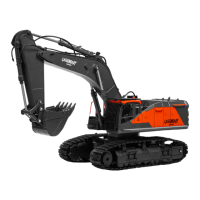
This document describes the LAEGENDARY TIPPER Dump Truck, a 1:14 scale RC construction model.
Function Description
The LAEGENDARY TIPPER Dump Truck is a hobby-grade remote-controlled vehicle designed for construction play. It features a functional dump body that can be raised and lowered, allowing for realistic loading and unloading operations. The truck is equipped with a 4WD (Four-Wheel Drive) system, providing power to all wheels for enhanced traction and maneuverability. It operates on a 2.4GHz radio system, ensuring stable and interference-free control. The model is ready-to-run (RTR), meaning it comes with most necessary components for immediate use after battery installation and charging.
Important Technical Specifications
- Scale: 1:14
- Drive System: 4WD (Four-Wheel Drive)
- Radio System: 10CH 2.4GHz
- Battery Type: 7.4V 2S 600mAh Li-Ion battery (2 included)
- Charging Time: Approximately 4 hours for a 2S 600mAh Li-Ion battery
- Input Voltage (Vehicle): Maximum 7.4 volts (2s Li-Ion)
- Remote Control Batteries: 4 AA batteries (not included)
- Operation Frequency: 2402~2480 MHz
- Included Components:
- TIPPER Dump Truck
- 2 x 7.4V 2S 600mAh Li-Ion batteries
- 2 x USB Chargers
- 1 x Screwdriver
- Remote Control
Usage Features
Getting Started:
- Battery Installation (Vehicle):
- Loosen the screw of the battery cover with a screwdriver.
- Twist the locker and remove the battery cover.
- Connect the batteries to the power port of the dump truck.
- Place the batteries in the battery box.
- Install the battery cover and rotate the lock.
- Battery Charging:
- Connect the white port of the Li-Ion battery to the USB charging port.
- Ensure a tight and correct connection.
- Insert the USB charging plug into a power adapter.
- USB Charger Lights Indicator:
- Solid red: Plugged into outlet.
- Flashing green: Battery connected.
- Solid green: Charging complete.
- Remote Control Battery Installation:
- Open the battery compartment cover using a screwdriver.
- Insert 4 AA batteries with correct polarities.
- Install the battery cover and tighten the screw.
- Binding Process (First Time Use):
- Install batteries into both the excavator (truck) and the remote control.
- Turn on the power button on the vehicle.
- Turn on the power button on the remote control.
- The vehicle and remote control will automatically pair, indicated by a "beep" sound upon successful binding.
Remote Control Operation:
- Power Light: Indicates the remote control is on.
- Joysticks:
- Left Joystick (Forward/Backward): Controls the truck's movement.
- Right Joystick (Turn Left/Turn Right): Controls the truck's steering.
- Buttons:
- Sound Switch: Turns the truck's sound on/off.
- Light Switch: Turns the truck's lights on/off.
- Raise the Hopper: Continuously press to raise the dump body.
- Lower the Hopper: Continuously press to lower the dump body.
- Rectification of deviation to the left/right: Buttons to adjust the front wheel alignment if the truck deviates while driving straight.
- Joystick Knobs: Install the joystick knobs onto the joysticks as shown in the manual.
Maintenance Features
General Maintenance:
- Disconnect Battery: Always disconnect the battery from the vehicle when not in use to prevent discharge and potential damage.
- Insulate Wires: Insulate any exposed wiring with heat shrink tubing to prevent short circuits.
- Regular Checks: Before and after each use, check all parts for wear and tear, especially consumables like the servo, differential, tires, shafts, bumpers, shocks, and arms. Replace damaged parts promptly to ensure optimal performance and safety.
- Cleanliness: Keep the model clean and free from dirt and debris.
Charging and Handling Precautions (Critical for Battery Longevity and Safety):
- Never Leave Unattended: Do not leave the charger and batteries unattended while charging or discharging.
- Monitor for Malfunctions: If any signs of malfunction or emergency occur, immediately unplug the charger and disconnect the batteries.
- Charging Duration: Do not charge the battery for longer than 5 hours.
- Disconnect When Not in Use: Always unplug the charger and disconnect batteries when not in use.
- Remove from Vehicle: Always remove batteries from the vehicle before charging.
- Prevent Short Circuits: Do not allow exposed battery contacts or wires to touch each other.
- Swelling/Ballooning: If cells swell or balloon during charging, immediately disconnect the charger and move the battery to a fireproof place for 15 minutes. Do not attempt to charge it again.
- Safe Charging Surface: Never charge batteries on wood, cloth, carpet, or any other flammable material. Always charge in a well-ventilated area, away from flammable items.
- Avoid Overheating: Do not place objects on top of the charger or batteries.
- Post-Crash Inspection: Any battery involved in a crash should be removed and observed in a fireproof space for 15 minutes before further use.
- Damaged Batteries: Do NOT charge, discharge, or use any damaged battery or battery cell.
- Disassembly/Exposure: Do NOT disassemble, crush, short circuit, or expose batteries/cells to flame or other ignition sources.
- Water/Moisture: Do NOT expose batteries and charger to water or moisture.
- Storage: Always store battery packs safely out of reach of children and pets.
- Charging Conditions to Avoid: Do not charge batteries that are hot to the touch, not suitable for the charger's output, damaged/defective (dented cells, frayed wires, loose connections, fluid leaks, corrosion, plugged vents, swelling, cell deformity, impact damage, melted components, or other signs of damage), altered from original configuration, non-rechargeable, or have missing/unreadable labels.
- Motor Heat: The motor can become extremely hot during use; avoid touching it until it cools down. Ensure adequate airflow for cooling.
- Factory Connectors: Do not change the battery and motor connectors, as improper wiring can cause fire or damage.
Spare Parts and Support:
- Replacement parts are available on the LAEGENDARY website: www.laegendary.com.
- Customer Support: Call 646-389-8009 or E-mail: support@laegendary.com for questions or operational assistance.
Warranty Information:
- 1-Year Warranty: Covers defects in materials, workmanship, and assembly for the Remote Control and USB charger.
- 6-Month Warranty: Covers the Motor and ESC.
- Exclusions: Damages caused by user (e.g., incorrect maintenance, crash damage, lack of maintenance, improper use, water damage, painted/used bodyshells) are not covered.
- Third-Party Purchases: Warranty is only valid for items purchased directly from LAEGENDARY.
- Component-Level Warranty: After use, LAEGENDARY offers a component-level warranty and will replace defective components at their discretion.

 Need help?
 General

 To Next Page