SmartShop CBX Fiber Laser
41
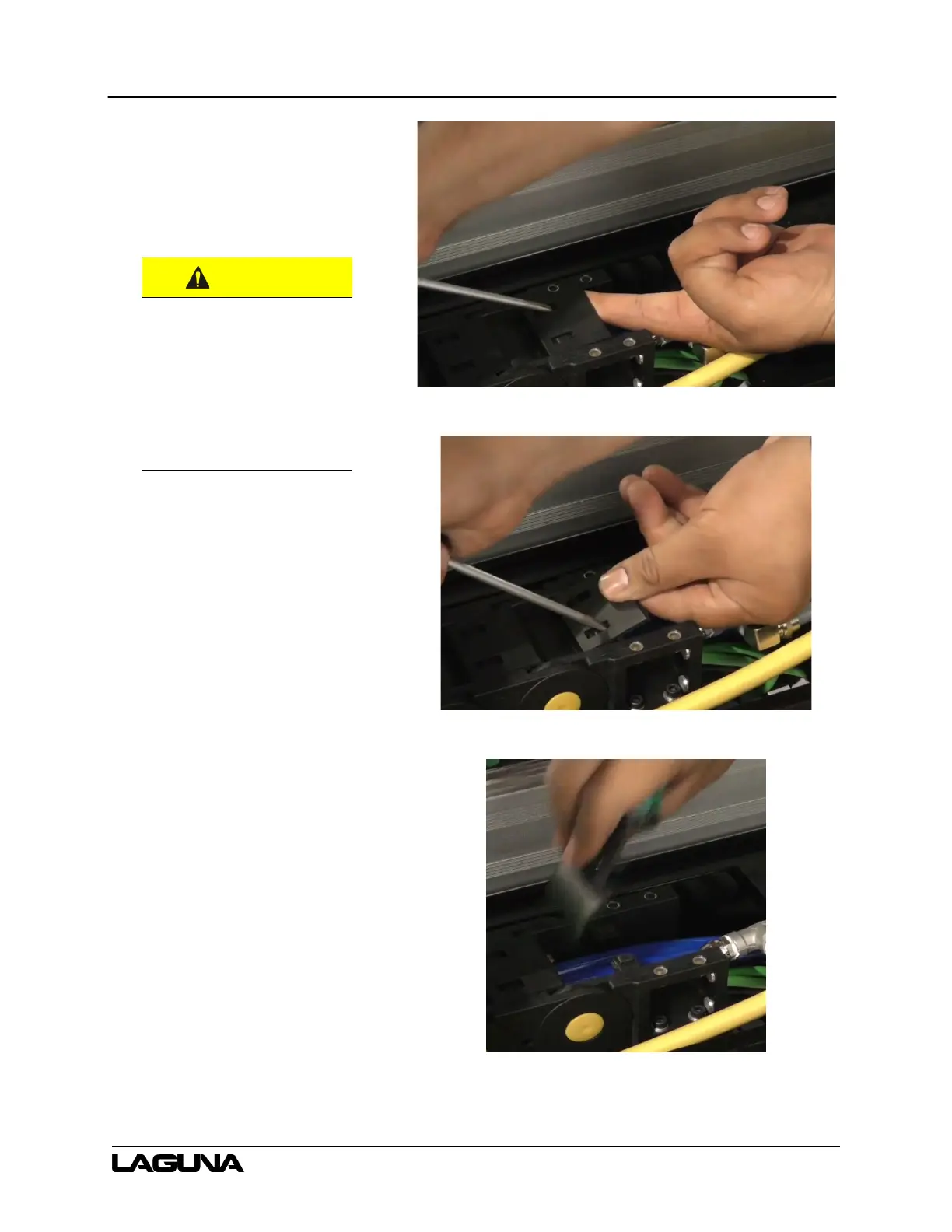
34. On the cable track covers, insert
a small flathead screwdriver into
the hole on the cover.
a. Use the screwdriver to pry
the covers off.
35. Remove all the cable track
covers.
a. Do not forget about the
covers near the laser
head.
b. There are a lot of covers,
this may take a while.
covers.
DO NOT cut/nick
the cable under the
covers.
Figure 6–49
Figure 6–50
Figure 6–51


 To Next Page