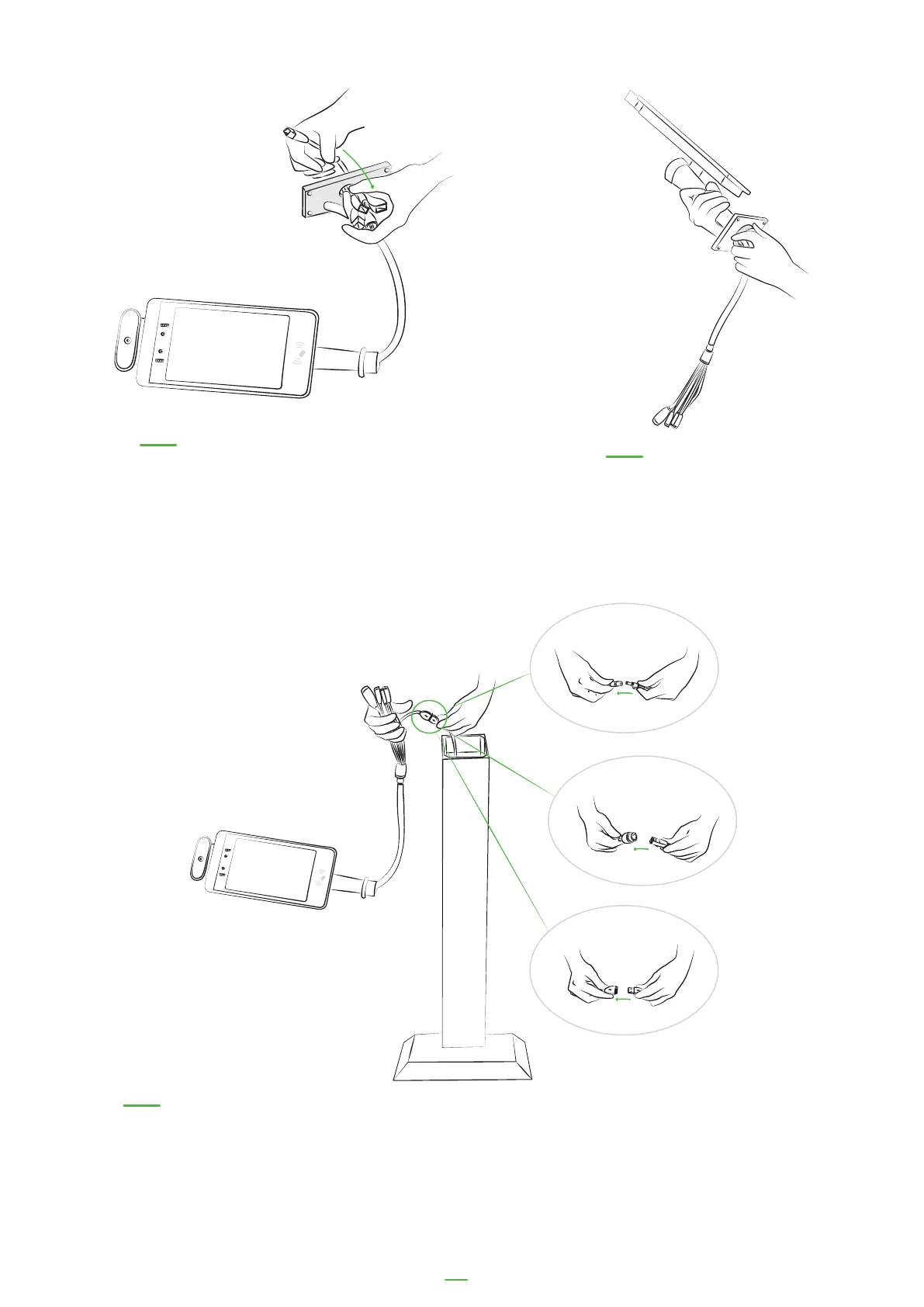
05. Thread the metal plate
through the cables
06. Re-thread the safety bolt
over the cables and secure
onto the kiosk mount
07. Connect the cables from the floor stand to the kiosk cables. There is an ethernet,
USB cable and power cable to connect. The floor stand USB cable should connect to
the yellow USB cable on the kiosk.
13



 To Next Page