09
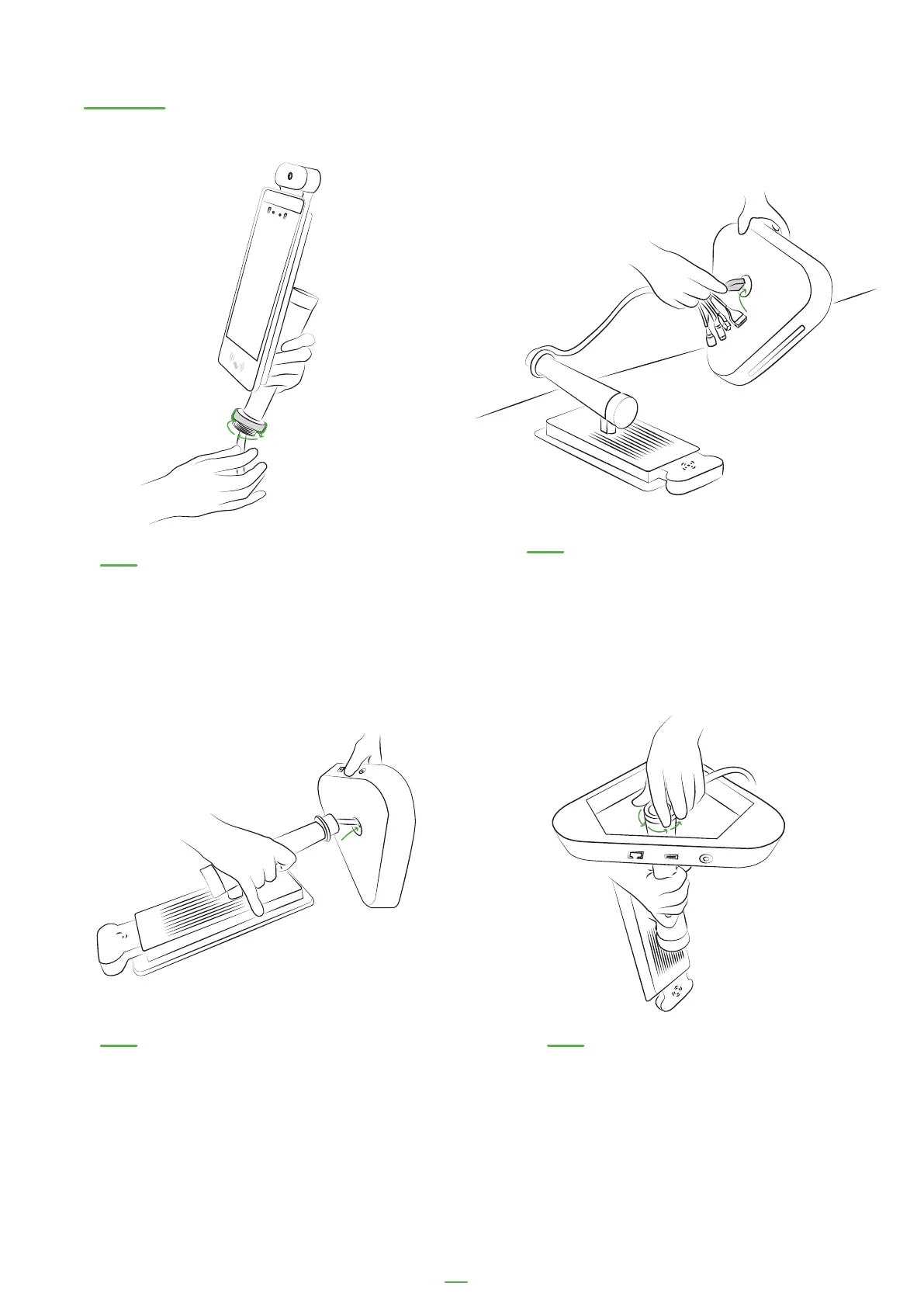
Desktop Kiosk set-up
01. Unscrew the safety bolt
from the Kiosk
02. Thread the kiosk cables
through the desktop stand
03. Put the Kiosk into the desktop
base and line kiosk up with the light
on the desktop base
04. Re-screw the safety bolt
back on after attaching the
desktop base



 To Next Page