- 9 -
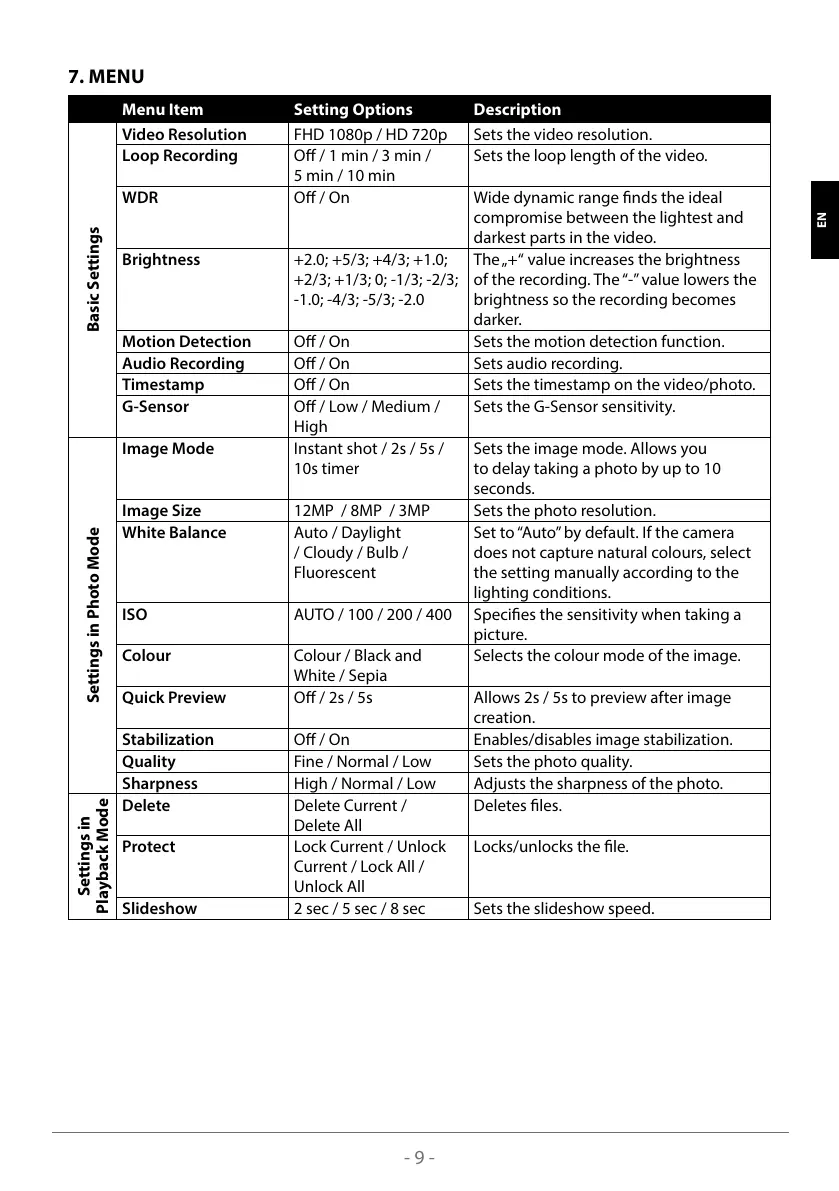
7. MENU
Menu Item Setting Options Description
Basic Settings
Video Resolution FHD 1080p / HD 720p Sets the video resolution.
Loop Recording O / 1 min / 3 min /
5 min / 10 min
Sets the loop length of the video.
WDR O / On Wide dynamic range nds the ideal
compromise between the lightest and
darkest parts in the video.
Brightness +2.0; +5/3; +4/3; +1.0;
+2/3; +1/3; 0; -1/3; -2/3;
-1.0; -4/3; -5/3; -2.0
The „+“ value increases the brightness
of the recording. The “-” value lowers the
brightness so the recording becomes
darker.
Motion Detection O / On Sets the motion detection function.
Audio Recording O / On Sets audio recording.
Timestamp O / On Sets the timestamp on the video/photo.
G-Sensor O / Low / Medium /
High
Sets the G-Sensor sensitivity.
Settings in Photo Mode
Image Mode Instant shot / 2s / 5s /
10s timer
Sets the image mode. Allows you
to delay taking a photo by up to 10
seconds.
Image Size 12MP / 8MP / 3MP Sets the photo resolution.
White Balance Auto / Daylight
/ Cloudy / Bulb /
Fluorescent
Set to “Auto” by default. If the camera
does not capture natural colours, select
the setting manually according to the
lighting conditions.
ISO AUTO / 100 / 200 / 400 Species the sensitivity when taking a
picture.
Colour Colour / Black and
White / Sepia
Selects the colour mode of the image.
Quick Preview O / 2s / 5s Allows 2s / 5s to preview after image
creation.
Stabilization O / On Enables/disables image stabilization.
Quality Fine / Normal / Low Sets the photo quality.
Sharpness High / Normal / Low Adjusts the sharpness of the photo.
Settings in
Playback Mode
Delete Delete Current /
Delete All
Deletes les.
Protect Lock Current / Unlock
Current / Lock All /
Unlock All
Locks/unlocks the le.
Slideshow 2 sec / 5 sec / 8 sec Sets the slideshow speed.
SLO HR LT FR HU SK CZ PL DE EN



 To Next Page