Need help?
Do you have a question about the Lamona HJA 8703 and is the answer not in the manual?
Identifies and describes the function of each button and indicator (A-P) on the washer dryer control panel.
Provides a step-by-step guide for using the washing machine, from sorting laundry to selecting programmes.
Details the steps to follow after the washing cycle is completed, including door lock release and switching off.
Explains the correct method for drying clothes, including programme selection and timed drying options.
Outlines the steps to take once the drying programme has finished, including indicator lights and machine shutdown.
Lists available programmes with details on fabric type, temperature, weight capacity, and detergent usage.
Covers the Start/Pause button, pausing/restarting programmes, adding/removing items, and cancelling.
Explains how to set a delayed start time and use the prewash function for heavily soiled laundry.
Describes how to use the Cold Wash button and the Crease Guard function for specific fabric care.
Details how to adjust spin speed and set the drying time using dedicated controls.
Explains the use of automatic programmes for calculating drying time and dampness based on load type.
Describes the function of indicator lights (Time To End, Buttons, Drying) and the main programme selector.
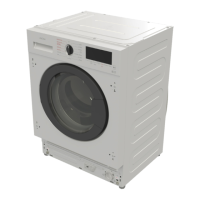
The Lamona HJA 8703 is a washer dryer designed to handle both washing and drying cycles for your laundry. It features a control panel with various buttons and dials to manage different functions and programs.
This appliance offers a comprehensive range of washing and drying programs to suit various fabric types and soil levels. For washing, it includes programs for resistant fabrics like cotton and linen, mixed fabrics, synthetics, and very delicate items. Specialized programs such as Woolmark, Hand wash, and Silk are also available. Users can select specific wash temperatures, from cold wash to 90°C, depending on the fabric and desired cleaning intensity. The machine also provides options for rinses, fast spin, slow spin, and drain only cycles.
For drying, the Lamona HJA 8703 offers both automatic and timed drying programs. Automatic programs, such as "Extra dry," "Cupboard dry," and "Iron dry," calculate the necessary drying time based on the load and desired dryness level. Timed drying cycles allow users to set specific durations (e.g., 30, 60, or 120 minutes). The machine can be set to automatically transition from a wash cycle to a drying cycle, or users can choose to dry their laundry separately after a wash.
The control panel is intuitively laid out with clearly labeled buttons and dials. The "Door open button" (A) allows access to the drum. The "Door locked indicator light" (B) illuminates when the door is securely closed and the machine is operating, ensuring safety. The "Start button" (C) initiates selected programs.
Several optional features enhance the washing experience:
The "Timer dial for drying programmes" (I) and "Timer dial for wash programmes with OFF position" (N) are used to select the desired programs. Indicator lights provide feedback on the machine's status:
To operate the machine, users first sort their laundry, prepare it by emptying pockets and securing fasteners, then load it into the drum. Detergent is added to the "Detergent drawer" (P). After selecting the desired wash or dry program, the "Start/Pause" button (C) is pressed to begin. The machine will start after a few seconds.
During a program, settings can be changed by pausing the machine. The "Start/Pause" button can be held for about 2 seconds to pause the cycle, at which point the "Time to End" indicator and option buttons will flash. To restart, the "Start/Pause" button is pressed again. Items can be added or removed during a wash by pausing the machine, waiting for the door lock to release (approximately 2 minutes), and then closing the door and restarting the program. To cancel a program, the program selector should be rotated to the "OFF" position.
At the end of a wash program, the "STOP" indicator light will be on. Users should wait for the door lock to release (about 2 minutes) before opening the door and removing laundry. The machine should then be switched off by turning the selector to "OFF."
For drying, laundry is loaded, and the "Drying Programme Selector dial" (I) is turned to the desired drying program (e.g., cotton, cupboard dry, iron dry, or a timed cycle). The "START" button is then pressed. The timed indicators will display the remaining drying time.
While the manual does not explicitly detail maintenance features, the design implies standard care practices. The detergent drawer (P) is pull-out, suggesting it can be easily removed for cleaning to prevent detergent buildup. The clear instructions for loading and using detergent indicate that proper detergent usage is key to maintaining the machine's performance and cleanliness. The ability to select different wash temperatures, including hot washes, helps in maintaining the hygiene of the drum and preventing odor buildup. The recommendation to return the drying time selector dial to the "OFF" position at the end of each drying cycle is a good practice for proper machine operation and longevity.
 General
| Colour | White |
|---|---|
| Spin Speed | 1400 rpm |
| Noise Level (Washing) | 56 dB |
| Number of Programs | 15 |
| Dimensions (H x W x D) | 850 x 600 x 590 mm |


 To Next Page