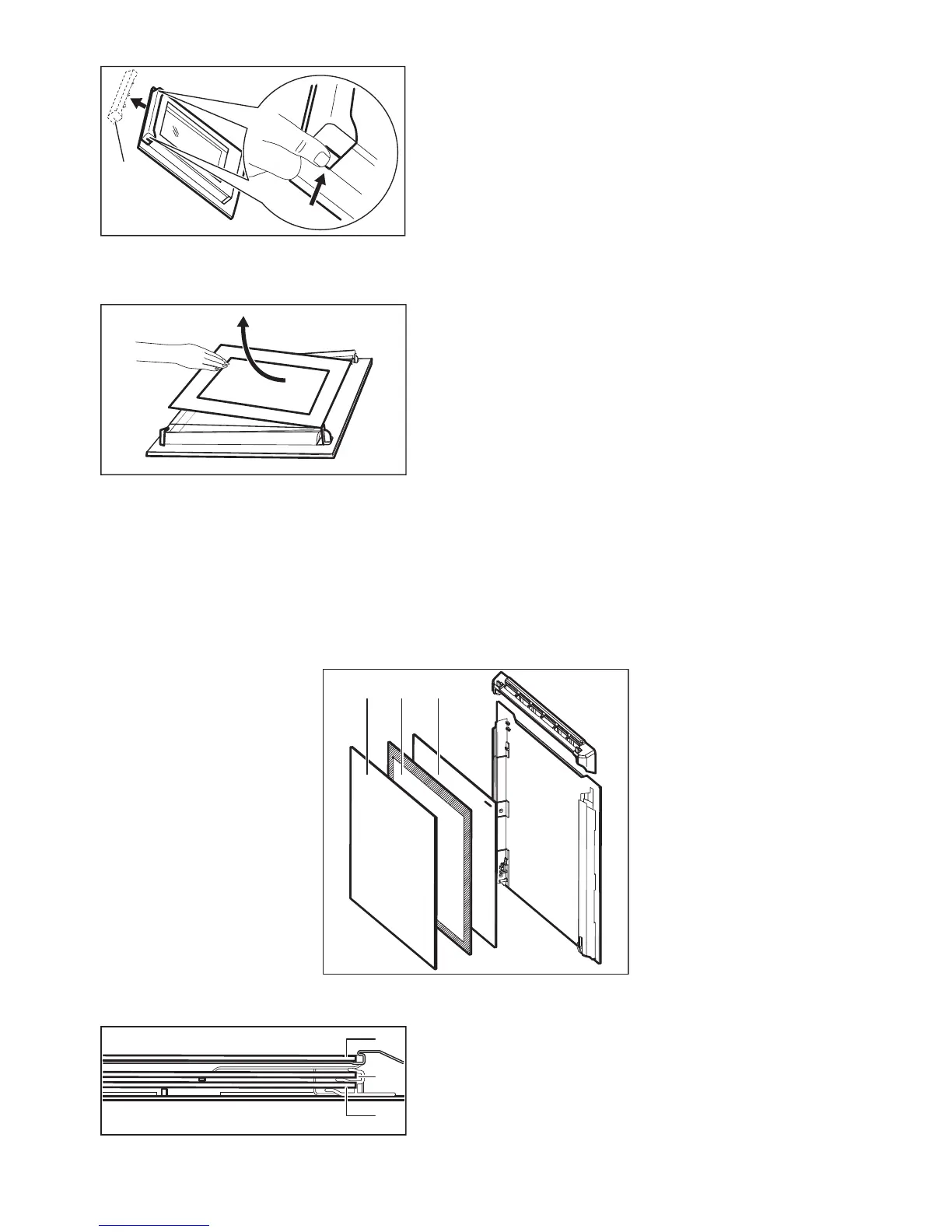
6. Pull the door trim to the front to remove it.
7. Hold the door glass panels by their top edge and carefully pull them out one by one.
Start from the top panel. Make sure the glass slides out of the supports completely.
8. Clean the glass panels with water and soap. Dry the glass panels carefully.
When the cleaning is completed, install the glass panels and the oven door. Do the above
steps in the opposite sequence.
Make sure that you put the glass panels (A, B and C) back in the correct sequence. The
middle panel (B) has a decorative frame. The screen-printing zone must face the inner side
of the door. Make sure that after the installation the surface of the glass panel frame (B) on
the screen-printing zones is not rough when you touch it.



 To Next Page