34
5 Operating Control and Displays
Set staged oil operation - transition from 1
st
to 2
nd
stage
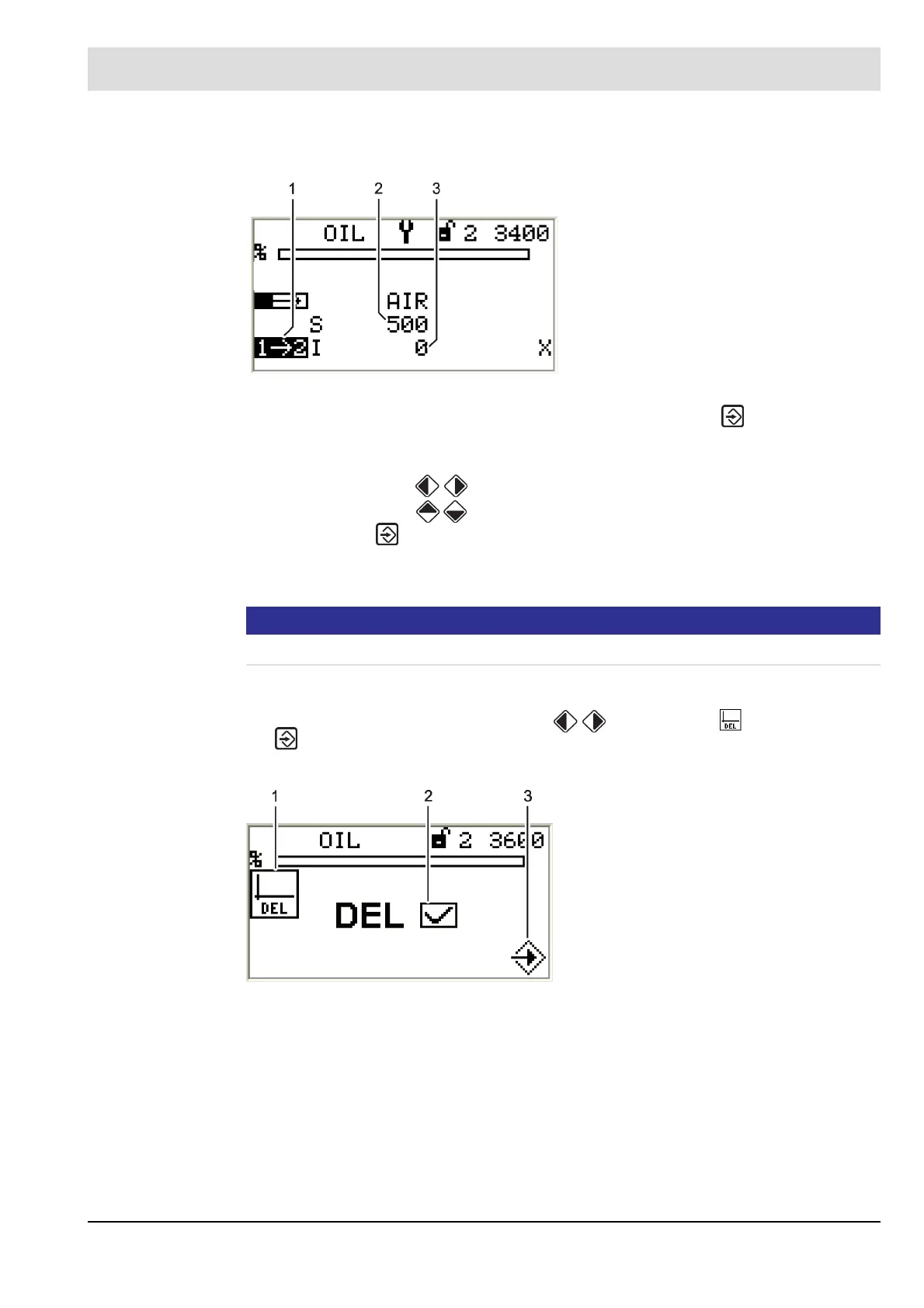
1. Select the setpoint for the air damper position and press ENTER to confirm.
The actuators move to these positions.
The setpoint position for the active actuator is displayed inversely.
2. Use the cursor keys to set the position of the selected actuator.
3. Use the cursor keys to switch to a different actuator.
4. Press ENTER .
Positions for all actuators of the selected firing-rate point are saved.
You can select the next firing-rate point.
NOTICE!
Set the other firing-rate stages according to this procedure!
Delete firing-rate curves
1. In "Settings" menu path use cursor keys to select menu and press ENTER
to confirm.
The display shows the "Deleting curves" menu.
Fig. 5-41 Transition from 1
st
to 2
nd
stage
1 Display valve switch-on point, 2
nd
stage
2 Setpoint, air damper position
3 Actual value, air damper position
Fig. 5-42 Deleting curves menu
1 Delete curves pictogram
2 Delete curves selected
3 Confirm deleting of curves



 To Next Page