18
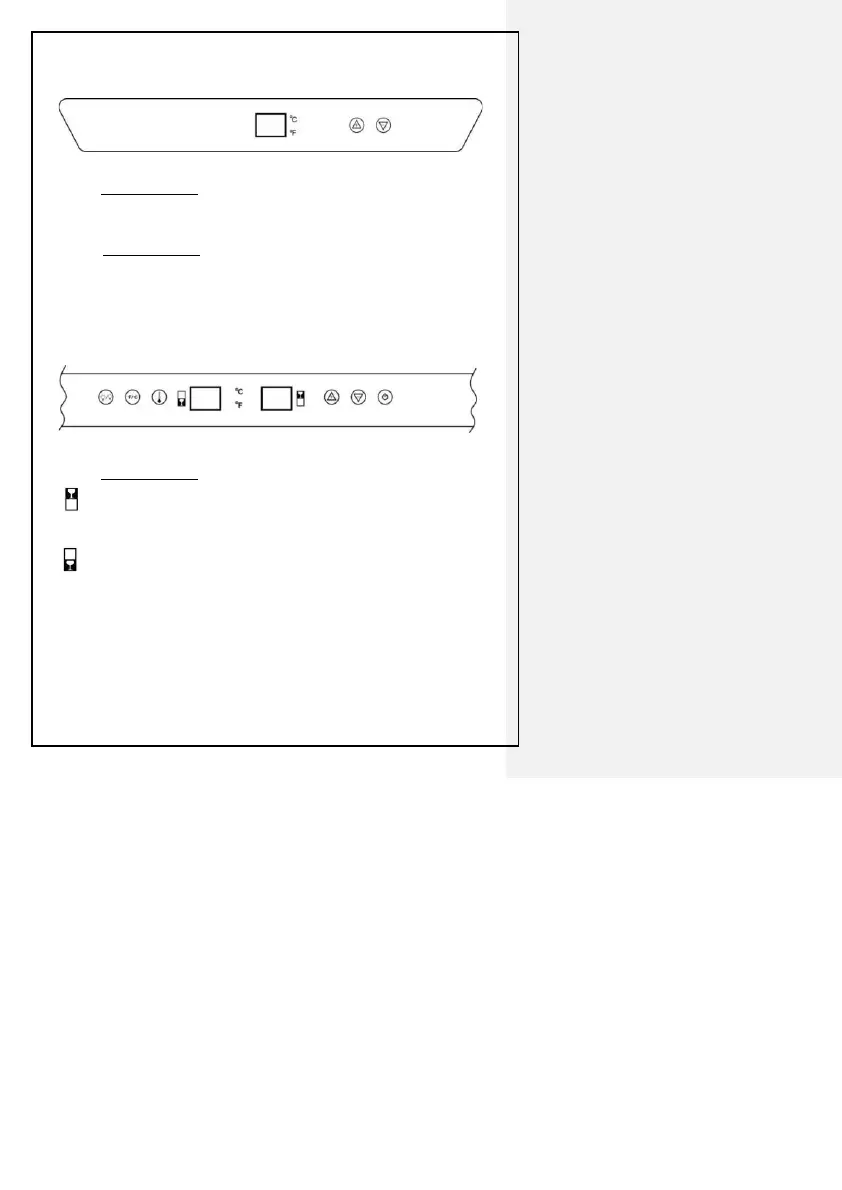
4.4 Control Panel Below ( only for model LW144T):
(Upper Control Panel)
◎ Display Windows
•CHAMBER: Display of the actual temperature of the upper chamber. The range is
0℃~37℃ or 32℉~99℉.
◎ Button Operation
“+” “–” Button: Temperature setting button. Each time you press the button “+”
button the temperature increased 1℃ or 1℉. Or press “-” button the temperature
decreased 1℃ or 1℉; Setting range is between 5℃~18℃ or 41℉~64℉ of upper
zone.
(Middle and Lower Control Panel)
◎ Display Windows
• MIDDLE CHAMBER:Display of the actual temperature of the middle chamber.
The range is 0℃~37℃ or 32℉~99℉.
• LOWER CHAMBER: Display of the actual temperature of the lower chamber;
The range is 0℃~37℃ or 32℉~99℉.
· ℃/℉ light:When the ℃ light is on, it indicates Celsius temperature; When the ℉
light is on, it indicates Fahrenheit temperature.


 To Next Page