815 LX / UTILIZATION
CHAPTER 3 PROGRAMMING 31
2. 2. ACCESS TO PROGRAMMING A WASHING CYCLE
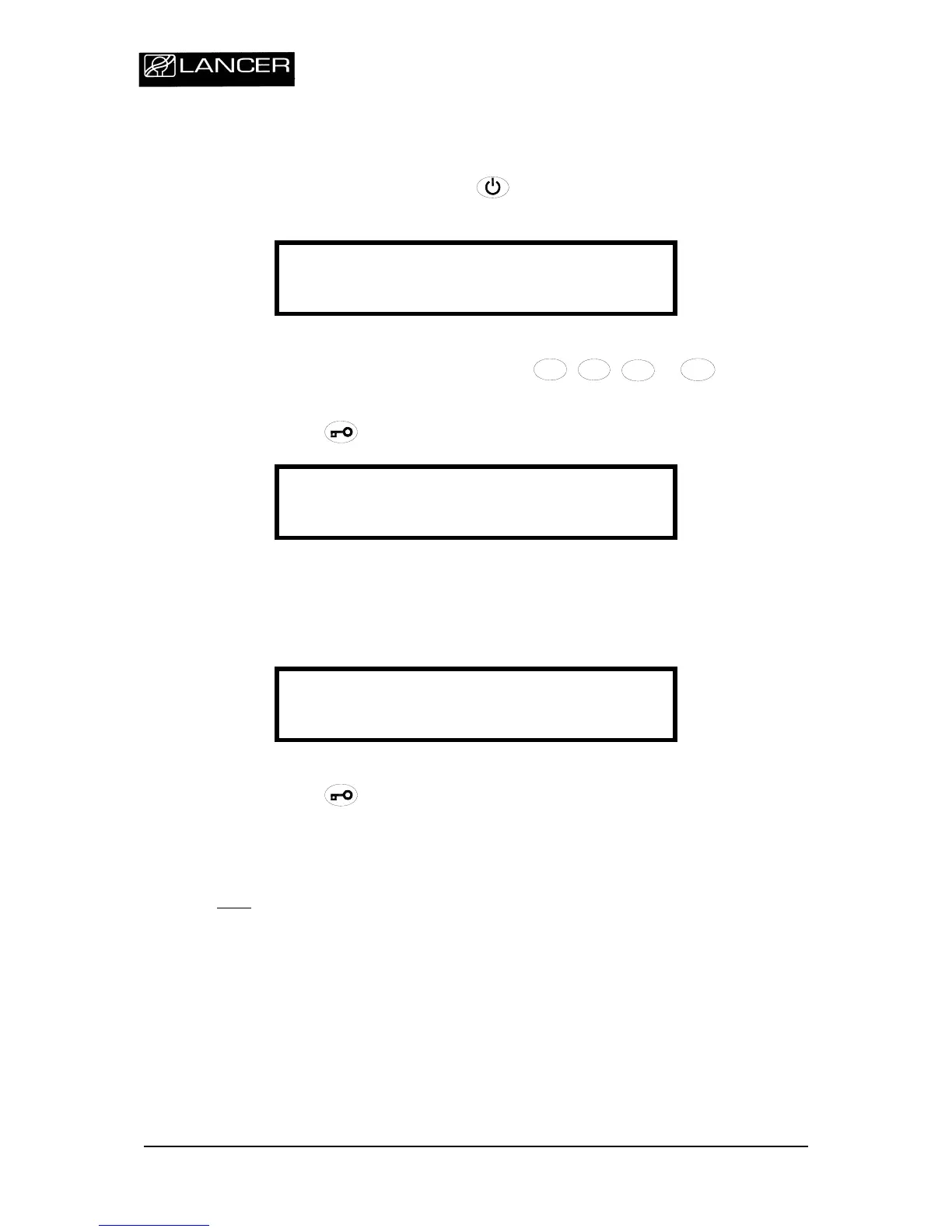
Switch on the appliance by pressing
.
The display indicates the number of the last cycle performed.
P R O G R A M M E n ° 0 1
L ANCER
Select the cycle number to be modified with
1111
1
1
11
1
11
1
11
1
1
,
2
2222
22
2222
2
2222
,
/
/
/
//
/
/
//
/
/
//
/
/
/
3
3
3
33
3
3
33
3
3
33
3
3
3
-
--
-
-
-
--
--
--
-
-
-
-
or
/
/
/
/
/
//
//
/
//
///
/
4
4
4
44
4
4
44
4
4
44
4
4
4
+
+++
++
+
++
++
+
+
+
+
+
buttons.
Press and hold
button for 3 seconds to validate.
V ALIDATION
----
Enter the access code
- LEVEL 1 / USER (3124)-
.
If an incorrect code is entered, the following error message is displayed.
V ALIDATION
I NCORRECT
Press and hold
button for 3 seconds to validate.
You must reenter the correct access code.
Note
:
If the access code is not entered within 1 minute, the display unit returns to its
initial state.


 To Next Page