8
LANCOM Installation Guide – Installation
EN
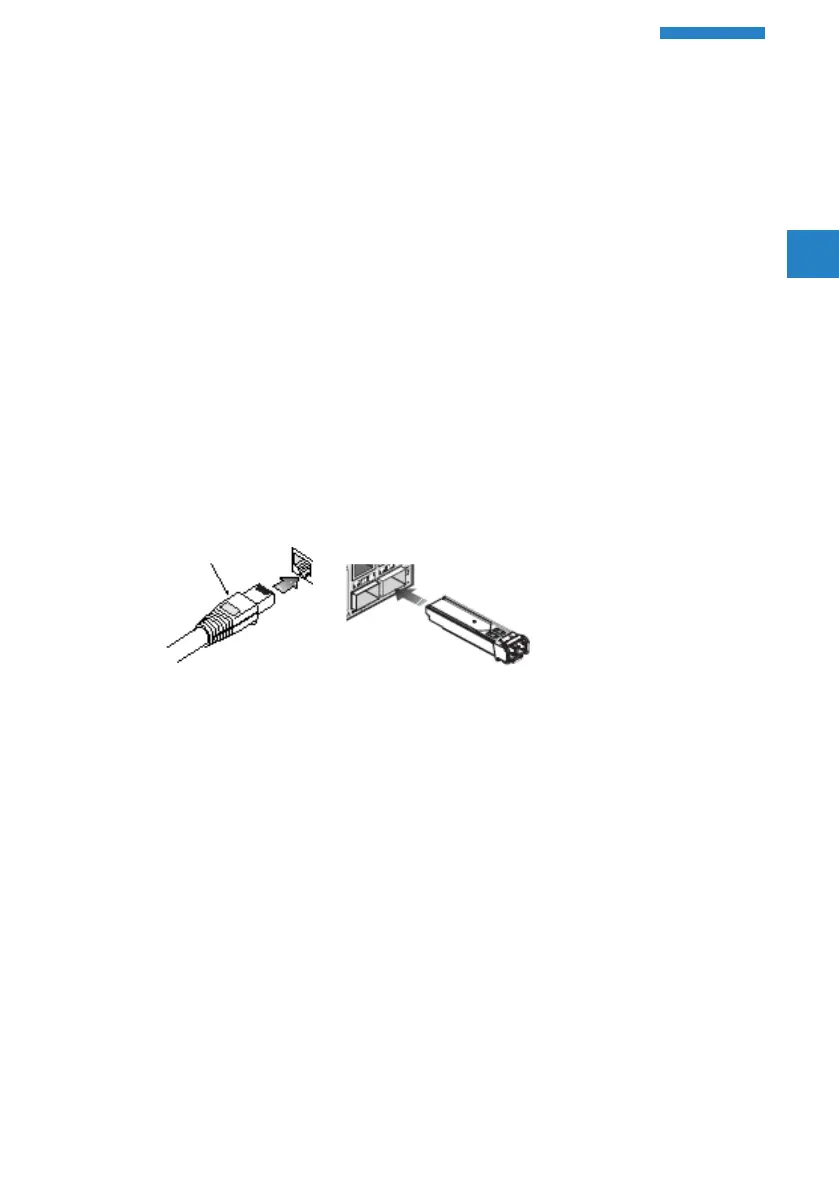
Ethernet cabling
To ensure proper operation when installing the switch into a network, make
sure that the available cables are suitable for 100BASE-TX or 1000BASE-T
operation. Check the following criteria against the current installation of
your network:
A Cable type: Unshielded twisted pair (UTP) or shielded twisted pair (STP)
cable with RJ-45 connectors; Category 5e with maximum length of
100 meters is recommended for 100BASE-TX, and Category 5e or 6
with maximum length of 100 meters is recommended for 1000BASE-T
A Protection from radio frequency interference emissions
A Electrical surge suppression
A Separation of electrical wires and data – based network wiring
A Safe connections with no damaged cables, connectors or shields
Package content and accessories
Before beginning with the installation, please check that nothing is missing
from your package. Along with the LANCOM switch the box should contain
the following accessories:
A Power cord
A 19’’ adapter (2 pieces) and mounting materials
A Serial cable (model dependent)
A Printed documentation



 To Next Page