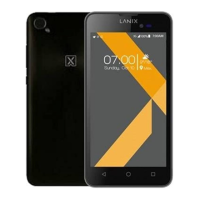
LANIX LX1
24
Press the up / down key to adjust the volume.
Press left/right key to tune by 0.1 MHz.
Press LSK (Options) and select Channel list,Manual input etc.
File Manager
To view the file folders in system storage (memory card), In every folder, Press
OK Key and select Open, New folder, Rename and Delete .
Profiles
There are 5 profiles for you to select one as current profile:
General/ Meeting/ Outdoor/ Indoor/ Headset
In every profile item, press LSK (Options) to enter Activate and Customize.
In Customize, you can choose:Incoming call,Alert tyoe.Ring volume,Ring
type,Message tone,Keypad tone and keytone volume.
Settings
You can configure your cellular phone to best suit your usage preferences.
Date and time
Set time / date: enter the current time and date.
Format: select a time and a date format.
Time zone update:on /off
Display setting
With this sub-menu you can configure the display characteristics of the device
including wallpaper, LCD backlight, Brightness and show date and time.


 To Next Page