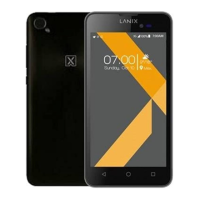
LANIX LX1
25
Phone settings
Language: Your device supports English language.
Shortcuts:to set the shortcuts,make it convenient to enter the interface.
Schedule power on / off: You can set the time for auto power on /off.
Greeting text: when the phone is power on, the greeting text is displayed on the
screen
Home city: select the desired city.
Auto Keypad lock: You can lock/unlock the keyboard .
Input method settings: Select the desired input method to set as the default
input method.
Call settings
Caller ID: to select Set by network, Hide ID or Send ID
Call waiting: Activate, the network will notify you of a new incoming call while
you have a call in progress (Net work Service).
Call divert: This network service allows you to divert your incoming calls to
anther number. For details, contact your service provider.
Call barring: Activate, this network service allows you to restrict incoming calls
from your device. For details, contact your service provider.
Call time reminder: you can open the function, it will remind you single or
periodic.
Auto redial: when you dial a number and the other side not respond, it will dial
again automatically.
Answer mode: when a incoming call is arrived,you can press any key to
ansewer but end key.
Auto quick end: the call will end automatically ,when the call time is limited
Network settings


 To Next Page