11
Adjusting Brightness
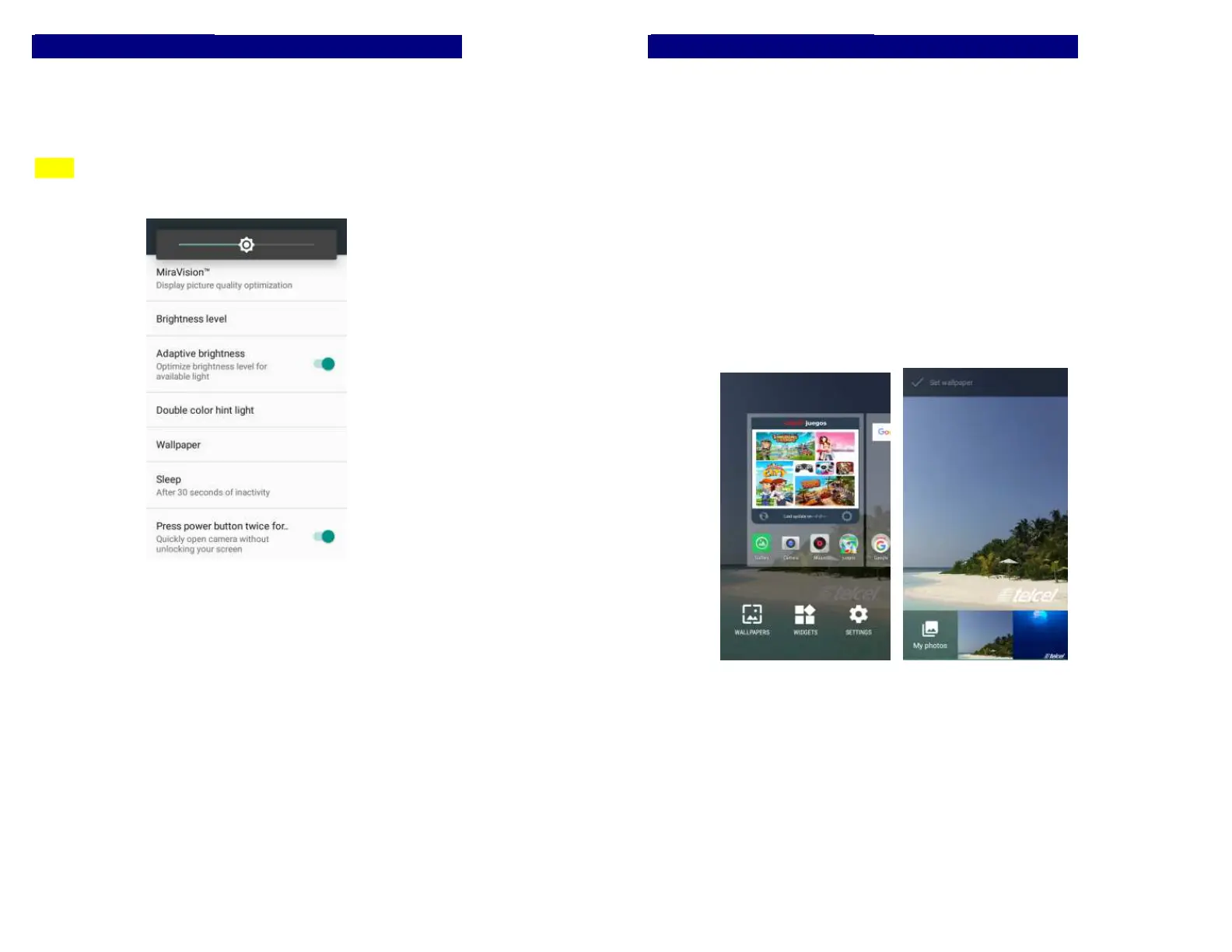
Drag the notification panel down and adjust brightness. Or
enter Settings->Display-> Brightness level, and adjust the
brightness level here (by dragging the brightness slider to
the left to decrease or to the right to increase the screen
Brightness).
Note: Lower the brightness of the screen to prolong the
battery life.
12
Changing your Wallpaper
Personalizing your Home screen wallpaper with your
favorite photo is a quick and easy way to change the feel of
your phone and give it a fresh look. Browse the collection of
wallpapers included in your phone by default or choose
from photos that you have taken with the camera.
-> Press and hold the screen where there is space.
-> The screen will vibrate and an optional context.
-> Select the wallpaper you want and confirm to set it as
wallpaper.
Or you can enter Settings->Display-> Wallpaper, then will
show an optional context.
-> Select the wallpaper you want and confirm to set it as
wallpaper.


 To Next Page