3
Of ce Edition Quick Start Guide
ENGLISH
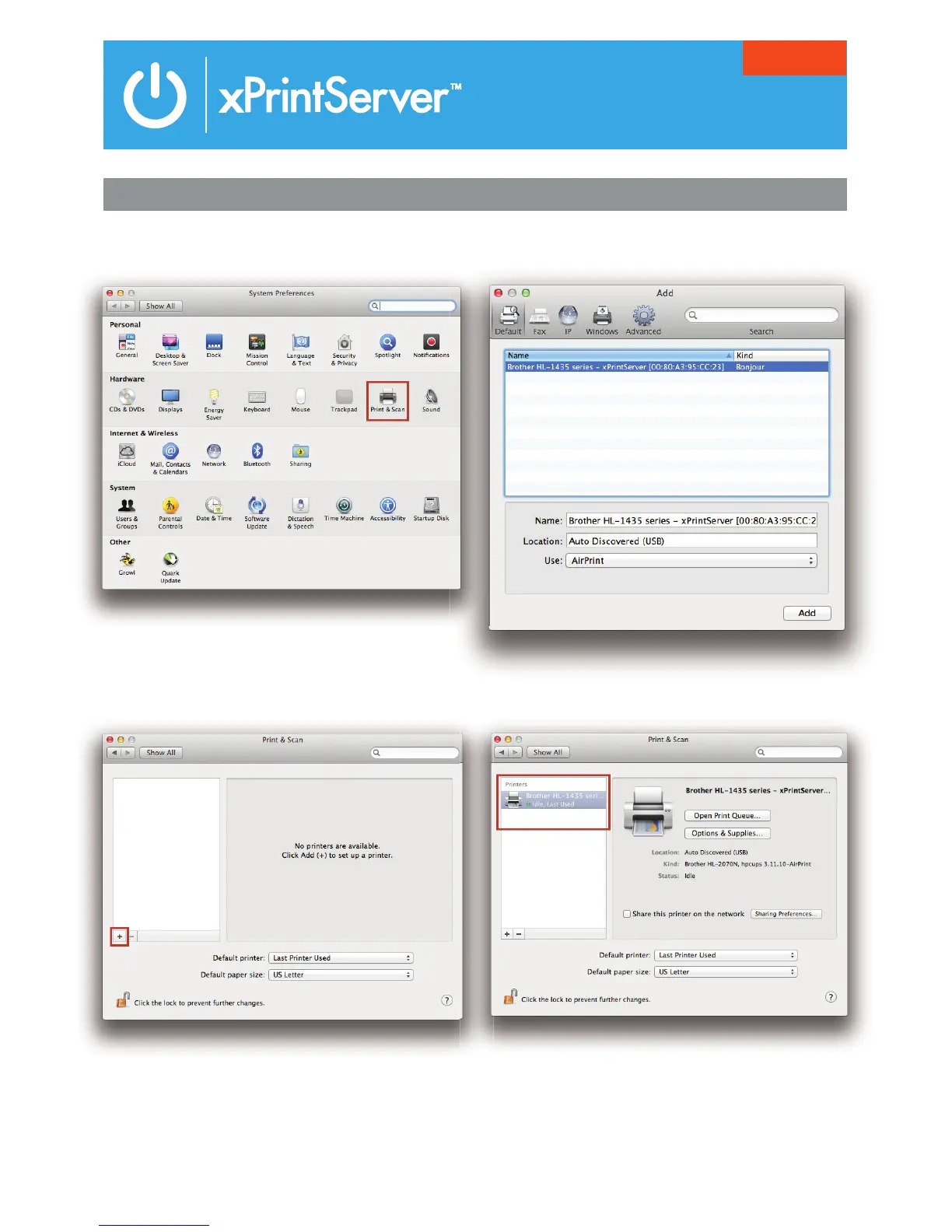
5 HOW TO PRINT FROM MAC OS
1. Go to System Preferences, Hardware and click
on Print & Scan.
2. Click on the + button on the lower left corner
3. A list of printers appear. Select the printer you
wish to add and click on the Add button.
4. The printer is now added in your available list of
printers and is ready to print.



 To Next Page
 Loading...
