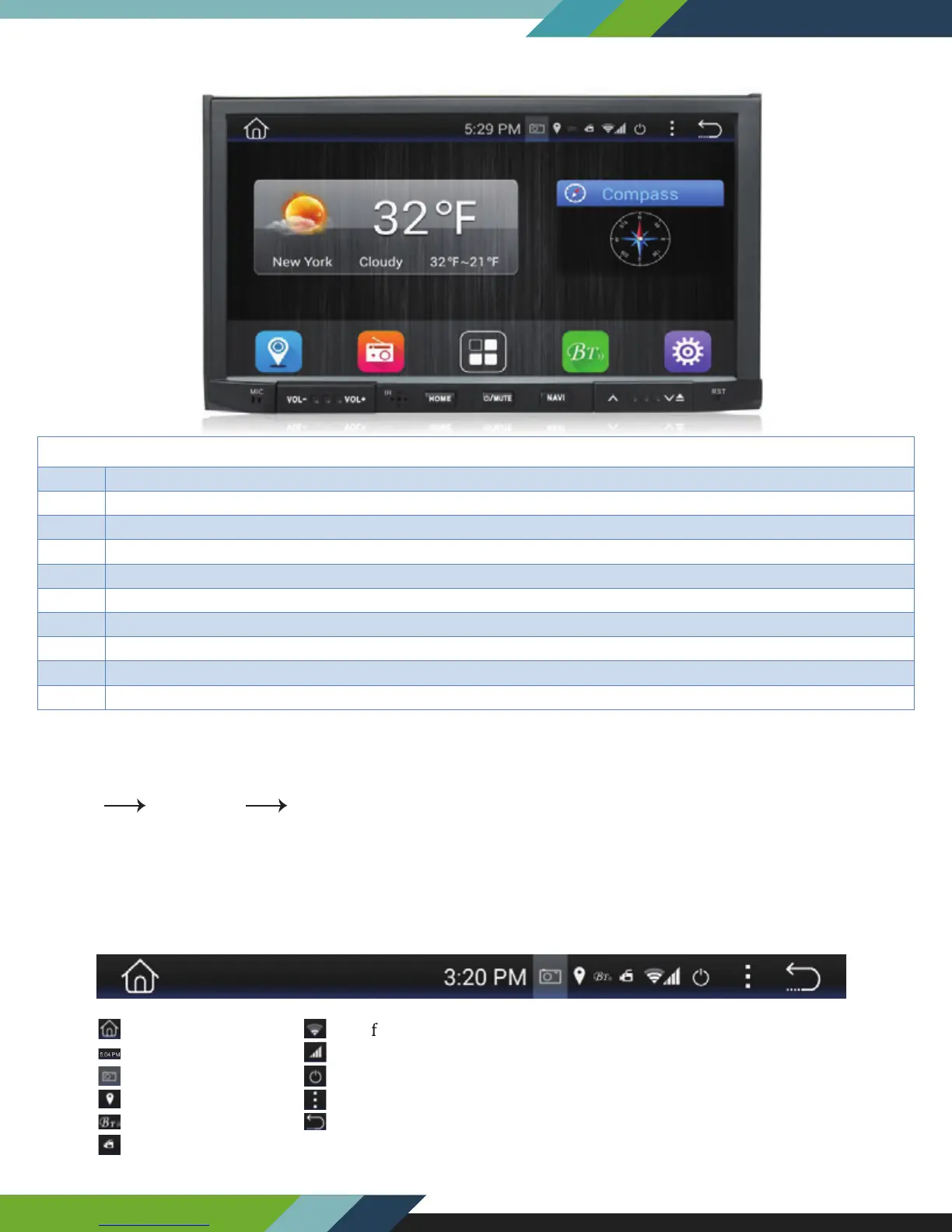
FRONT PANEL AND BUTTONS
Tips: Navi----You might have several maps in this device, by pressing Navi button, you will enter into the map
which you set as default in the Navi path, if you want to change the navi path to another map, please go to setting
to change it.
Setting Car setting Navi setting.
TURNING POWER ON
1. Turn on the engine key to the “ACC” or “ON” position
2. Press and hold the power button for 3 seconds
- When the engine key is turned to the o position the unit is turned o
Status Bar (Along top of radio screen and app screen) you can swipe down for more.
5
POW
Hold to power up / shut down unit. Short press while unit is on to mute the volume output
Press the 'MUTE' Button once to mute audio output. Press it 'MUTE' again to restore audio output.
Use a pin to insert into reset port to trigger unit reset. (Hold for 20 secs . to reset)
Switch between apps/radio interface, Press while in GPS interface to return to radio apps
Press to load GPS software from SD map card
Hold to open screen and eject disk.
Home
Time display
Screen shot
Bluetooth
Location
DVR
Wi
i signal
Function set
Return
3G
Display On/Off
www.Lanzar.com


 To Next Page