EasyManua.ls Logo

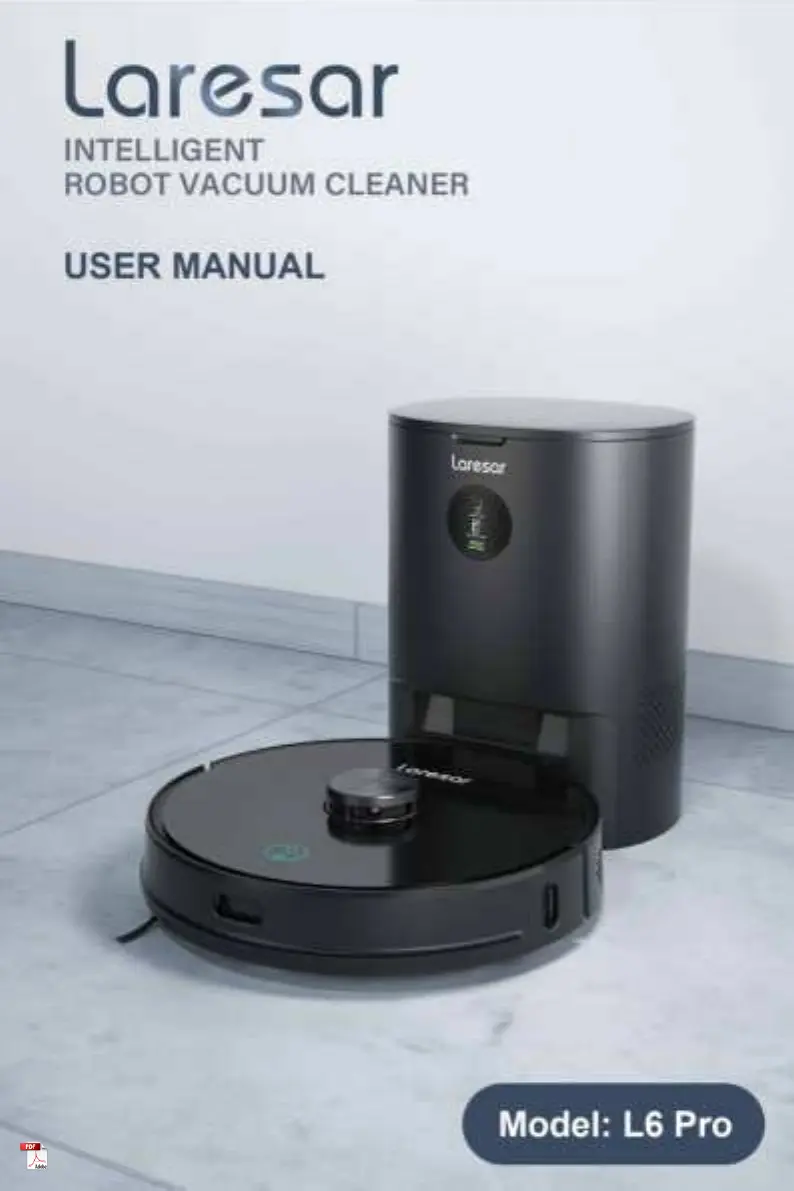
Laresar L6 Pro - User Manual

Laresar L6 Pro
20 pages
Print Icon
To Next Page IconTo Next Page
Loading...

Questions and Answers

  • G
    George ThompsonSep 8, 2025
    What to do if Laresar L6 Pro Vacuum Cleaner prompts to check if the radar is stuck?
    • N
      Nicole CarrSep 9, 2025
      If your Laresar Vacuum Cleaner prompts you to check if the radar is stuck, remove the obstacle or move the machine to an open place and restart it. The radar may be blocked or stuck.
  • J
    Jeremiah GonzalesAug 23, 2025
    Why Laresar L6 Pro cannot be started up?
    • T
      Timothy PowersAug 23, 2025
      If your Laresar Vacuum Cleaner cannot be started, charge it before use if the battery level is low. Also, ensure the ambient temperature is between 0 °C and 40 °C. The machine may fail to start due to a low battery level or an abnormal ambient temperature.
  • L
    lauren48Aug 25, 2025
    Why regular cleaning does not work on Laresar Vacuum Cleaner?
    • D
      Dillon ClarkAug 25, 2025
      If regular cleaning does not work on your Laresar Vacuum Cleaner, keep the machine charged every day. Regular cleaning can only be started when the remaining battery level is greater than 30%.
  • K
    kelli22Aug 27, 2025
    Why are there abnormal sounds during cleaning with Laresar L6 Pro?
    • C
      Christopher Hayden IIAug 27, 2025
      If your Laresar Vacuum Cleaner makes abnormal sounds during cleaning, turn off the machine for cleanup. Foreign matter wound on the main brush/side brush or the main wheel is the cause.
  • R
    Robert TaylorAug 27, 2025
    What to do if Laresar L6 Pro Vacuum Cleaner floor mopping module outputs no water or little water?
    • D
      Donald RodriguezAug 28, 2025
      If the floor mopping module of your Laresar Vacuum Cleaner outputs no water or little water, check whether there is water in the water tank. Also, clean the mop cloth and install the mop cloth correctly according to the instructions. This can happen if there is not enough water in the water tank, the mop cloth is too dirty, or the mop cloth support is not installed in place.
  • S
    Samantha BatesSep 22, 2025
    Why Laresar Vacuum Cleaner cannot return to the dust collection charging pile after fixed-point cleaning?
    • J
      jeffrey16Sep 22, 2025
      After fixed-point cleaning or moving your Laresar Vacuum Cleaner for a long distance, the robot will generate a new map. If the dust collection charging pile is far away, the robot may not be able to recharge automatically. Please manually put the machine back to the dust collection charging pile for charging.
  • N
    natasha62Sep 16, 2025
    What to do if Laresar Vacuum Cleaner prompts to wipe the cliff sensor?
    • S
      Scott WatsonSep 16, 2025
      If your Laresar Vacuum Cleaner prompts you to wipe the cliff sensor and move away from the dangerous area to restart, wipe the cliff sensor and move the machine to a flat and open place to start. The cliff sensor is triggered after the machine is started up.
  • T
    Teresa YatesSep 18, 2025
    What to do if Laresar Vacuum Cleaner says 'the battery is damaged or not installed'?
    • H
      hodgesjoshuaSep 18, 2025
      If your Laresar Vacuum Cleaner indicates that the battery is damaged or not installed, wait for the battery temperature to return to normal before use. The battery has abnormality during charging because the battery temperature is too high or too low.
  • E
    Earl TurnerSep 7, 2025
    What to do if Laresar L6 Pro says 'the two-in-one water tank is taken out'?
    • M
      marieforbesSep 7, 2025
      If the Laresar Vacuum Cleaner indicates that the two-in-one water tank is taken out, replace the two-in-one water tank and the filter screen, and confirm that they are installed in place. The two-in-one water tank has been taken out.
  • W
    William RomanSep 4, 2025
    What to do if Laresar Vacuum Cleaner prompts to check the side brush?
    • O
      Omar HillSep 4, 2025
      If you are prompted to check the side brush on your Laresar Vacuum Cleaner, clean the side brush, or move the machine away. The side brush might be stuck.

Summary

Robot Vacuum Safety Warnings

Robot Vacuum Usage Range

Specifies the intended use environment and surfaces for the robot vacuum cleaner.

Appliance Safe Use Guidelines

Guidelines for safe operation by children, pets, and general user precautions.

Charging Base Safety

Safety instructions for the charging base, including supervision and maintenance.

Charging Device Notes

Instructions for charging the device, power supply, and battery maintenance.

Device Storage and Basic Maintenance

Recommendations for storing the device and basic maintenance procedures.

FCC Compliance Statement

Robot Vacuum Packing List

Robot Vacuum Product Overview

Robot Vacuum Cleaner Components

Overview of the robot vacuum cleaner's components and controls.

Indicator Light Meanings

Explanation of the indicator lights for different machine statuses.

Robot Vacuum Maintenance Procedures

How to Replace Dust Bag

Step-by-step guide for replacing the dust bag in the dust collection charging base.

Cleaning Dust Passage

Instructions for clearing blockages in the dust passage of the charging base.

Cleaning Sensors and Charging Contacts

Procedure for cleaning optical sensors and charging contacts.

Cleaning Fan Filter Screen

Guide for cleaning the fan's filter screen for optimal performance.

Cleaning the Main Brush

Steps for cleaning and maintaining the robot's main brush.

Cleaning and Replacing Side Brush

Instructions for cleaning and replacing the side brush.

Cleaning Robot Sensors

Recommendations for cleaning the robot's various sensors.

Robot Battery Maintenance

Guidance on maintaining the robot's battery for optimal performance.

Cleaning Water Tank

Procedure for cleaning the combined water and dust tank.

Robot Vacuum Specifications

Robot Vacuum Troubleshooting Guide

Laresar Robot Vacuum Warranty Information

1-Year Limited Warranty Details

Details of the limited warranty, coverage, and terms for the Laresar machine.

Warranty Coverage Details

Specifies the conditions and exclusions covered by the warranty.

Warranty Exclusions

Lists situations and damages not covered by the Laresar warranty.

How to Claim Warranty

Procedure for making a warranty claim, including required documentation.

Robot Vacuum Disposal Instructions

Battery Removal for Disposal

Instructions for safely removing the battery for disposal purposes.

Laresar L6 Pro Specifications

General IconGeneral
Battery Capacity5200 mAh
NavigationLDS Laser Navigation
Noise Level65 dB
Runtime200 minutes
ControlApp, Voice Control
MappingYes
Power50 W
Filter TypeHEPA Filter
Charging Time5 hours
Operating Time200 minutes

Related product manuals