EasyManua.ls Logo

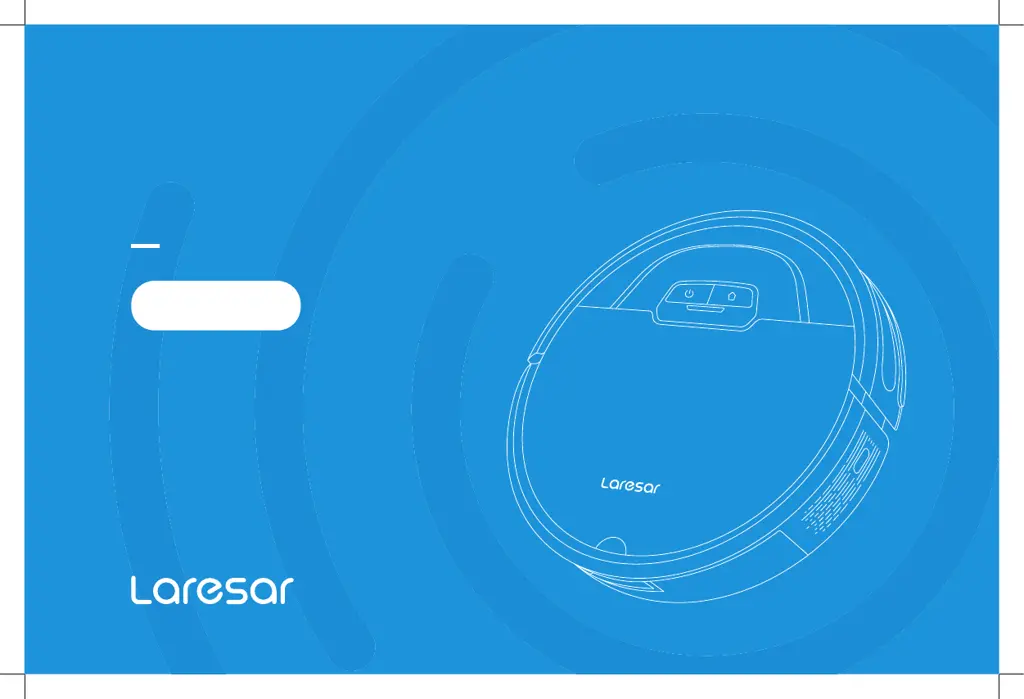
Laresar Evol 3 - User Manual

Default Icon
88 pages
Print Icon
To Next Page IconTo Next Page
Loading...
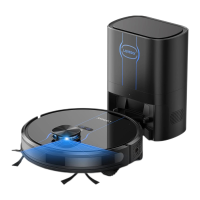
ROBOT VACUUM CLEANER
USER MANUAL
Evol 3

Questions and Answers

  • T
    Tasha WilliamsAug 19, 2025
    What to do if Laresar Vacuum Cleaner says 'Error 5: Battery is low, please recharge'?
    • K
      Kimberly ZamoraAug 19, 2025
      If your Laresar Vacuum Cleaner displays 'Error 5: Battery is low, please recharge', place the machine on the docking station for charging.
  • L
    Larry HunterAug 21, 2025
    What to do if Laresar Evol 3 displays 'Error 1: Insert dustbin'?
    • M
      Mr. Matthew WilliamsonAug 21, 2025
      If your Laresar Vacuum Cleaner displays 'Error 1: Insert dustbin', it means cleaning was started when the dust box was removed. Please reinstall the dust box to resolve this.
  • T
    Tyler MclaughlinAug 23, 2025
    Why is my Laresar Evol 3 Vacuum Cleaner's cleaning performance degraded, or why is it dropping ash?
    • M
      Mark GarciaAug 25, 2025
      If your Laresar Vacuum Cleaner's cleaning performance declines or it drops ash, the dust may be blocked, the roller may be full, or the filter brush may be entangled. To resolve this: * Clean or replace the filter. * Clean the dust box. * Clean the roller brush.
  • T
    tonipenaAug 26, 2025
    Why is my Laresar Evol 3 making abnormal noise during cleaning?
    • M
      Matthew WilliamsonAug 26, 2025
      If your Laresar Vacuum Cleaner is making abnormal noises during cleaning, the roller brush, side brushes, or wheels may have picked up foreign objects. Please turn off the machine and clean them.
  • G
    Garrett WilliamsonAug 28, 2025
    How to fix abnormal behavior on Laresar Vacuum Cleaner?
    • P
      Peter Ramirez MDAug 28, 2025
      To address abnormal behavior in your Laresar Vacuum Cleaner, power the machine off and then on again.
  • S
    Sherry SanchezAug 30, 2025
    What to do if Wi-Fi network cannot be connected to Laresar Evol 3 Vacuum Cleaner?
    • J
      jessica71Aug 30, 2025
      If you are having trouble connecting your Laresar Vacuum Cleaner to Wi-Fi, consider the following: * Ensure the machine is in a location with a strong Wi-Fi signal. * Reset the Wi-Fi settings, download the latest version of the app, and try connecting again.
  • J
    Joshua SalazarSep 1, 2025
    What to do if Laresar Evol 3 displays 'Error 9: Main Brush is Stuck'?
    • S
      Stephanie McdanielSep 1, 2025
      If your Laresar Vacuum Cleaner displays 'Error 9: Main Brush is Stuck', the roller brush might be jammed. Check the roller brush and remove any obstructions.
  • A
    Adam RoySep 3, 2025
    What to do if Laresar Evol 3 displays 'Error 7 : Side brush is stuck'?
    • C
      Christian BarberSep 3, 2025
      If your Laresar Vacuum Cleaner displays 'Error 7 : Side brush is stuck', it indicates that the side brush may be stuck. Inspect the side brush and clear away any obstructions.
  • J
    Jonathan WilliamsSep 5, 2025
    What to do if Laresar Evol 3 Vacuum Cleaner displays 'Error 8: Wheels are Stuck'?
    • M
      Maria SilvaSep 5, 2025
      If your Laresar Vacuum Cleaner displays 'Error 8: Wheels are Stuck', it means the wheels may be stuck. Check the wheels and remove any foreign objects.
  • J
    John PerrySep 7, 2025
    What to do if Laresar Evol 3 displays 'Error 6: The vacuum is stuck'?
    • T
      Tamara JohnsonSep 7, 2025
      If your Laresar Vacuum Cleaner displays 'Error 6: The vacuum is stuck', move it to an open area before restarting.

Summary

Safety Instructions

Use Restrictions

General guidelines and limitations for using the robot vacuum cleaner.

Battery and Charging

Information on battery usage, charging, and maintenance.

Preparation

Use Instructions

Routine Maintenance

Dust Box and Filter Cleaning

Procedures for cleaning the dust box and filters.

Common Problems

Failed to power on the machine

Troubleshooting steps for when the machine does not power on.

Failed to charge the machine

Troubleshooting steps for charging issues.

Failed to return to the docking station

Troubleshooting steps for when the robot cannot find the dock.

Troubleshooting

Laresar Evol 3 Specifications

General IconGeneral
Dustbin Capacity600 ml
Navigation SystemLaser Navigation
Noise Level65 dB
TypeRobot Vacuum
Dust CollectionBagless
FeaturesApp Control

Related product manuals