www.lascarelectronics.com
Issue 3 03/2022 Page 2 of 5
EL-SIE-2
Temperature and Humidity USB Data Logger,
EasyLog Cloud Compable
NO SOFTWARE TO INSTALL
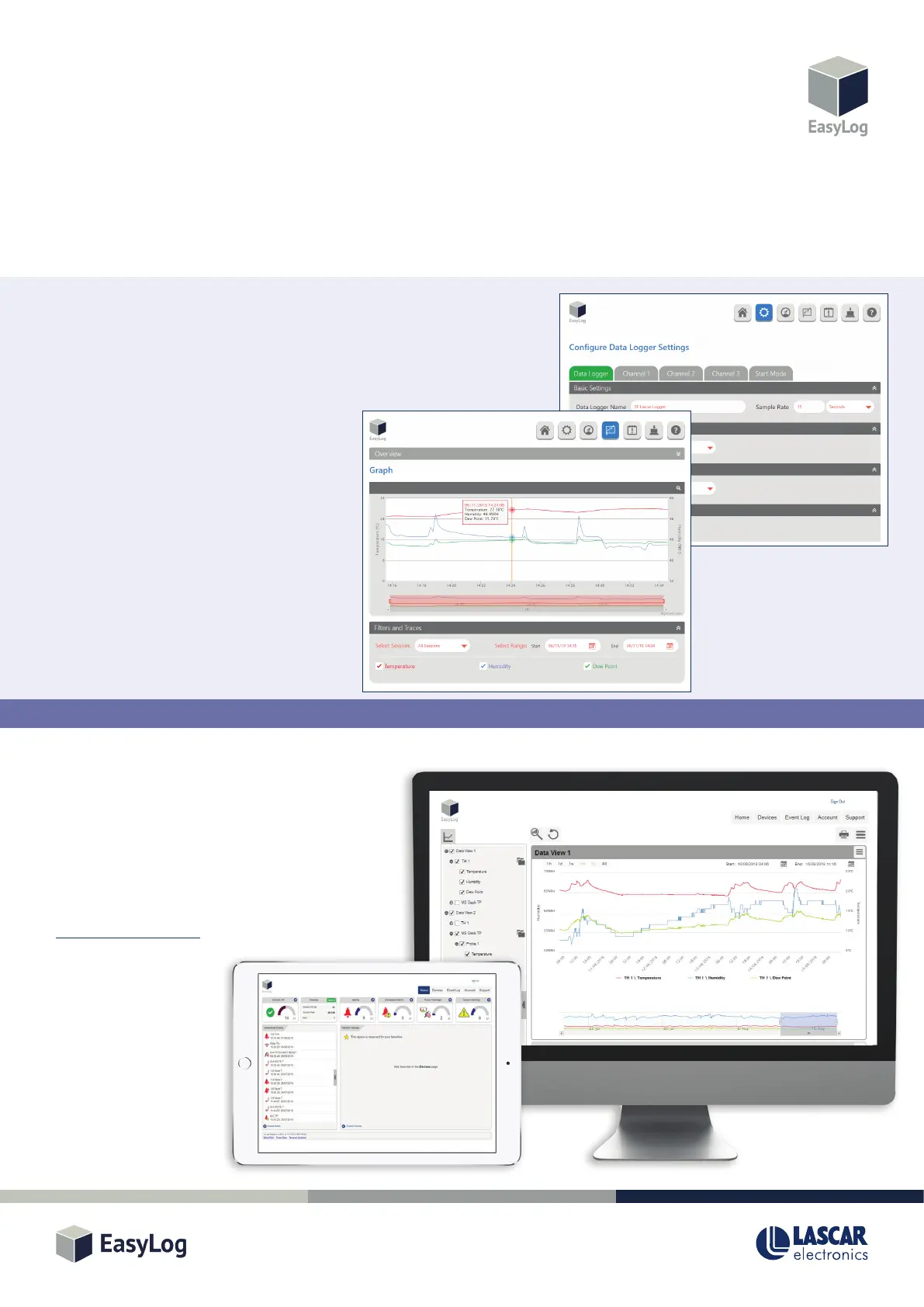
All the soware needed to congure your EL-SIE-2, and view and analyse the data it logs, is contained within the product itself. Just
connect the logger to your PC or Mac with a USB cable, open any web browser and in the address bar type “hp://EasyLog.local”. No
internet connecon is needed, and you can save this address in your bookmarks or favourites as normal.
The interface is easy to use and allows the following parameters to be congured:
• Logger and channel names
• Measurement units
• Logging rate and start mode
• Up to 16 separate alarms (high/low/pre-alarm/cumulave)
with thresholds, delay and hold
• Display and LED indicator modes
Once the logger is running, you can plug it back
into your computer and see the latest data, device
status and the event log. You can also choose to
stop the logger and change the conguraon, or
just let it connue logging.
EASYLOG CLOUD DATA STORAGE
Store your data securely, and make it available from
any internet-connected PC or mobile device, with
EasyLog Cloud. The EL-SIE-2 can upload logged data to
the Cloud from your PC or Mac, making sharing and
analysis easier than ever. For more informaon and to
set up an account on EasyLog Cloud, visit
www.easylogcloud.com.


 To Next Page