Need help?
Do you have a question about the Laser AO-AB750TWS and is the answer not in the manual?
Details Bluetooth version, range, speaker impedance, and battery capacities.
Steps to connect earphones to a Bluetooth device using the AO-AB750TWS model.
Procedures for removing earphones from a Bluetooth device or handling disconnections.
Instructions to re-synchronize earphones if they are not synced together.
Methods for turning the earphones on and off, including case and touch controls.
How to play/pause audio and skip tracks using earphone touch controls.
Instructions for increasing or decreasing volume by double-tapping earphone controls.
Guidance on answering, hanging up, and rejecting calls using earphone controls.
Steps to activate Siri or Google Assistant by triple-tapping an earphone.
Procedure for charging the case and earphones using a USB-C cable.
Instructions for charging the case and earphones on a Qi-compatible wireless pad.
Solutions for problems like sound from one earphone, connection failures, or audio stuttering.
Details on Laser's 12-month warranty and how to make a claim.
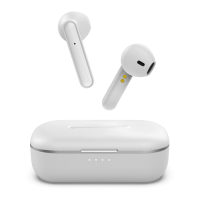
This document describes the Laser TWS (True Wireless Stereo) Earphones with HiFi Dual Hybrid Dynamic Driver, model AO-AB750TWS. These earphones are designed for wireless audio playback and hands-free communication, offering a range of features for convenient daily use.
The core function of these earphones is to provide a wireless audio experience. They connect to your device via Bluetooth, allowing you to listen to music, podcasts, or other audio content without the constraints of cables. The "HiFi Dual Hybrid Dynamic Driver" suggests an emphasis on high-fidelity sound quality, aiming to deliver a rich and detailed audio experience. Beyond audio playback, the earphones also support call management, enabling users to answer, reject, and hang up calls directly from the earphones.
The earphones are designed for ease of use, with intuitive controls for various functions.
Power On/Off: The primary method for powering the earphones on and off involves their charging case. Taking the earphones out of the case automatically turns them on, making them ready for use. Conversely, placing them back into the case turns them off and initiates charging. For situations where the case is not immediately available, users can also manually power the earphones on or off by pressing and holding the touch area on either earphone for approximately 5 seconds.
Pairing: Connecting the earphones to a new device is a straightforward process. Once taken out of the charging case, the earphones automatically turn on, sync with each other, and enter pairing mode. Users then need to open the Bluetooth settings on their device (e.g., smartphone), search for available devices, and select "AO-AB750TWS" to establish the connection.
Re-syncing: In instances where the two earphones become unsynced or disconnected from each other during use, a re-syncing procedure is provided. This involves first turning off both earphones by pressing and holding their touch areas for about 5 seconds. Next, both earphones should be placed back into the charging case, the lid closed, and then reopened. Taking the earphones out again should result in them being re-synced to each other, restoring stereo functionality.
Disconnecting: To remove the earphones from a paired device, users can access the Bluetooth settings on their device, tap on the earphones' entry, and select "Remove" or "Forget." If the device is no longer accessible, the earphones can be effectively disconnected by ensuring they are at least 20 meters away from the original device before attempting to pair them with a new one. If within 20 meters, the earphones may remain connected to the original device and not appear for new pairing attempts.
Audio Playback Control:
Call Management:
Voice Assistant Activation: The earphones offer integration with smartphone voice assistants. A triple tap on either earphone will activate the connected smartphone's voice assistant, such as Siri or Google Assistant, allowing for voice commands and queries.
The earphones and their charging case require regular charging to maintain functionality. The system supports both wired and wireless charging for the case, providing flexibility for users.
Wired Charging (Case): To charge the case via a wired connection, the included charging cable should be connected to the USB-C charging port on the case. The other end of the cable is then plugged into a USB wall adapter or any powered USB port. The case features four LED lights that indicate its charging status; when all four LEDs are solid, the case is fully charged.
Wireless Charging (Case): For wireless charging, the earphone case can be placed onto the center of a Qi-compatible charging pad. An LED light on the charging case will illuminate to indicate that charging has begun. Similar to wired charging, the four solid LED lights on the case signify a full charge.
Earphone Charging: The earphones themselves are charged by the case. Once the charging cable is unplugged from the case (for wired charging) or the case is removed from the wireless charging pad, leaving the earphones inside the case will initiate their charging process. The case acts as a portable power bank for the earphones, ensuring they are ready for use whenever needed.
The manual also provides basic troubleshooting steps for common issues:
Sound from only one earphone: This issue can often be resolved by ensuring both earphones are charged and then following the re-syncing instructions provided in the manual.
Earphones not connecting to device: If connection problems arise, users should verify that pairing is being attempted via Bluetooth. It's recommended to take both earphones out of the charging case and place them close to the device being connected. Waiting a minute for the Bluetooth device list to update and then searching for "AO-AB750TWS" can help establish the connection.
Sound skipping, pausing, or stuttering: Audio interruptions can occur if the earphones are too far from the connected device. The maximum wireless range is 10 meters, and exceeding this distance may affect the sound signal. Additionally, users are advised to be mindful of the "Touch Area" on each earphone when handling them, as accidental touches might interfere with playback.
Overall, the Laser TWS earphones are designed to be a user-friendly and versatile audio accessory, offering wireless freedom, intuitive controls, and multiple charging options for a seamless experience.
 General
| Frequency Response | 20Hz - 20kHz |
|---|---|
| Bluetooth Version | 5.0 |
| Playtime | Up to 4 hours |
| Standby Time | Up to 100 hours |
| Water Resistance | IPX4 |
| Connectivity | Bluetooth |
| Charging Time | 1.5 hours |
| Microphone | Built-in |
| Wireless Range | 10 meters |

 To Next Page