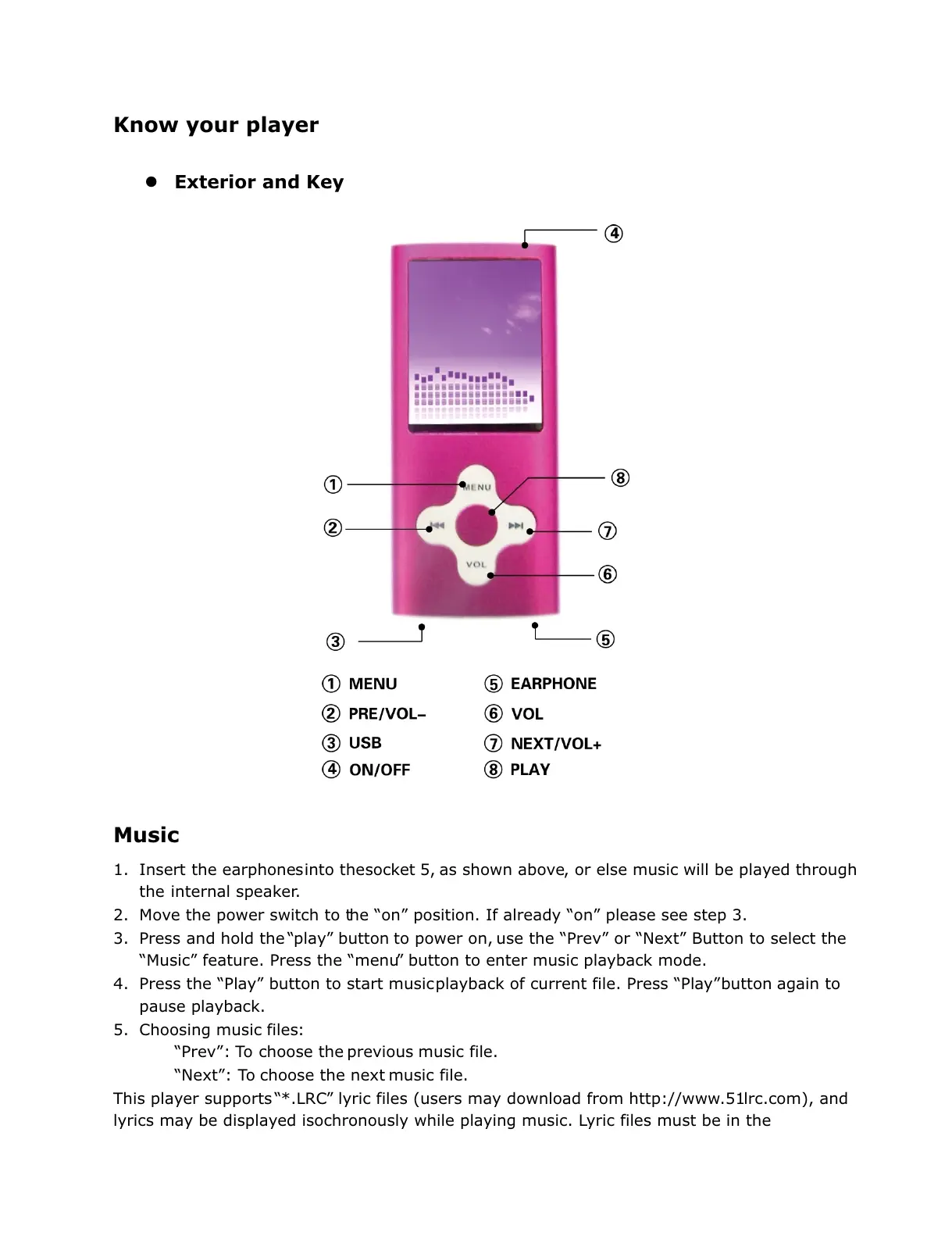
Know your player
Exterior and Key
Music
1. Insert the earphones into the socket 5, as shown above, or else music will be played through
the internal speaker.
2. Move the power switch to the “on” position. If already “on” please see step 3.
3. Press and hold the “play” button to power on, use the “Prev” or “Next” Button to select the
“Music” feature. Press the “menu” button to enter music playback mode.
4. Press the “Play” button to start music playback of current file. Press “Play” button again to
pause playback.
5. Choosing music files:
“Prev”: To choose the previous music file.
“Next”: To choose the next music file.
This player supports “*.LRC” lyric files (users may download from http://www.51lrc.com), and
lyrics may be displayed isochronously while playing music. Lyric files must be in the



 To Next Page