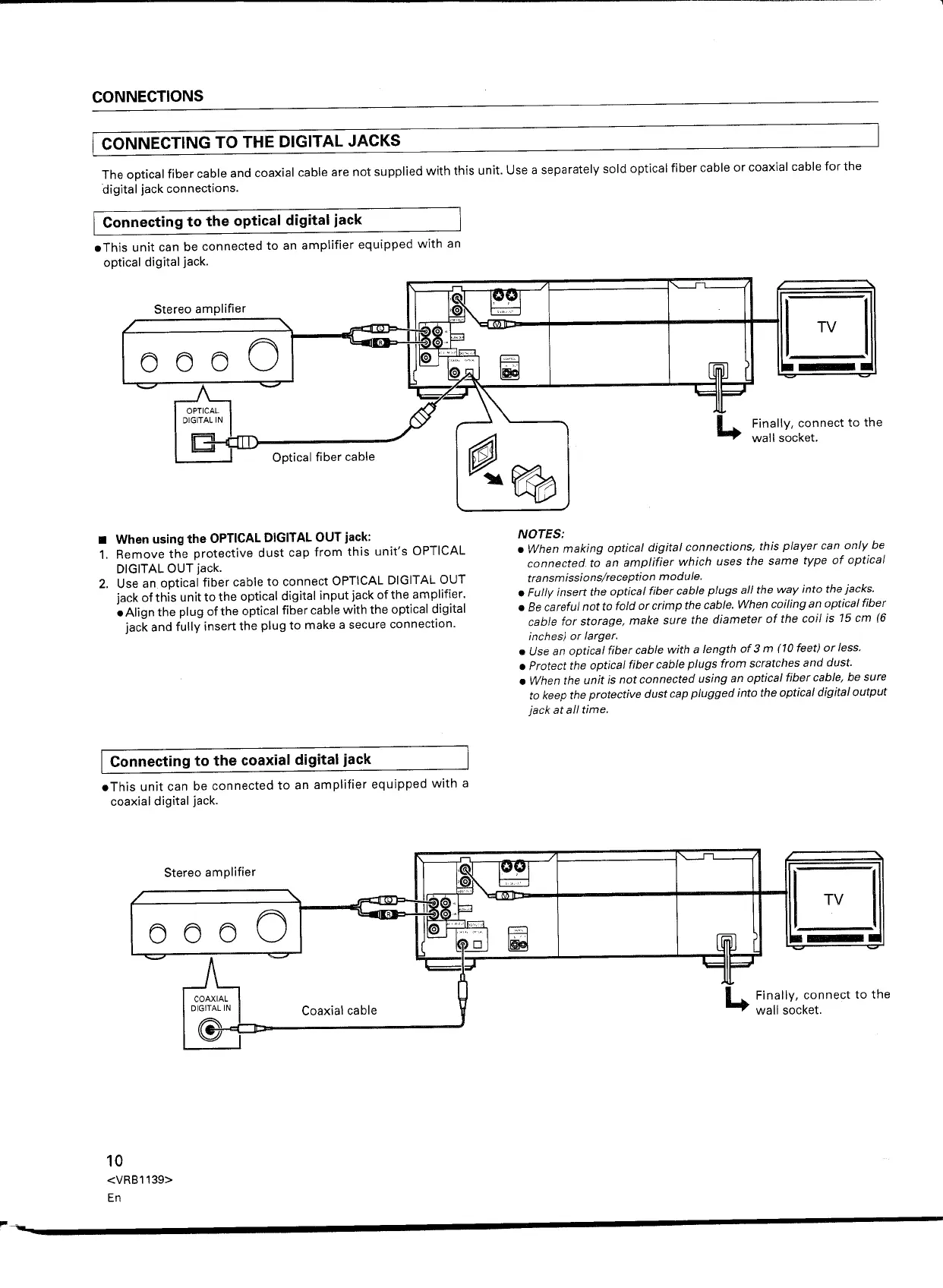
The optical fiber cable and coaxial cable are not supplied with this unit. Use a separately sold optical fiber cable or coaxial cable for the
digital jack connections.
Connecting to the optical digital jack
• This unit can be connected to an amplifier equipped with an
optical digital jack.
Stereo amplifier
rooo6J
c::::::;>
'co::>
Finally, connect to the
wall socket.
• When using the OPTICAL DIGITAL OUT jack:
1. Remove the protective dust cap from this unit's OPTICAL
DIGITAL OUT jack.
2. Use an optical fiber cable to connect OPTICAL DIGITAL OUT
jack of this unit to the optical digital input jack ofthe amplifier.
• Align the plug ofthe optical fiber cable with the optical digital
jack and fully insert the plug to make a secure connection.
NOTES:
• When making optical digital connections, this player can only be
connected to an amplifier which uses the same type
of
optical
transmissions/reception module.
• Fully insert the optical fiber cable plugs all the way into the jacks .
• Be
careful not to fold or crimp the cable. When coiling an optical fiber
cable for storage, make sure the diameter of the coil is 15 em (6
inches) or larger.
• Use an optical fiber cable with a length
of
3
m
(10 feet) or less.
• Protect the optical fiber cable plugs from scratches and dust.
• When the unit is not connected using an optical fiber cable, be sure
to keep the protective dust cap plugged into the optical digital output
jack at all time.
[ Connecting to the coaxial digital jack
.This unit can be connected to an amplifier equipped with a
coaxial digital jack.
L.
Finally, connect to the
wall socket.
10
<VRB1139>
En


 To Next Page
 Loading...