g
STEP
Reverse
--II ...•
11
I I
11.-
11--
Forward
Press for reverse
playback.
MULnSPEED
Press for forward
..•• I I .-
11--playback.
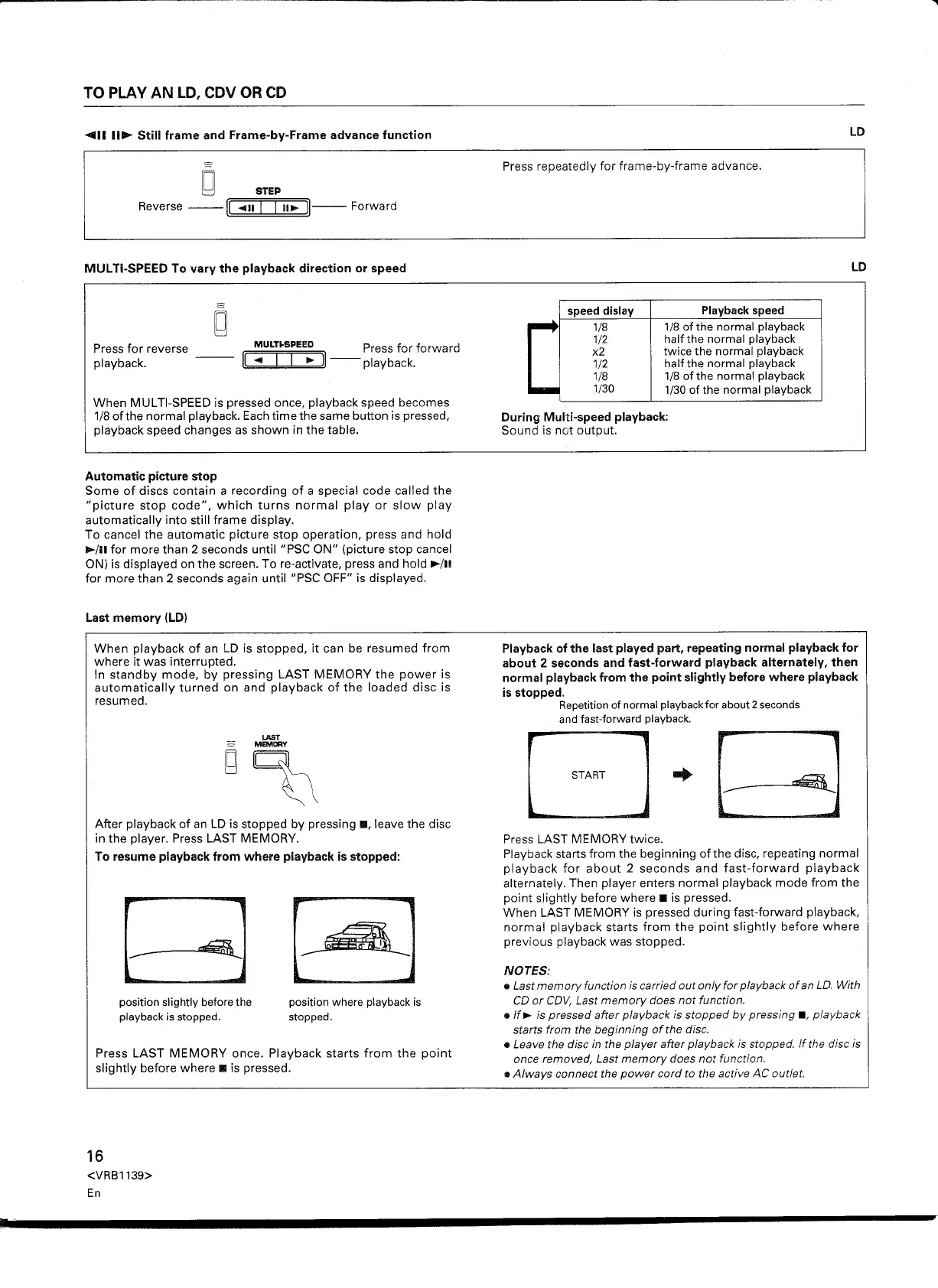
When MULTI-SPEED is pressed once, playback speed becomes
1/8 ofthe normal playback. Each time the same button is pressed,
playback speed changes as shown in the table.
Automatic picture stop
Some of discs contain a recording of a special code called the
"picture stop code", which turns normal play or slow play
automatically into still frame display.
To cancel the automatic picture stop operation, press and hold
~/II
for more than 2 seconds until "PSC ON" (picture stop cancel
ON) is displayed on the screen. To re-activate, press and hold ••
/11
for more than 2 seconds again until "PSC OFF" is displayed.
When playback of an LD is stopped, it can be resumed from
where it was interrupted.
In standby mode, by pressing LAST MEMORY the power is
automatically turned on and playback of the loaded disc is
resumed.
LAST
MEMORY
~)
After playback of an LD is stopped by pressing
II,
leave the disc
in the player. Press LAST MEMORY.
To resume playback from where playback is stopped:
position slightly before the
playback is stopped.
position where playback is
stopped.
Press LAST MEMORY once. Playback starts from the point
slightly before where
II
is pressed.
16
<VRB1139>
En
speed dislay
1/8
1/2
x2
1/2
1/8
1/30
Playback speed
1/8 of the normal playback
half the normal playback
twice the normal playback
half the normal playback
1/8 of the normal playback
1/30 of the normal playback
During Multi-speed playback:
Sound is not output.
Playback of the last played part, repeating normal playback for
about 2 seconds and fast-forward playback alternately, then
normal playback from the point slightly before where playback
is stopped.
Repetition of normal playbackfor about 2seconds
and fast-forward playback.
Press LAST MEMORY twice.
Playback starts from the beginning ofthe disc, repeating normal
playback for about 2 seconds and fast-forward playback
alternately. Then player enters normal playback mode from the
point slightly before where
II
is pressed.
When LAST MEMORY is pressed during fast-forward playback,
normal playback starts from the point slightly before where
previous playback was stopped.
NOTES:
• Last memory function is carried out only for playback of an Lo. With
CO
or COV, Last memory does not function.
.If.- is pressed after playback is stopped by pressing
II,
playback
starts from the beginning of the disc.
• Leave the disc in the player after playback is stopped. If the disc is
once removed, Last memory does not function.
• Always connect the power cord to the active AC outlet.


 To Next Page
 Loading...