LaserPoint s.r.l. - Plus 2 - Quick Start Guide - All Rights Reserved 5
2.8.
C
HOOSING
P
OWER OR
E
NERGY MEASUREMENT
:
Touch the “Mode” button to switch from the Power measurement to the Energy
measurement (shown units of measure depend on sensor and range being used).
While switching from Power mode to Energy mode if
the measured signal is greater than the energy
threshold, the Plus 2 will show the message "Zeroing
is necessary".
Press OK and follow the steps as described in the
“Zero adjustment” section.
Note: Energy Range is Manual
The energy mode only permit a manual range setting: so you need to press the "Range" button to
select the proper range.
2.9.
M
EASURING ENERGY OF A SINGLE PULSE OR BURST PULSE
:
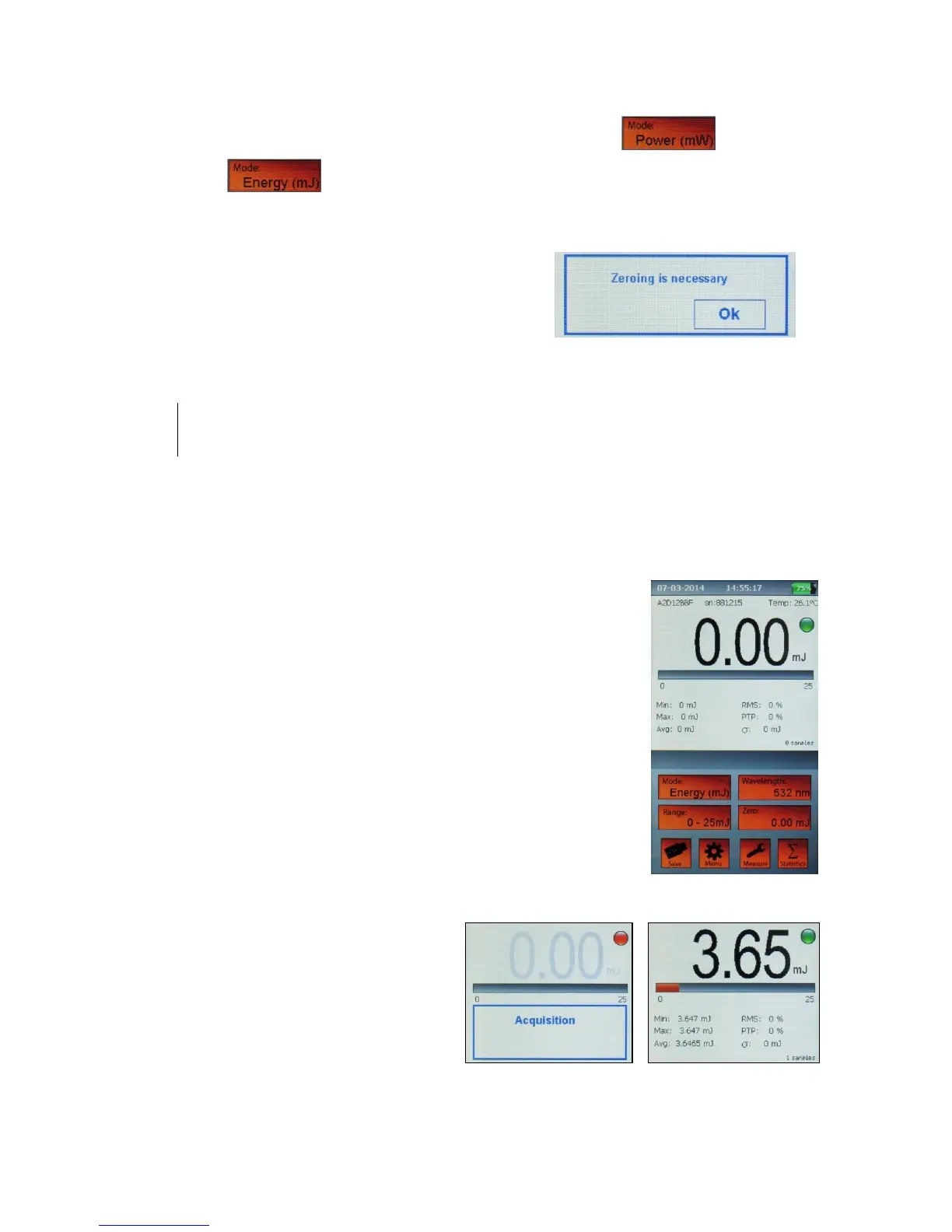
Set the Energy Mode as described above.
The green led near the measured value means that the Plus 2 is ready
to measure the energy pulse.
When firing the laser, the value display will turn blank, the LED will
turn red and the writing “Acquisition” will appear (Figure 9).
The “Acquisition” time usually takes from 1 to 5 seconds (depending
on the sensor head being used and the duration of pulse/burst fired).
After the acquisition, the measured energy will be displayed. The
green led will immediately show back: the Plus 2 is ready to measure
a new pulse (Figure 10).
In case you want to measure 2 or more
pulses, it’s enough to fire the pulses with
a pulse period shorter than 1 second
(pulse frequency > 1Hz).
In fact, at the end of the acquisition
process, the reading will be the sum of the
energies of individual pulses.


 To Next Page
 Loading...