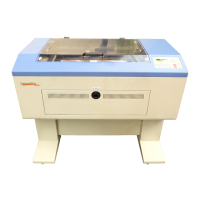
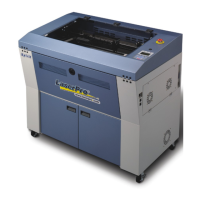
MERCURY II User Manual
- 1 -
Content
QUICK MENU...................................................................... - 3 -
Chapter I - INTRODUCTION............................................. - 4 -
1.1 Principles of CO
2
Laser ...................................................- 4 -
1.2 Safety ..............................................................................- 4 -
1.3 Precaution .......................................................................- 4 -
1.4 Fire Precaution ................................................................- 4 -
1.6 Warning Label .................................................................- 5 -
1.7 Frequently Asked Questions ...........................................- 6 -
1.8 Lens and Manual Focus Gauge ....................................- 11 -
1.9 Instruction of Rotary Attachment ...................................- 12 -
1.10 TOP VIEW ...................................................................- 13 -
1.11 Operation:....................................................................- 13 -
1.12 SIDE VIEW..................................................................- 14 -
1.13 Dual Head Installation .................................................- 15 -
Chapter II - RECOMMENDED CONFIGURATION...... - 17 -
2.1 Computer.......................................................................- 17 -
2.2 Scanner .........................................................................- 17 -
2.3 Software ........................................................................- 17 -
Chapter III - HARDWARE INSTALLATION .................... - 18 -
3.1 Cabling Connection: ......................................................- 18 -
3.2 Parallel Transmission ....................................................- 18 -
3.3 USB Transmission.........................................................- 18 -
3.4 Exhaust Ventilation........................................................- 19 -
Chapter IV - SOFTWARE INSTALLATION ................... - 20 -
4.1 Install LaserPro Mercury II driver to PC. Please follow
the procedure below: ........................................................- 20 -
Chapter V - Operating the LaserPro Mercury II ........... - 21 -
5.1 Using the Hardware.....................................................- 21 -
5.1.1 Adjusting the LCD Display Screen’s Contrast Setting.-
21 -
5.1.2 Graphic Control Panel Overview (Description) .....- 22 -
5.1.3 Graphic Control Panel Navigation Chart................- 24 -
5.1.4 Graphic Control Panel Function Pages..................- 25 -
5.2 The LaserPro Mercury II Print Driver.........................- 46 -
5.2.1 Page Setup and Orientation ....................................- 47 -
5.2.2 Color Management ...................................................- 49 -



 To Next Page