18
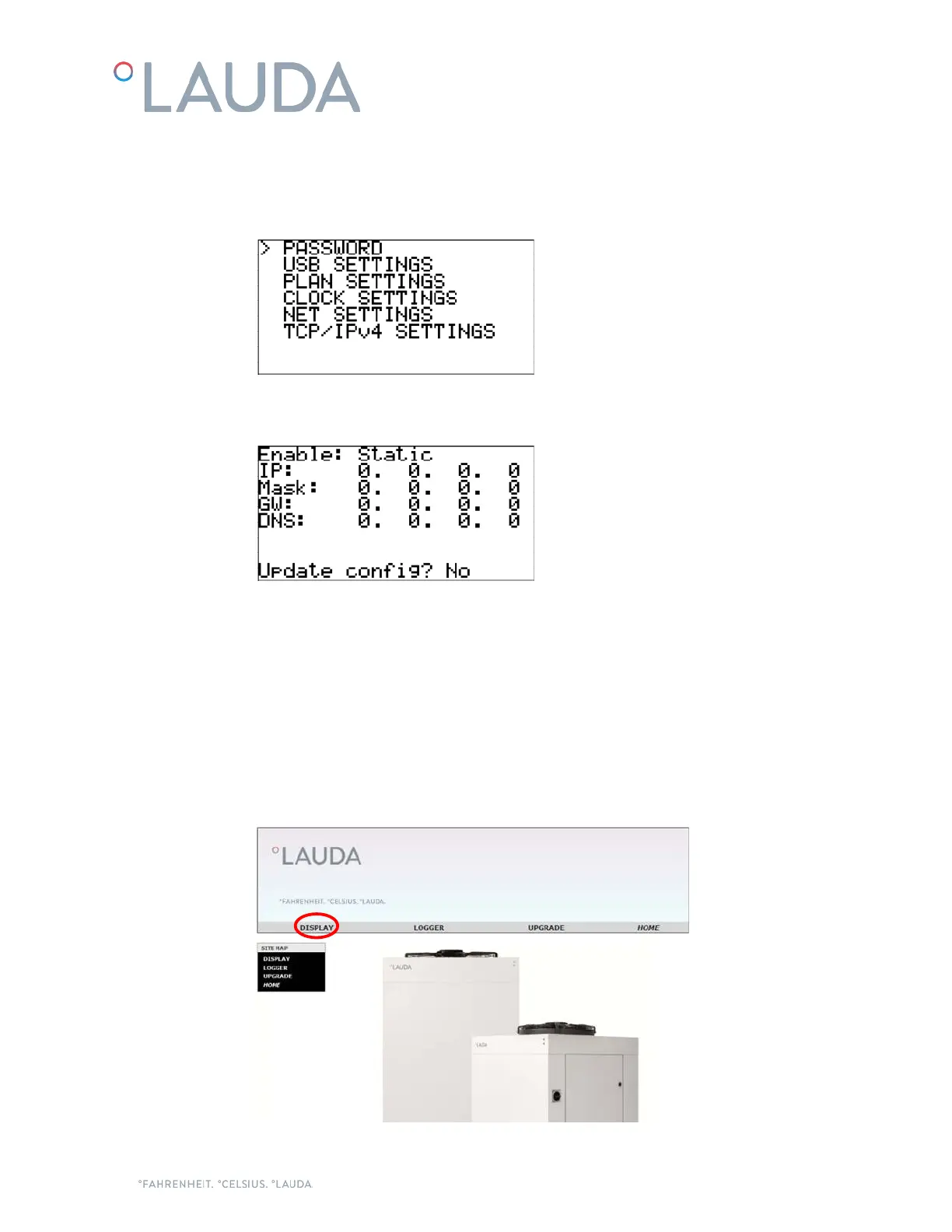
2. Use the Down button to select "SETTINGS" and press Enter to access the Settings menu:
3. Use the Down button to select "TCP/IPv4 SETTINGS" and press Enter to access the IP
Configuration screen:
4. In this screen, use the Enter button to move to the next field and Up and Down to change the
values. Check with your IT team which values are correct for your local network.
Once done, select the "Update config?" field, change it to Yes with the Up button and confirm with
Enter. This will save all the new values.
Note: If no button is pressed during 30 seconds, the controller discards any changes that have not been saved
and goes back to the Main screen.
Once done, it will be possible to access the webserver of the chiller from a web browser on any PC connected
to the same network as the chiller. To do so, just introduce the IP number of the chiller on the navigation bar
of the web browser and select the Display option from the home page.


 To Next Page