1
2
3
4
5
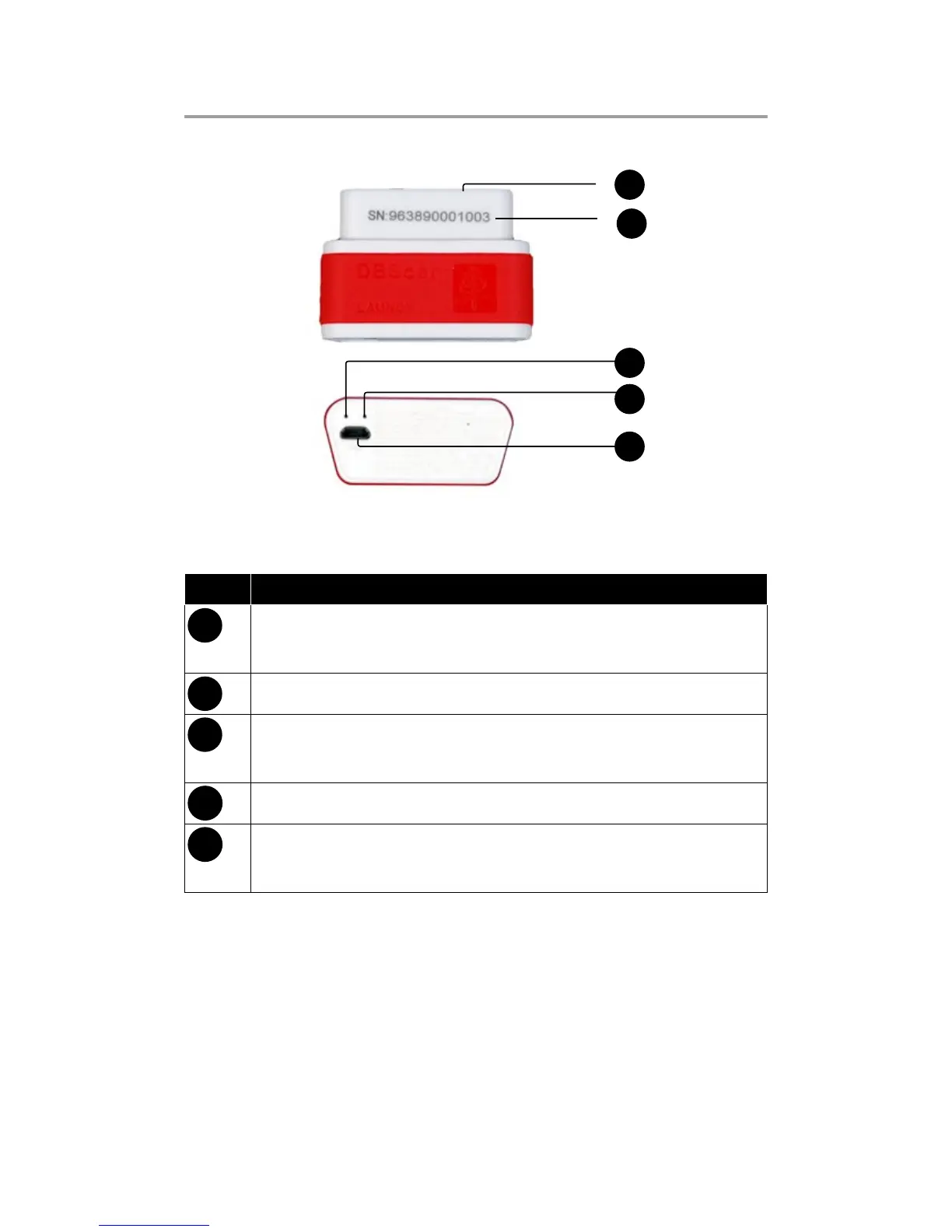
Fig.1-1 Product illustration
No. Name & Functions
1
OBD-16 diagnostic connector: to connect vehicle’s
OBD2 diagnostic socket.
2
Serial number
3
Power indicator: it will light up once DBScar is plugged
into vihicle’s DLC socket
4
Communication indicator
5
Micro USB port: to connect to PC or LAUNCH’s
diagnostic device via USB cable.
2.2. Accessories
Please check the following accessories:
DBScar x 1;•
DBScar Quick Start Guide x 1•


 To Next Page