LAVA Computer MFG Inc.
Hardware Setup
Required Parts:
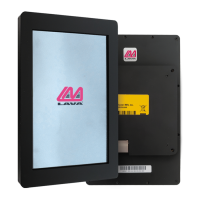
A7 Lite Enclosure
Samsung Galaxy Tab A7 Lite tablet
• Phillips head screwdriver
A7 Lite Enclosure Quick Start Guide - Rev A02
• Ethernet cable for POEor 9-36 VDC power supply (depending on embedded adapter
power type)
Setup Procedure:
For POE units: Select A7 Lite Enclosures can be powered using a POESwitch or Injector,
connected to the Ethernet Port.
For VC units: Select A7 Lite Enclosures can be powered using a 9-36V power supply with a
2mm center positive barrel jack connector. The attached power supply and wiring are
responsible for providing short circuit protection.
Note: For VC units, when connecting the LAVA product to the supply, ensure the wiring is
such that the center pin is positive. If the polarity is reversed, the damage to the LAVA
product is immediate. Application of the wrong input voltage violates LAVA's Manufacturer
Warranty.
1.
2.
3.
4.
The enclosure will ship with four screws screwed in to hold the two parts of the enclosure
secure and in place during shipping. First remove these screws with a Phillips head
screwdriver in order to remove the back plate (which has the SimulCharge adapter
attached). The remaining screws will be taped to the inside of the back plate. A USB-C
cable will also be snaked through from the attached adapter. Do not unscrew the adapter
from the back plate or try to remove the USB-Ccable. Also take note of the orientation of
how the back plate was screwed into the frame as this is the correct orientation. You will
not be able to properly reassemble the enclosure if one of the parts is incorrectly oriented.
Remove the bag of screws from the back plate.
It is recommended that the Samsung Galaxy Tab A7 Lite tablet is turned off prior to
installation as this prevents accidental reconfiguration or launching of apps during the
install process (pocket dialling).
Connect the tablet to the USB-C cable. Don't exert too much pressure on it as this can
break the connector or board interface if you force it too hard. Make sure the cable lays
flat against the back plate so it won't be in the way when you put the enclosure back
together. If the cable is twisted, the tablet likely won't seat properly and could cause a
bulge when the enclosure is assembled.
2 Vulcan St. Toronto, ON
Canada, M9W I L2
Tel: +1 416 674-5942
Toll Free (US & Canada): 800 241-5282
www.lavalink.com
Page 8


 To Next Page
 Loading...