EasyManua.ls Logo

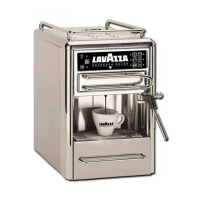
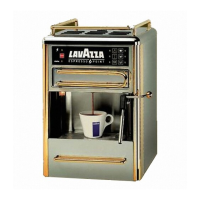
LAVAZZA MATINEE 230V - User Manual

LAVAZZA MATINEE 230V
44 pages
Print Icon
To Next Page IconTo Next Page
Loading...
COD. 83192 / REL. 2.00 / JANUARY 2003
“E
SPRESSO POINT MOD. MATINÈE 230 V”
ESPRESSO POINT
Mod. Matinèe 230V
GB
Maintenance manual for
technical assistance

Questions and Answers

  • S
    Sara SinghAug 13, 2025
    What to do if LAVAZZA MATINEE 230V Coffee Maker fails to start when inserting a pod?
    • L
      Laurie DunnAug 13, 2025
      If your LAVAZZA Coffee Maker fails to start when inserting a pod, and there's no noise or pump activity, several issues could be at fault. The microswitch might be defective and require replacement. Alternatively, the button on the electronic keyboard or its flat cable could be malfunctioning, necessitating replacement of the keyboard. Inspect the harness for incorrect mechanical connections, and if worn, replace it, ensure the fastons and terminals are correctly inserted, and try inverting the pump connections. As a last resort, the electronic card might be defective, requiring replacement.
  • J
    Jessica RiveraAug 17, 2025
    Why the LED doesn't flash when delivery function is activated on LAVAZZA MATINEE 230V?
    • R
      Russell TateAug 17, 2025
      If the delivery function is activated on your LAVAZZA Coffee Maker, but the corresponding LED doesn't flash, the electronic card may not be functioning correctly and needs to be replaced. Another possibility is that the rotor of the volumetric dosing device is malfunctioning; dismantle the device to check for impurities or fragments impeding rotation, and replace the component if cleaning doesn't resolve the issue. Also, check the measuring device wiring for mechanical disconnections.
  • G
    Gerald JohnstonAug 21, 2025
    Why does the low water light blink on my LAVAZZA MATINEE 230V Coffee Maker even when full?
    • L
      louis07Aug 21, 2025
      If the low water warning light blinks on your LAVAZZA Coffee Maker even after filling the tank, first ensure the tank is properly connected. If the issue persists, the electronic card of the machine may be damaged and require replacement. Also, check the connectors in the electronic card and harness for bad connections, and replace the contact float if it's defective.
  • J
    Joshua LloydAug 25, 2025
    What to do if feed pilot light blinks on LAVAZZA Coffee Maker?
    • D
      David AnthonyAug 25, 2025
      If the feed pilot light blinks on your LAVAZZA Coffee Maker when the machine is switched on, one of the thermostats may be damaged. Replace the damaged thermostat, or both if necessary.
  • J
    Jennifer VillarrealAug 28, 2025
    What to do if feed pilot light is off on LAVAZZA MATINEE 230V?
    • D
      Donna MartinezAug 28, 2025
      If the feed pilot light is off when you switch on your LAVAZZA Coffee Maker, the keyboard circuit could be defective and needs replacement. Another possibility is that the connection front cable between the front panel and card is worn or poorly inserted, or the connector is dirty or damaged. Try cleaning the flat connector contacts; if that doesn't work, replace the electronic card.
  • K
    kimberly39Sep 1, 2025
    Why all the lights on my LAVAZZA Coffee Maker are off?
    • J
      jasonsosaSep 1, 2025
      If all the lights on your LAVAZZA Coffee Maker's front panel are off and the machine won't turn on, there could be several reasons. First, check the power socket with a tester to ensure it's working; if not, try another socket. The machine's ON switch might be defective and need replacement. Also, inspect the fuses for burnout and replace them if necessary, including checking and replacing the thermofuse on the harness if it's broken.
  • T
    Thomas HarrisSep 5, 2025
    Why six indicators on LAVAZZA MATINEE 230V remain off?
    • A
      andrewsmithSep 5, 2025
      If the six indicators on the switchboard of your LAVAZZA Coffee Maker remain off after the heating period, the electronic keyboard or its flat cable might be damaged and need replacement. Alternatively, the electronic card itself could be defective and require replacement.
  • M
    Michael CaldwellSep 8, 2025
    How to fix the cup compartment light on LAVAZZA Coffee Maker?
    • M
      Michael RobbinsSep 8, 2025
      If the light in the cup compartment of your LAVAZZA Coffee Maker fails to come on, the bulb may be burnt out and needs replacement. Alternatively, there could be mechanical disconnections in the harness; check the harness and connections to the light-holder and electronic card, making any necessary corrections. If these steps don't resolve the issue, the electronic card may be defective and require replacement.

Summary

General Information

Introduction to the Manual

Provides an overview of the manual's content, scope, and important usage notes.

Safety Information and Warnings

Details general safety precautions and warnings to prevent accidents during operation and maintenance.

Safety Specifications and Guidelines

Outlines specific safety guidelines and requirements for operating the espresso machine safely.

Residual Risks and Precautions

Discusses identified residual risks and necessary precautions to mitigate them during use.

Environmental Conditions for Operation

Specifies the recommended environmental temperature, humidity, and working area conditions for optimal operation.

Storage, Transport, and Disposal Guidelines

Covers guidelines for warehousing, safe transport, and proper disposal of the machine.

Essential Maintenance Tools

Lists the essential tools needed to perform maintenance operations on the machine.

Optional Accessories for Maintenance

Describes optional accessories that can facilitate maintenance tasks on the espresso machine.

Technical Information

Espresso Point Wiring Diagram

Presents the electrical wiring schematic for the espresso machine, detailing component connections.

Dosing Control Configuration

Explains how to configure beverage sizes and quantities using jumpers on the electronic board.

Maintenance Schedules

Front Part Preliminary Maintenance

Outlines initial steps for accessing and disassembling the front section of the machine.

Rear Part Preliminary Maintenance

Details the preliminary steps required to access and remove the rear panel of the machine.

Delivery Unit Chamber Maintenance

Provides instructions for cleaning and maintaining the delivery unit and its chamber.

Delivery Unit Chamber Maintenance (EASY C)

Provides instructions for cleaning and maintaining the EASY C delivery unit chamber.

Jaws Maintenance Procedures

Describes the procedure for cleaning and maintaining the jaws component of the machine.

Steam Jet Maintenance

Guides on how to remove and clean the steam jet element for optimal performance.

Light and Light Holder Maintenance

Explains how to replace the light bulb and remove the light holder assembly.

Softener and Dosing Device Maintenance

Details the steps for maintaining the water softener and volumetric dosing device.

Pump Maintenance Procedures

Provides instructions for disassembling, servicing, and reassembling the machine's pump.

Solenoid Valve Maintenance

Outlines the procedure for removing and servicing the solenoid valve.

Electronic Card Maintenance

Details the process for accessing and replacing the electronic control card.

Troubleshooting Faults

Machine Fails to Power On

Addresses issues where the machine does not turn on or show any lights.

Low Water Indicator Faults

Solves problems related to the low water indicator blinking incorrectly.

Cup Compartment Light Not Working

Troubleshoots the issue of the cup compartment illumination not functioning.

Feed Pilot Light Errors

Covers problems with the feed pilot light being off or blinking.

Control Indicators Remain Off

Resolves situations where control board indicators remain off after heating.

Delivery Function LED Malfunction

Addresses faults where the delivery function LED does not flash correctly.

Machine Fails to Start (No Operation)

Diagnoses issues preventing the machine from starting or making noise.

Coffee Delivery or Pump Issues

Solves faults related to the machine not delivering coffee or pump malfunctions.

No Beverage Dispensed

Troubleshoots scenarios where the pump stops and no beverage is produced.

Water from Steam Outlet During Coffee Brew

Addresses the issue of water exiting the steam jet instead of the coffee spout.

Cold Coffee Output

Resolves problems resulting in cold coffee being dispensed.

Burnt Coffee Issues

Troubleshoots causes of burnt coffee and related pilot light behavior.

Pod Entry Problems

Addresses issues with inserting or fitting the coffee pods into the machine.

Hot Water from Coffee Spout

Solves problems where hot water unexpectedly comes out of the coffee spout.

Steam Jet and Pump Sound Anomalies

Addresses faults related to steam delivery and unusual pump sounds.

Internal Water Leakage

Identifies and resolves various internal water leakage points, including connections, seals, membranes, and components.

Kickback Element Malfunction

Troubleshoots issues with the kickback element failing to signal deliveries.

LAVAZZA MATINEE 230V Specifications

General IconGeneral
BrandLAVAZZA
ModelMATINEE 230V
CategoryCoffee Maker
LanguageEnglish

Related product manuals