EasyManua.ls Logo

LB-Link BL-WR2000 - User Manual

LB-Link BL-WR2000
17 pages
Print Icon
To Next Page IconTo Next Page
Loading...
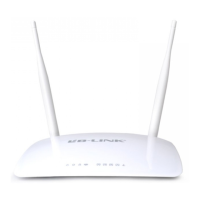
300Mbps Wireless N Router
Model:BL-WR2000
Quick Installation Guide

Questions and Answers

  • T
    Timothy ReedJul 29, 2025
    How to reset LB-Link Network Router if I forgot the password?
    • D
      David ThomasJul 29, 2025
      If you've forgotten your username and password, reset the LB-Link Network Router. To do this, press and hold the RESET button on the rear panel for 5 to 8 seconds, then release it.
  • T
    Tanya DavisAug 11, 2025
    What to do if LB-Link BL-WR2000 Network Router cannot access the Internet?
    • M
      mckeefrankAug 11, 2025
      First, ensure all connectors, including the telephone line (for your modem), Ethernet cables, and the power adapter, are securely connected. If the issue persists, disconnect the LB-Link Network Router and connect your computer directly to the modem to check internet access. Alternatively, connect with the computer originally connected to your modem, access the router's web-based management page, navigate to 'Network > MAC Clone', select 'Clone MAC', and then 'Apply'. Finally, reboot the router.

Summary

Connecting the device

Configuring the device

Login

Access the router's web interface using default credentials.

Internet Parameters Configuration

Set up dynamic, static, or PPPOE internet connection types.

Wireless Settings Configuration

Set up wireless network name (SSID), security, and password.

Troubleshooting

Forget Username;Password

Restore router configuration to factory defaults by holding the reset button.

Cannot Access Internet

Check connections, clone MAC address if necessary, and consult ISP.

Configure Computer IP Address (Windows XP)

Guide for setting up automatic IP/DNS configuration on Windows XP.

Configure Computer IP Address (Windows 7)

Guide for setting up automatic IP/DNS configuration on Windows 7.

Configure Computer IP Address (Windows 8)

Guide for setting up automatic IP/DNS configuration on Windows 8.

LB-Link BL-WR2000 Specifications

General IconGeneral
Wireless StandardsIEEE 802.11b/g/n
Frequency Band2.4 GHz
Maximum Wireless Speed300 Mbps
SecurityWEP, WPA, WPA2
Antenna2 x 5dBi external antennas
Ports1 x 10/100M WAN, 4 x 10/100M LAN

Related product manuals