EasyManua.ls Logo

Le Veil iCigar DCH-12V2a - User Manual

Le Veil iCigar DCH-12V2a
2 pages
Print Icon
To Next Page IconTo Next Page
Loading...
Humidifier Instrucons
Le Veil iCigar DCH-12V2a
We care about quality in cigars
Thank you for purchasing this Le Veil product. This digital cigar humidifier features indoor
temperature, humidity (expressed as relave humidity or RH), temperature and humidity memory
(3 days average, high/low) and more. Please read this manual in its enrety to fully enjoy the
benefits and features of this product. Please keep this manual for future reference.
Note: A clear film is applied to the top face that needs be removed prior to using this product.
Locate the clear tab and simply peel to remove.
Humidifier features
Compact Fan and Clear Water Tank Design
Recalibrang Technology for Accuracy
Maintains Up to 5 CB-FT Humidors
The Buon Operaons
A. Press and hold the ‘MODE’ buon for 3 seconds unl the RH seng numbers blink on then
display. Use the ‘UP and ’DOWN’ buons to raise or lower the numidity seng.
B. The fan will draw off moisture automacally when humidity is lower than 1% of what
it is set for. For example: the humidity seng is 70% but the actual humidity is 69%.
The fan will stop when humidity is higher than the humidity seng by 1%
(for example: the humidity seng is 70%, but the humidity is 71 %.
C. Quickly Press MODE to switch from °C or °F.
D. Press Up or Down Key to display the Max/Min humidity.
Humidity : Current humidity in humidor
Temperature : Current temperature in humidor
°C, °F : Celsius or Fahrenheit temperature
3 Days Avrg : 3 day average humidity in humidor
Max, Min : 3 day max or min humidity
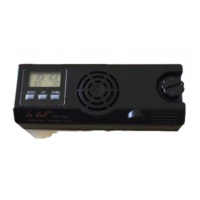
1. LCD contro Hygrometer
2. Air venlaon/fan
3. Knob to open humidifier
4. Air vent
5. Sensor
6. Power Input Terminal
7.
External fan Terminal (Sold Separately)
8. Water cartridge
9. Hole to rell dislled water
and air Vnlaon
10. Connecng tabs
11. 3 rubber O-rings
12. Water line
12
DOWN
Question and Answer IconNeed help?

Do you have a question about the Le Veil iCigar DCH-12V2a and is the answer not in the manual?

Summary

Humidifier Features Overview

Compact Fan and Clear Water Tank Design

Features a compact fan and a clear water tank for easy monitoring and maintenance.

Recalibrating Technology for Accuracy

Utilizes recalibrating technology to ensure precise humidity and temperature readings.

Humidor Capacity Support

Capable of maintaining optimal humidity levels for humidors up to 5 CB-FT.

Humidifier Button Operations

Adjusting Humidity Settings

Hold MODE to blink RH numbers, then use UP/DOWN buttons to set desired humidity.

Automatic Fan Operation Logic

Fan operates automatically based on a ±1% difference from the set humidity level.

Switching Temperature Units

Quickly press the MODE button to toggle between Celsius (°C) and Fahrenheit (°F).

Displaying Max;Min Humidity

Press UP or DOWN keys to cycle through and display 3-day average, max, and min humidity.

Adding;Replacing Water and Crystal Gel

Recommended Care and Usage

Humidor Placement and Gel Replacement

Place humidifier on middle/top shelf for best results; replace gel every year.

Ideal Humidity and Temperature Settings

Suggests 65%-72% humidity and 60°-70°F room temperature for optimal cigar storage.

Product Specifications

Overview

The Le Veil iCigar DCH-12V2a is a digital cigar humidifier designed to maintain optimal conditions for cigars within a humidor. It provides real-time monitoring and control of both humidity and temperature, ensuring a stable environment to preserve cigar quality.

Function Description:

The primary function of this device is to humidify a cigar humidor, specifically designed for up to 5 cubic feet humidors. It achieves this through a compact fan and a clear water tank system. The humidifier displays current humidity and temperature, along with a 3-day average, maximum, and minimum humidity readings. Users can set a desired humidity level, and the device will automatically draw off moisture when the actual humidity falls below the set point by 1%. Conversely, it will stop humidifying when the actual humidity exceeds the set point by 1%. The temperature can be displayed in either Celsius or Fahrenheit. An external fan terminal is available for connecting an additional fan (sold separately) to enhance air circulation. The device also features recalibrating technology for accuracy.

Important Technical Specifications:

  • Model: Le Veil iCigar DCH-12V2a
  • Factory Pre-set Humidity: 70%
  • Humidifier Accuracy: ±1%
  • Measures Humidity Reading: 40%-90%, ±3%
  • Manually Adjust Range: 40%-90%
  • Operating Current/Fan: 200mA
  • Wall Outlet Power: 100-240V/AC
  • Humidifier Power Import: 12V/DC
  • Dimensions: 6"L × 2.2"W × 3.5"H
  • Capacity: Maintains up to 5 CB-FT Humidors
  • Recommended Cigar Humidity: 65% ~ 72%
  • Recommended Room Temperature: 60° ~ 70°F

Usage Features:

  • LCD Display: The device features an LCD screen that shows the current humidity (Max, Min, 3 days average), current temperature, and the RH setting.
  • Button Operations:
    • MODE Button:
      • Press and hold for 3 seconds to enter humidity setting mode (numbers blink).
      • Quickly press to switch between °C and °F temperature display.
    • UP/DOWN Buttons:
      • Used to raise or lower the humidity setting when in setting mode.
      • Used to display Max/Min humidity readings with a quick press.
  • Automatic Humidity Control: The fan automatically activates when humidity is 1% below the set point and deactivates when humidity is 1% above the set point.
  • Water Tank: Features a clear water tank for easy monitoring of water levels and a hole for refilling with distilled water.
  • Placement: For best results, the humidifier should be placed on a middle or top shelf within the humidor.
  • Initial Use: A clear film needs to be removed from the top face before first use. During the first week of use, the humidifier may produce a higher amount of humidity, and it's recommended to follow a specific chart for humidor size (65% for under 300 Ct, 67% for above 300 Ct) and adjust afterwards.

Maintenance Features:

  • Water Refill: Distilled water should be added to the water tank, filling up to the water line.
  • Crystal Gel: The device uses crystal gel. Users should pour the gel into the water tank, allow 20 minutes for it to absorb water, and then add distilled water. The gel should be replaced every year.
  • Cleaning: It is important to wipe off any excess water from the inside and outside of the fan unit and ensure no water is near electrical connections before plugging in the unit.
  • Rubber O-rings: The device includes 3 rubber O-rings, likely for sealing the water tank or other components.
  • Power Input: The device is powered via a 12V/DC input, connected through a DC converter to a 100-240V/AC wall outlet.

Le Veil iCigar DCH-12V2a Specifications

General IconGeneral
BrandLe Veil
ModeliCigar DCH-12V2a
CategoryHumidifier
LanguageEnglish

Related product manuals