EasyManua.ls Logo

Leader Electronics Corp. LDC-824 - Page 4

Default Icon
15 pages
Print Icon
To Next Page IconTo Next Page
To Previous Page IconTo Previous Page
Loading...
3
3
PANEL
FUNCTIONS
“Ae
Front
Panel
an
(eo)
\
j
(en
et
ea
(S20niie)
&
a
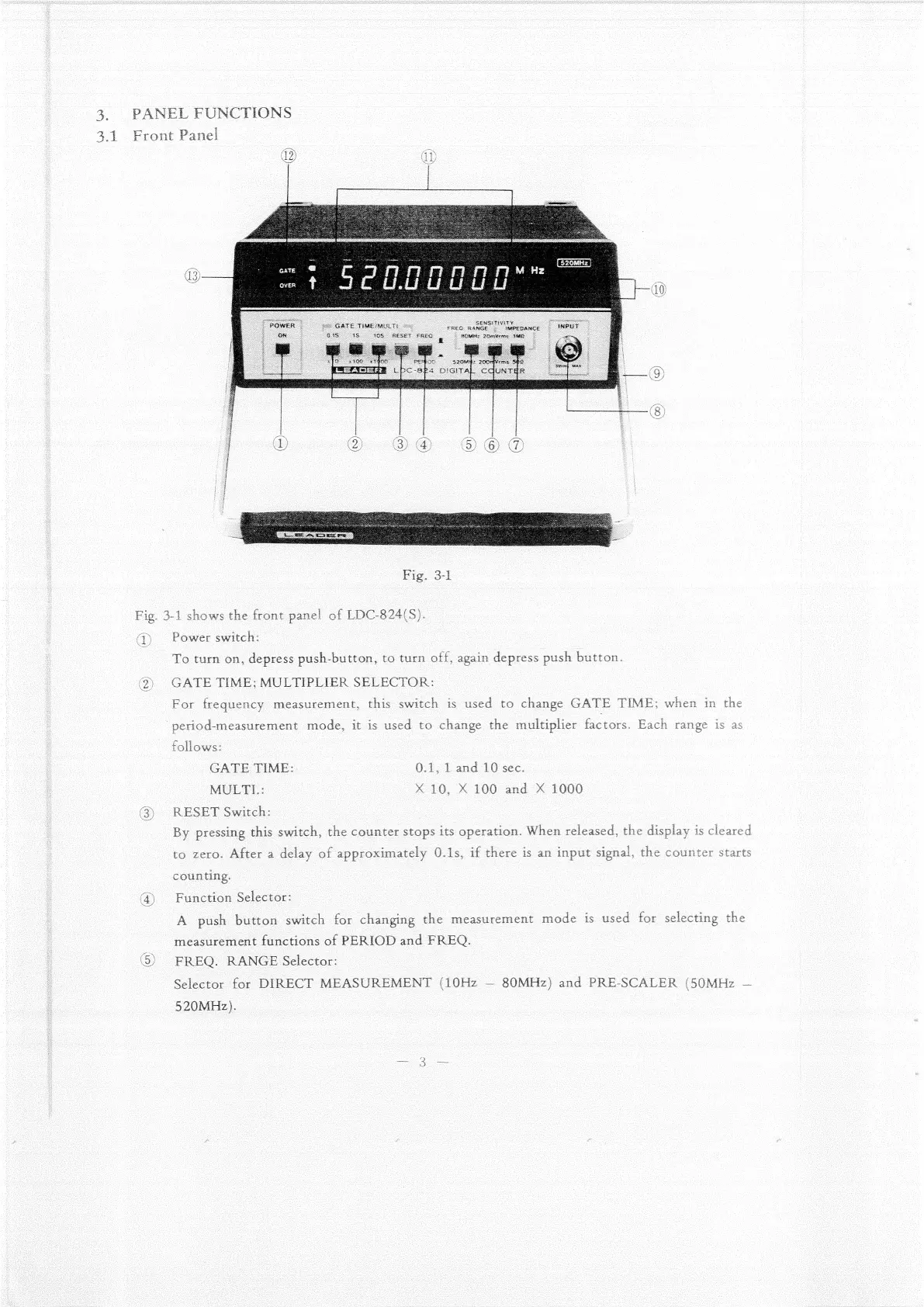
3-1
shows
the
front
panel
of
LDC-824(S).
Power
switch:
To
turn
on,
depress
push-button,
to
turn
off,
again
depress
push
button.
GATE
TIME;
MULTIPLIER
SELECTOR:
For
frequency
measurement,
this
switch
is
used
to
change
GATE
TIME;
when
in
the
_period-measurement
mode,
it
is
used
to
change
the
multiplier
factors.
Each
range
is
as
follows:
GATE
TIME:
0.1,
1
and
10
sec.
MULTL:
xX
10,
X
100
and
X
1000
RESET
Switch:
By
pressing
this
switch,
the
counter
stops
its
operation.
When
released,
the
display
is
cleared
to
zero.
After
a
delay
of
approximately
0.1s,
if
there
is
an
input
signal,
the
counter
starts
counting.
|
Function
Selector:
A
push
button
switch
for
changing
the
measurement
mode
is
used
for
selecting
the
measurement
functions
of
PERIOD
and
FREQ.
|
FREQ.
RANGE
Selector:
Selector
for
DIRECT
MEASUREMENT
(10Hz
80MHz)
and
PRE-SCALER
(50MHz
520MHz).

Related product manuals