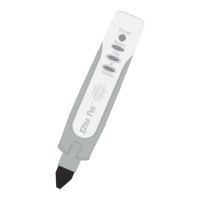
Features and Functions
1. Turning on: To turn on your Eltee Pen using the
battery power, press and hold the power button for
3 seconds until the light flashes and you hear, “Hello,
I’m Eltee.”
2. Turning off: To turn off your Eltee Pen, hold the
power button for 3 seconds until the light
switches off and you hear ‘Good bye, see you soon’.
3. Auto off: To save battery power, your Eltee Pen
will automatically switch off if it is unused for
more than 3 minutes.
4. Record: A quick press and release of the record
button will turn the light on. This indicates
that recording is activated. To record your voice
clearly, bring your Eltee Pen close to your
mouth. To stop recording, press and release the
same button again. When the light goes off, this
indicates that recording has stopped.
Please note: the maximum recording time is one
minute and every new recording deletes
the previous one.
5. Play: To listen to the recorded voice, press and
quickly release the Play button.
6. Volume: There are 5 levels of sound volume. The
default level is set at 3. Each press of the
volume button will alter the volume through the
sequence: 4-5-4-3-2-1. Press the volume button
until you achieve the desired volume.
7. Speaker: Take care not to cover the speaker whilst
playing recordings on your Eltee Pen.
8. Audio Out: You may connect external speakers
or headphones using a standard audio cable
(not provided).
9. SD Card: All your Eltee Pen sound files are
recorded on the SD Card. Please do not remove it
2


 To Next Page