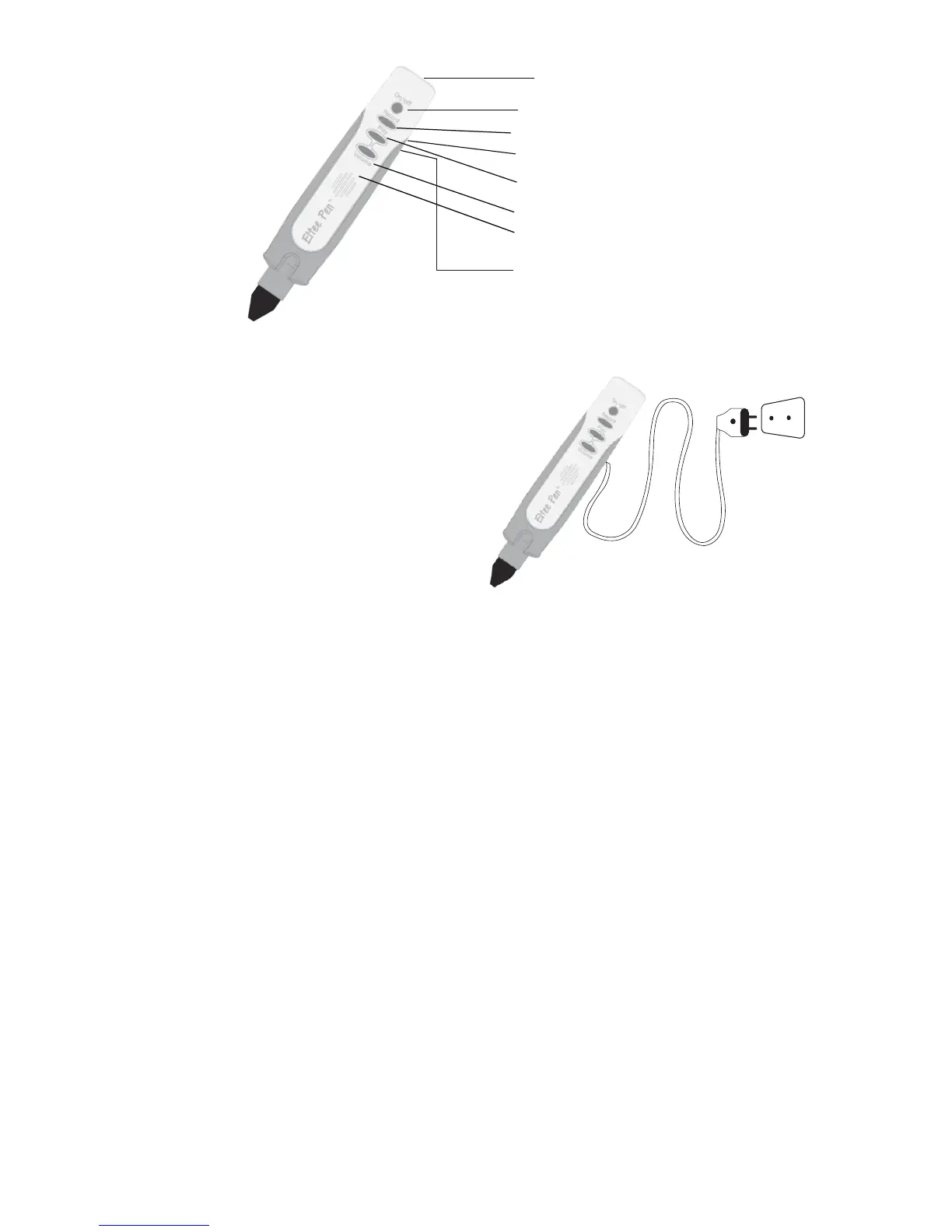
Power
Audio Out
SD Card housing
Record
Play
Volume
Speaker
USB Power
Using Eltee Pen with
Power Supply
1. To use your Eltee Pen
with a power supply,
connect the USB cable
(provided) to a USB
plug (plug not provided
due to local variations).
2. When connected to
the power, the red
light will turn on. Push
the Power button.
When you hear, “Hello!
I’m Eltee.” your Eltee
Pen is ready to use.
Using Eltee Pen with Compatible Books
1. Activation: Each book has an activation icon on the
first page (as shown in the image). After switching on
the Eltee Pen, scan the icon to activate the Pen for
that particular book. You will hear a welcome
message. Repeat this step every time you want to
use your Eltee Pen with a compatible book.
3. Please avoid connecting
the USB cable to your
computer, as there is
a risk of accidentally
deleting data from your
Eltee Pen.
3


 To Next Page