7
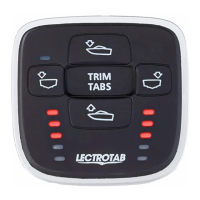
LED Position Indicators:
When retracting actuators/tabs, the top LED indicator will flash to show tabs are
retracting. When deploying actuators/tabs, the lowest lit LEDs will flash to show tabs are
deploying.
Automatic Tab Retraction:
There are a couple options for automatically retracting the trim tabs. You may connect
the accessory terminal of the ignition key switch to terminal #7 at the MLC keypad. When
the ignition key switch is turned off, the tabs will retract automatically, and the display
will turn off. Another option is to connect terminal #7 to an accessory switch, so the tabs
will only retract when this switch is turned off.
Automatic Tab Adjustment to Last Setting:
When the accessory switch or ignition key switch (connected to keypad terminal #7) is
turned off, the tabs will automatically retract. When the accessory switch or ignition key
switch is turned back on, the tabs will adjust to the last know position before key switch
was turned off. Follow the instructions on page 7 to program the keypad for this feature.


 To Next Page