object’s moving range is large and you want
the camera to move accordingly, increase the
tracking sensitivity by moving the cursor
leftwards.
Pan Speed: adjust pan speed during tracking.
Tilt Speed: adjust tilt speed during tracking.
Zoom Limit: adjust zoom limit during tracking.
Lost Timeout: adjust timeout before object
lost act will be performed.
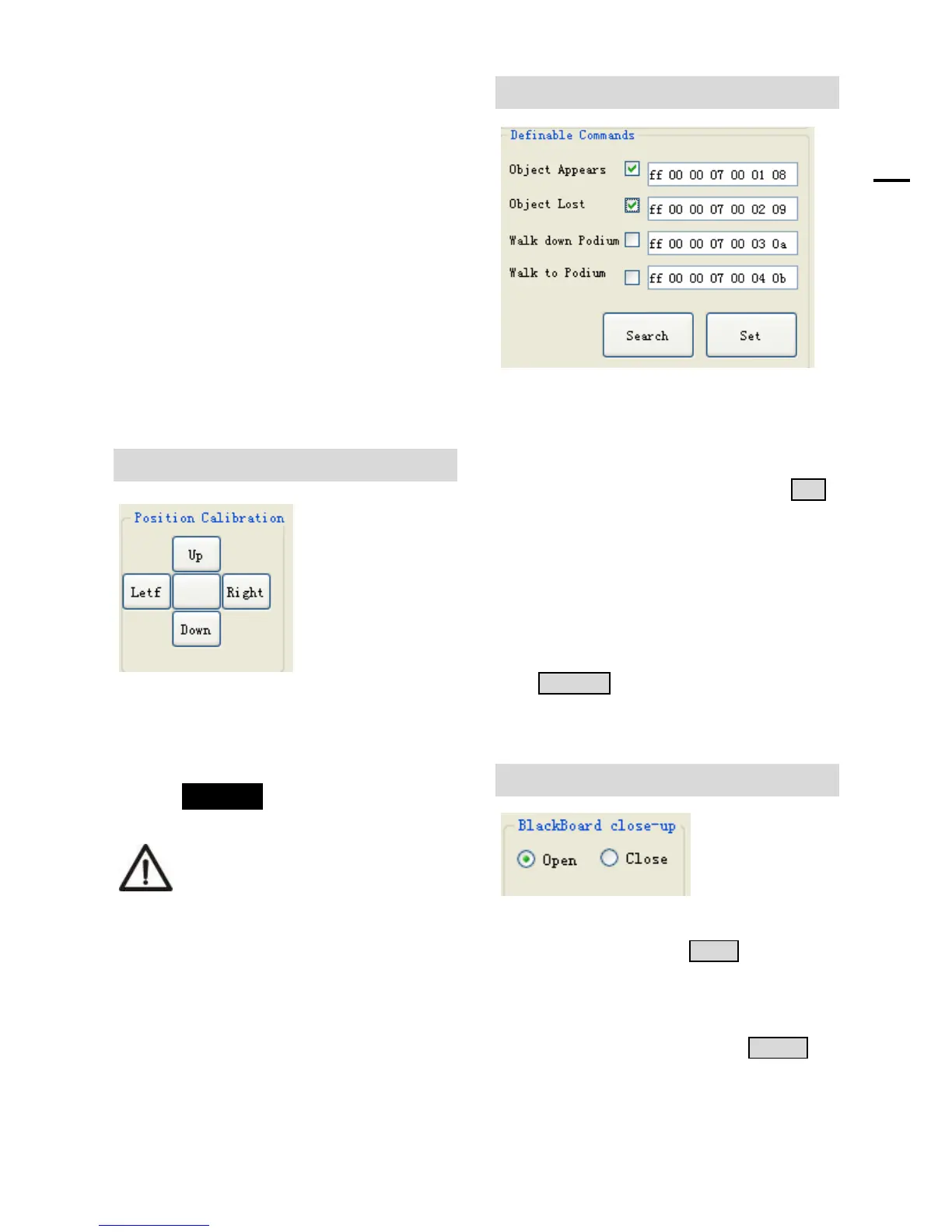
Position Calibration
Position Calibration: adjust the lecturer’s
position in the video when he/she is not in the
center.
The position has been adjusted to
the best value before leaving the
factory, do not change it until it is
necessary.
Definable Commands
Select the box that you want to set, then input
the definable code (each code is no more than
10 bytes, each byte should be in hexadecimal
format, and separated by spaces), click SET
to confirm the setting. For example as in the
picture, when object appears, the camera will
send “ff 00 00 07 00 01 08” via RS485 or
RS232, and when object gets lost, the camera
will send “ff 00 00 07 00 02 09”.
Click SEARCH to search the code that has
been set before.
Blackboard Close-up
This function should be used with extra
blackboard camera. Click OPEN, then the
camera will give blackboard close-up image
according to the size of preset 2 when lecturer
is writing on the blackboard. Click CLOSE to
close the blackboard close-up function.


 To Next Page