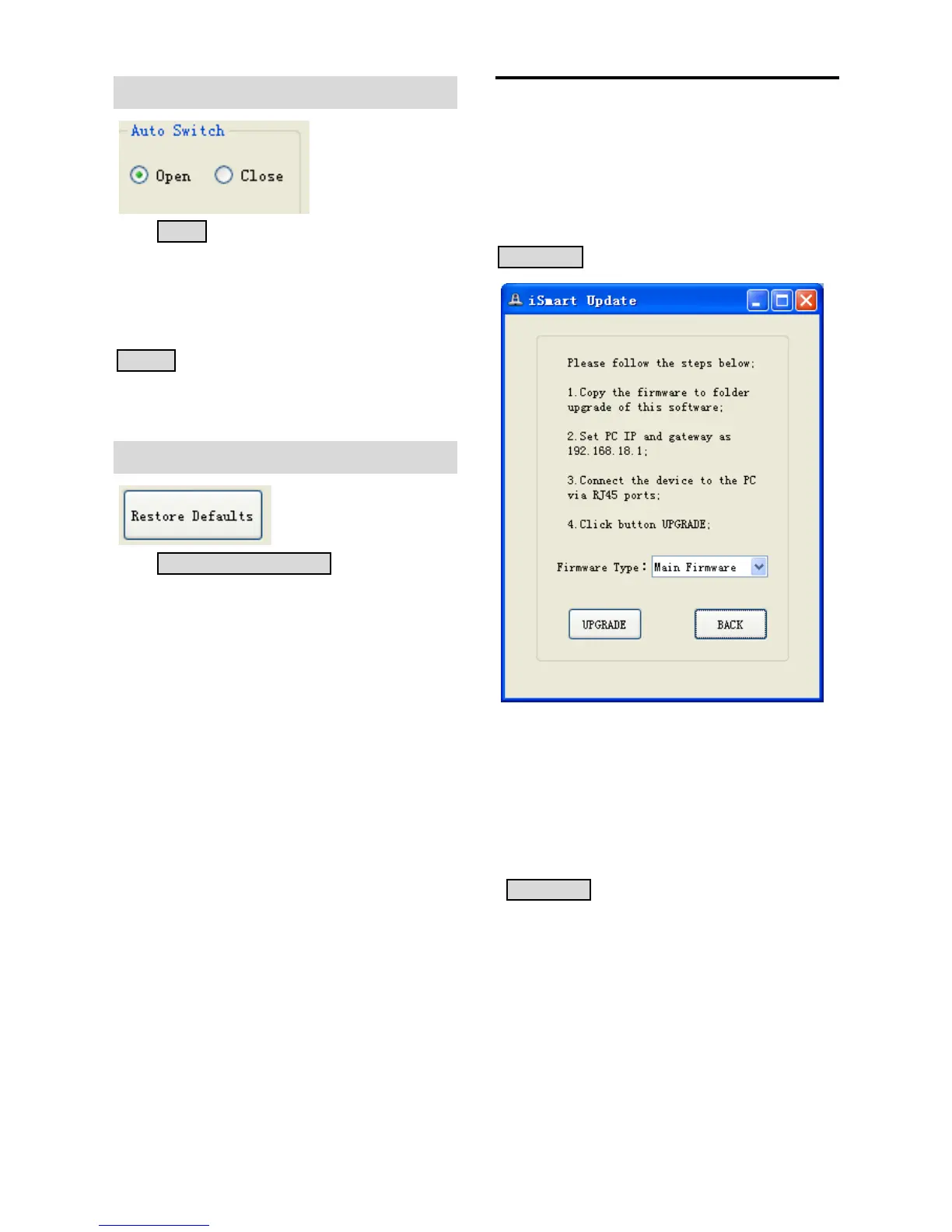
Auto Switch
Click OPEN, then HD-SDI-1 will switch to the
tracking video when the camera detects
moving objects. In non-tracking mode, this
interface will output the full-view video. Click
CLOSE, HD-SDI-1 always output the full-view
video.
Restore Defaults
Click RESTORE DEFAULTS to reset all
settings to default value.
Firmware Upgrade
Connect the debugging interface at the rear
panel of the camera to your PC’s network
interface with RJ45 cable, then press
UPGRADE, the following page will pop up:
Please connect the device with PC through
RJ45 cable, change the IP address and
Gateway of PC to 192.168.18.1; then put the
firmware you want to upgrade in this
software’s “Upgrade” folder; finally click
UPGRADE button below to upgrade.
Please contact the manufacturer if there is
any problem.


 To Next Page