EasyManua.ls Logo

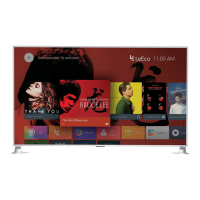
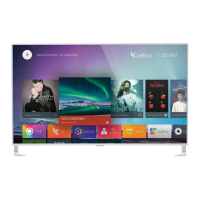
LEECO Super4 X65 - User Manual

LEECO Super4 X65
31 pages
Print Icon
To Next Page IconTo Next Page
Loading...
Super4 X65 Product Quick Guide v1.0

Other manuals for LEECO Super4 X65

Questions and Answers

  • E
    Edwin AndersonAug 13, 2025
    What to do if my LEECO LED TV has no image or sound?
    • G
      George BurtonAug 14, 2025
      If your LEECO LED TV isn't displaying an image or producing sound, ensure the power plug is securely inserted into the power socket (100-240V). Verify the signal cable is properly connected and that the signal source unit is powered on. Also, confirm the TV is not in standby mode.
  • F
    frances75Aug 17, 2025
    Why does my LEECO LED TV have no sound?
    • J
      John AndersenAug 17, 2025
      If your LEECO LED TV has no sound, the first thing you should check is whether the TV volume is muted.
  • A
    Anita NicholsonAug 21, 2025
    What to do if my LEECO LED TV image is blurring?
    • T
      timothysnyderAug 21, 2025
      If you're experiencing image blurring on your LEECO LED TV, it's likely due to poor signal reception. Ensure the antenna connection is not loose.
  • T
    thomasmichaelAug 25, 2025
    What to do if my LEECO LED TV has poor image?
    • L
      lauramartinezAug 25, 2025
      If your LEECO LED TV is displaying a poor image, the issue is likely due to poor signal reception. Check that the antenna is properly connected.
  • W
    Wanda NobleAug 29, 2025
    What to do if my LEECO LED TV has no video or sound, or only noise?
    • B
      Brandi LewisAug 29, 2025
      If your LEECO LED TV is showing no video or sound, or only noise, this is likely due to poor signal reception. Check that the antenna is properly connected.
  • E
    Evelyn YoungSep 1, 2025
    Why does my LEECO LED TV show double or triple patterning of video?
    • S
      sara91Sep 1, 2025
      Double or triple patterning of video on your LEECO LED TV may be due to reflected signal interference from a high mountain or building. Ensure the antenna is pointed in the correct direction.
  • P
    Patricia LopezSep 5, 2025
    What to do if my LEECO LED TV has poor image (Video)?
    • D
      Dylan WyattSep 5, 2025
      If your LEECO LED TV shows a poor image specifically when using video, verify that the correct video signal mode is selected.
  • R
    Rachael ScottSep 8, 2025
    What causes stripe or thin hue image on LEECO LED TV?
    • G
      ggonzalezSep 8, 2025
      If your LEECO LED TV displays a stripe or thin hue image, check to ensure that the TV is not experiencing interference from other devices. Keep the TV away from other devices that may cause interference.

Summary

Important Safety Instructions

Safety Symbols Explained

Explains the meaning of warning symbols like lightning and exclamation marks.

General Safety Precautions

Lists key safety guidelines for appliance usage and environment.

ENERGY STAR Compliance

Network Settings

Product Specifications

Key Technical Data

Provides resolution, dimensions, weight, power, and environmental specs.

Installation Guide

Stand Installation

Guidance on correctly installing the TV stand and required space.

Wall Mounting Instructions

Wall Mount Screw Locations

Identifies screw points and emphasizes wall strength for mounting.

Connecting Your TV

Common Connection Ports

Details on USB, HDMI, ARC, and AV input ports.

Additional TV Connections

MHL, VGA, and Antenna Setup

Guides for connecting mobile devices, PCs, and antennas to the TV.

Remote Control Setup

Remote Pairing Process

Step-by-step guide to pair the remote with the TV.

Remote Control Functions

Remote Button Functions

Describes the purpose of each button on the remote control.

Troubleshooting Guide

Common Issues and Solutions

Table listing problems like no image/sound and their inspection steps.

After-sales Service Policy

Repair and Warranty Policy

Refund and Replacement Policy

Refund Conditions

Terms for 30-day refunds and refunds due to malfunctions.

Replacement Conditions

Terms for product replacement due to functional faults.

Warranty Exclusions and Limitations

Service Quality and Warranty Statements

Limit of Liability

Disclaimer of Warranty

Customer Service Support

LEECO Super4 X65 Specifications

General IconGeneral
Display TypeLED
Smart TVYes
HDRYes
Audio Output20W
HDMI Ports3
USB Ports2
Wi-FiYes
EthernetYes
Operating SystemAndroid
HDR SupportHDR10
Refresh Rate60Hz
Resolution3840 x 2160 pixels
Smart TV PlatformEUI
ConnectivityHDMI, USB, Ethernet, Wi-Fi
AudioDolby Audio
ProcessorQuad-Core

Related product manuals