RCbro
®
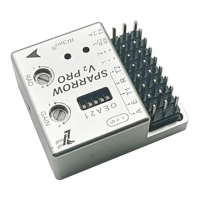
SPARROW V2 Pro
LefeiRC www.lefeirc.com/
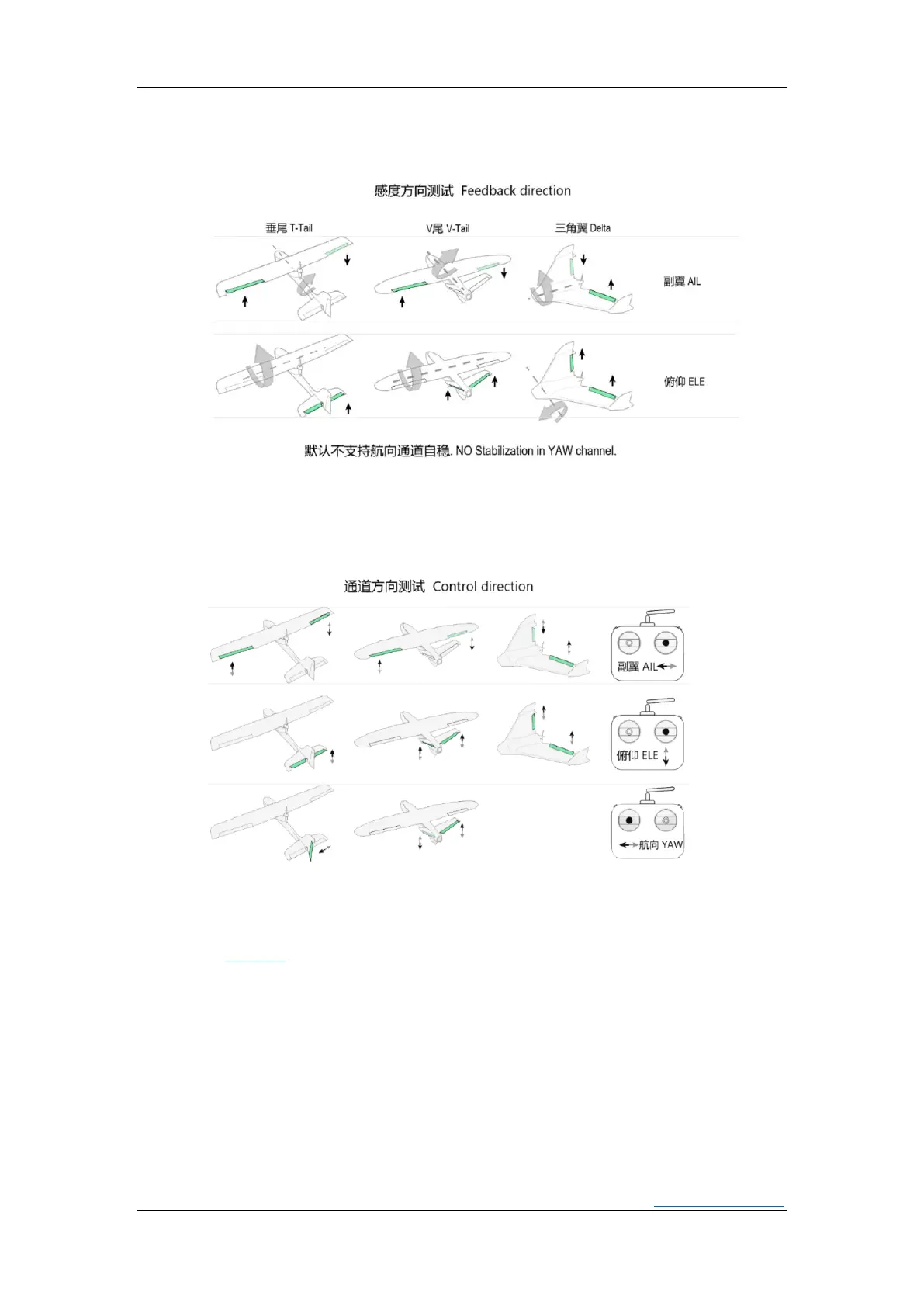
➢ Feedback direction
Step 1: Check the feedback direction,if incorrect, go to the next step.
Step 2: Turn the DIP switch that controls the feedback direction to the other side.
Step 3: Check the feedback direction again.
➢ RC control direction
*If the control direction is not correct, you can set the channel output reverse in the RC.
*After setting the feedback direction, the control direction can only be modified in the RC.
➢ Set gain
Refer to
<Gain>.
➢ FailSafe
When the RC that outputs PWM/PPM/IBUS/ELRS is failsafe, there are usually three
states that can be set.They are: cut (no output), pos hold (hold the output at the last
moment before failsafe), custom (the user sets the output when failsafe), of course,
different RC will be different.
Cut mode: the FC can automatic recognition as failsafe,and switch to RTH;
Pos hold: this mode is not recommended.


 To Next Page