RCbro
®
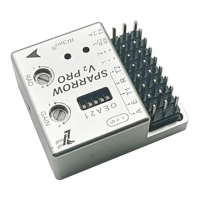
SPARROW V2 Pro
LefeiRC www.lefeirc.com/
➢ Using DJI V2
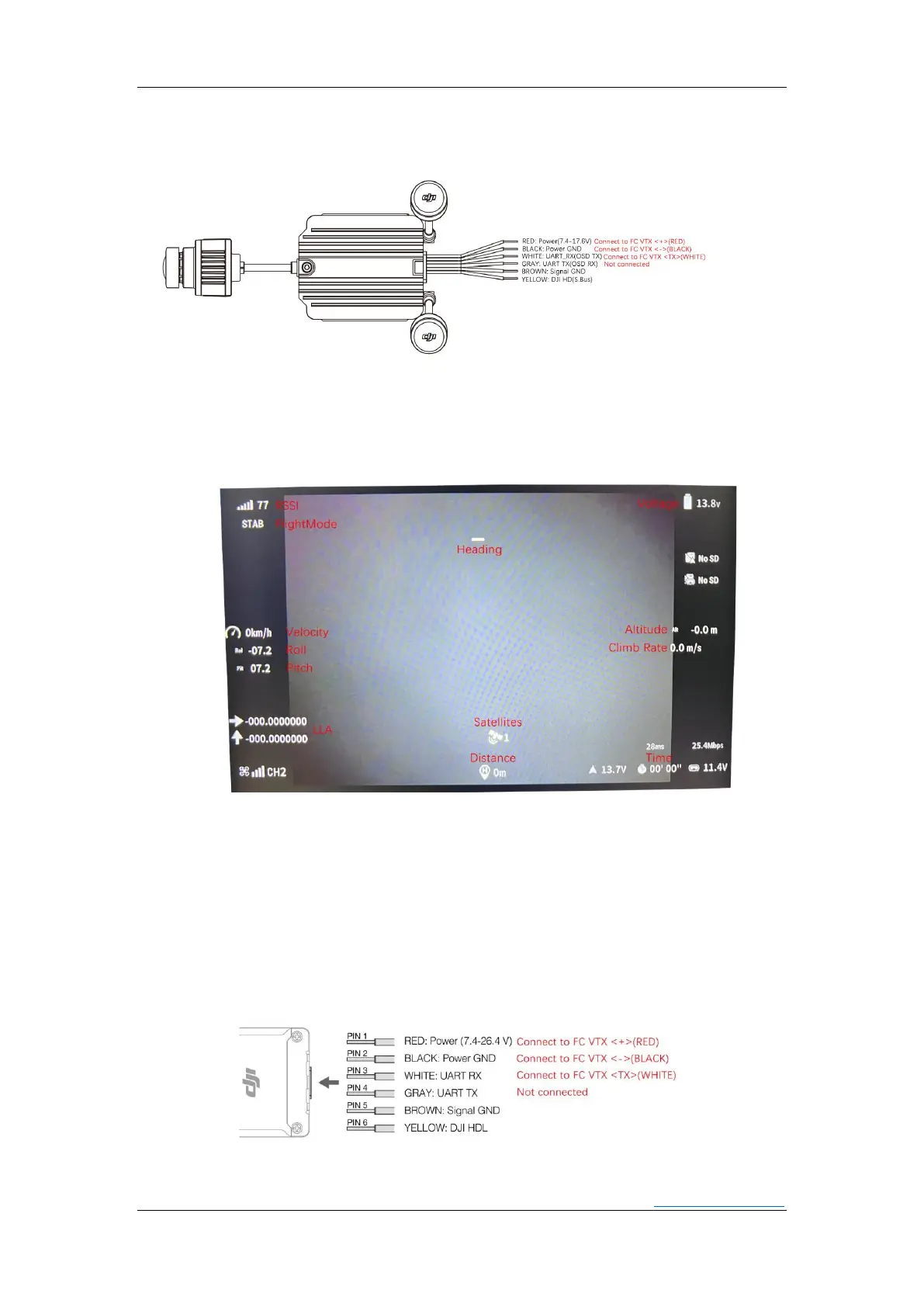
◐ Wiring
*If you use a battery supply for power supply,be sure to install a capacitor at the battery input to protect
the VTX and FC.It is recommended to use specifications above 50V/47uF.
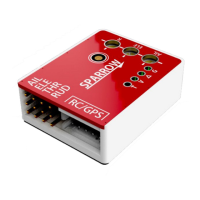
◐ OSD
Goggles Settings:<Settings>-<Display>-<Custom OSD>-<on>
◐ OSD position adjustment
Quickly dial the flightmode channel to enter. The OSD flashes slowly to indicate that the
OSD whose position needs to be adjusted can be selected through the pitch stick. Quickly
dial the mode channel again, the OSD flashes quickly to indicate that the OSD position can
be adjusted through the roll and pitch sticks. After the adjustment is completed, dial the
mode channel quickly and the OSD will resume slow flashing, and you can adjust the next
OSD again. After all adjustments are completed, press the roll stick left to exit.
➢ Using DJI O3/AVATAR
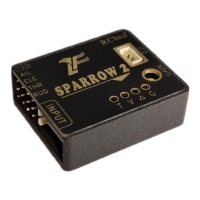
◐ O3 Wiring
*If you use a battery supply for power supply,be sure to install a capacitor at the battery input to protect


 To Next Page