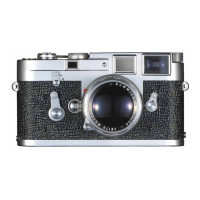
To Set the Film Type Indicator (24)
in the camera back, press one finger lightly against the center,
and turn the disc to mark the type and speed of the film loaded in
the LEICA. Symbols indicate black-and-white film, daylight color
film (sun on a red background) or artificial light color film (lamp
on a red background). One of the three pointers, next to the
appropriate symbol, should point to the film speed in ASA or
DIN.
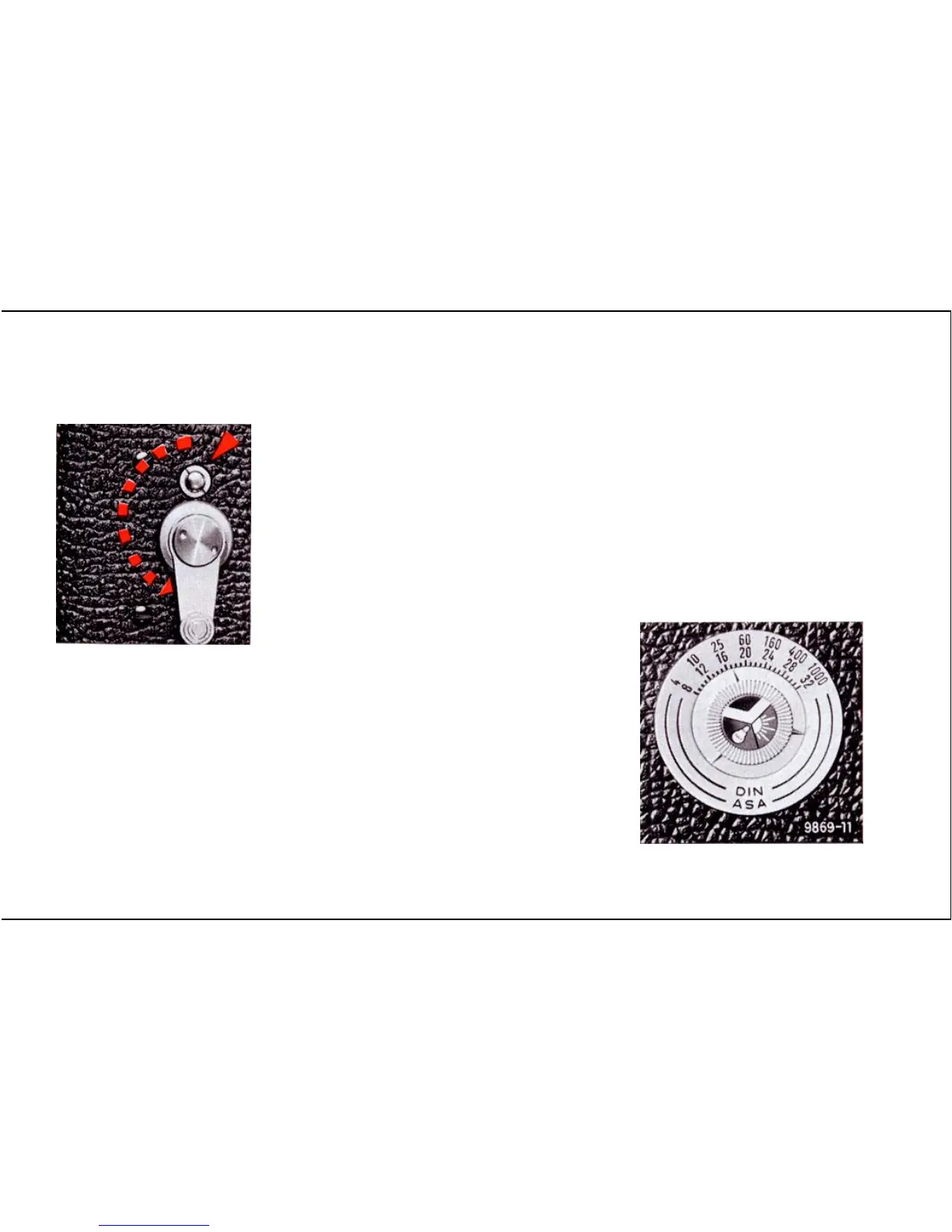
The Delayed Action Self-Timer (14)
The self-timer works with all shutter speeds from 1 to
1
/
1000
sec,
and can be set either before or after the shutter is tensioned.
For self-timer exposures use the small chromed button indicated
by an arrow in the picture above. Do not use the shutter-
release; this will by-pass the self-timer mechanism. When pulled
down all the way, as shown above, the delay will be about 10
seconds; half-way gives a delay of about 5 seconds.
Not For Resale – Free Download at http://homepage.ntlworld.com/joechan/manuals
25


 To Next Page