EN
19
Preparation
CHARGING THE BATTERY
The camera is powered by a lithium-ion battery.
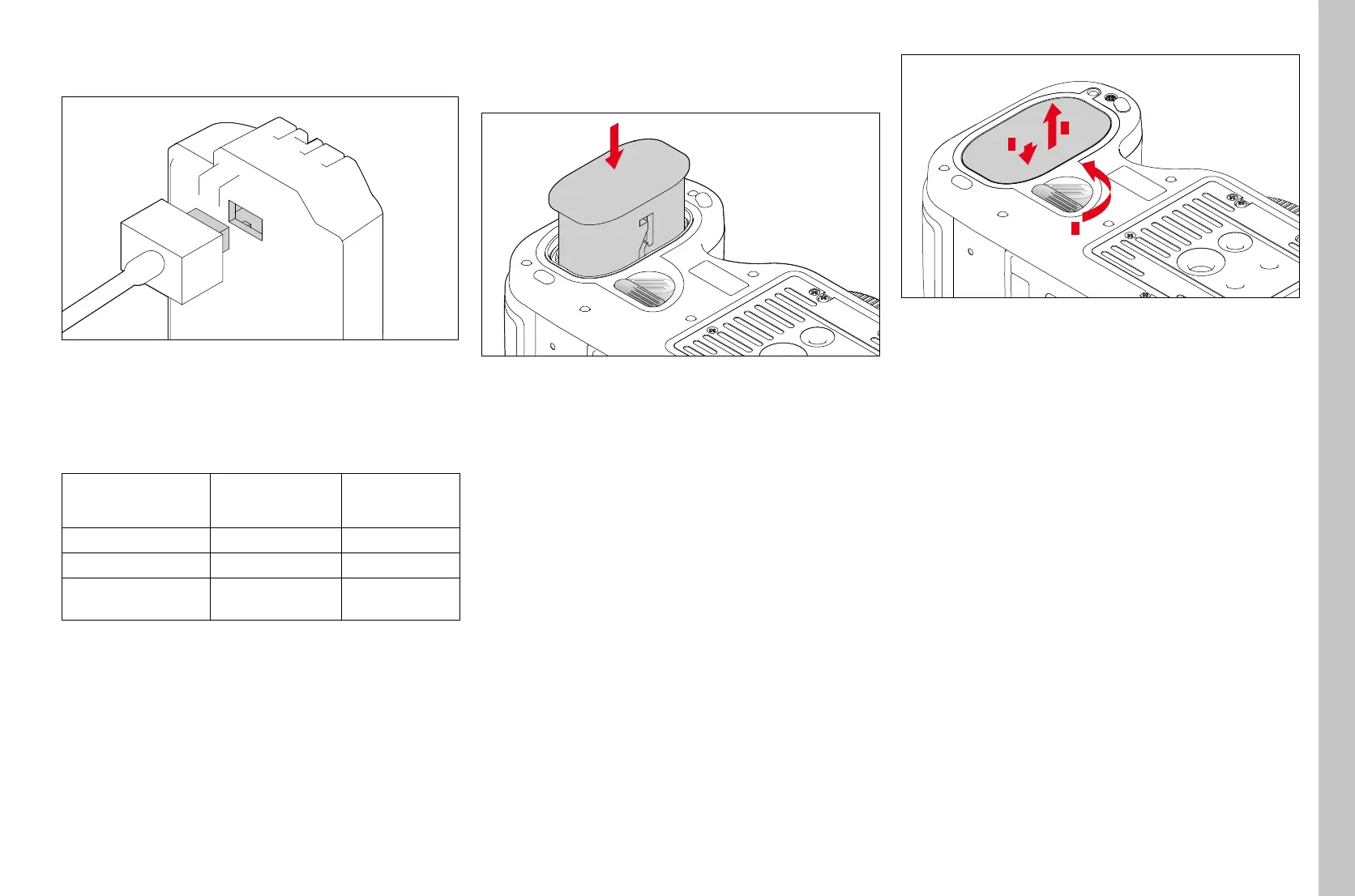
▸ Connect the cable plug to the battery jack
▸ Plug the mains plug into a wall socket
CHARGE STATUS INDICATORS ON THE CHARGER
The status LED indicates a correct charging process.
Display Charge status Charge time
(for a completely
discharged battery)
CHARGE flashes green
battery is charging
80% lights up orange
80% approx. 2hours
CHARGE continuous
green light
100% approx. 3½ h
Notes
• Disconnect the charger from mains electricity when the charging
process is complete. There is no risk of overcharging.
INSERTING/REMOVING THE BATTERY
▸ Ensure that the camera is switched OFF (see p. 24)
Insertion
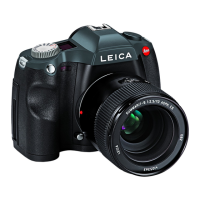
▸ Slide the battery as far as it will go into the battery compartment with
the contacts facing forward and the guide groove facing the middle of
the camera
• It will automatically engage in that position.
Removal
1
2
3
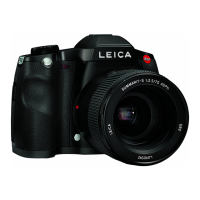
▸ Turn the unlock lever clockwise as far as it will go
• A spring in the battery compartment will then push the battery out
by approx. 1cm.
• The locking mechanism has a catch to prevent the battery from
accidentally falling out, even if the camera is held upright.
▸ Push the battery back approx. 1mm to release the lock
▸ Extract the battery from its slot or hold the camera upright so the
battery falls into your hand


 To Next Page