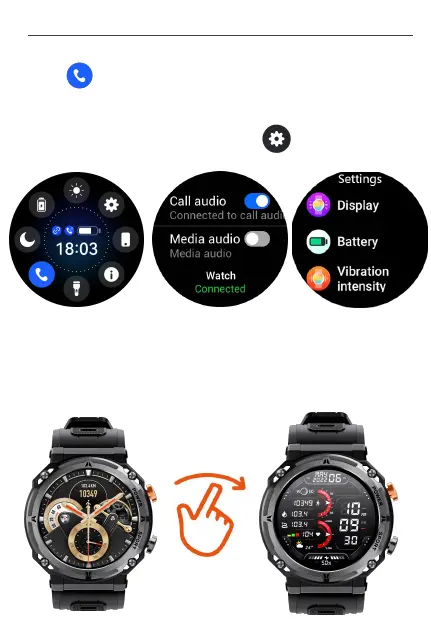
①. Tap to enter audio settings interface, then turn on "Media
audio", which allows the watch to sync and play audio from your
compatible smartphone.
2) Set up Media Audio
②. Set Vibration mode and intensity. Tap to find and click
"Vibration intensity" to choose the mode you like.
7. Settings on watch display
1) Change the watch faces
①. Setting on watch: Turn on and long press the watch screen 2
seconds, then swipe right to choose the dials you like.
User M a n u al- En g l i s h
10


 To Next Page