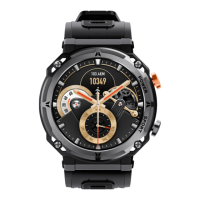
Need help?
Do you have a question about the LEMFO E400 and is the answer not in the manual?
Instructions on how to download and install the H Band app from app stores and system requirements.
Steps to connect the smartwatch with the H Band app by scanning for devices and pairing.
How to select or change the watch theme by long-pressing the screen or using the app menu.
Instructions on how to enter and exit the smartwatch's main menu using the side and upper buttons.
Details on tracking steps, distance traveled, and calories burned, with data synchronization to the app.
Explains tracking of body temperature, heart rate, ECG, blood glucose, blood pressure, and blood oxygen levels.
Guide to entering sports mode, selecting various activities like running, walking, cycling, and elliptical training.
Information on how the watch calculates and tracks sleep quality, including deep and light sleep duration.
Instructions for using the stopwatch feature and controlling music playback on a connected smartphone.
How to use the watch to control the smartphone's camera and access shortcut functions like 'Find phone'.
How to view incoming messages on the watch and adjust screen brightness and auto-lock settings.

 To Next Page
 General