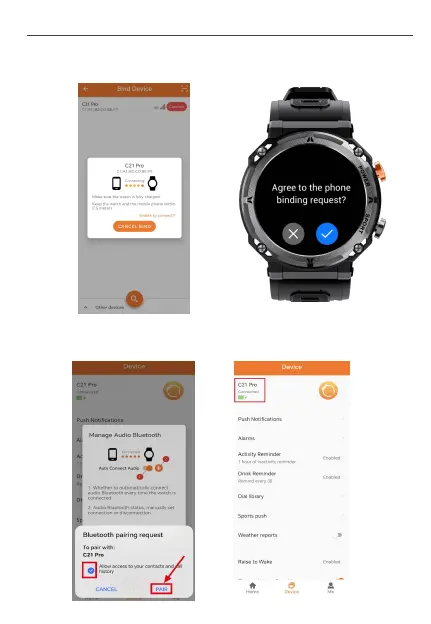
③. After clicking "Connect", the watch will ask you to agree the
connecting request. Please click "√”to complete the device binding.
④. When this pop-up window is displayed on the App page, you need
to click "Allow" to make the watch work normally with its call function.
User M a n u al- En g l i s h
7


 To Next Page