5
(a) Firmly and securely plug the adaptor's AC plug into AC main outlet.
(b) Connect the adaptor's DC output plug to the DC-in jack of the unit.
5. Smart Phone
With a Smart Phone installed the MAP Mobile App (the application program).
Note: For MAP Mobile App installation, please read “MAP App installation” section in this
manual.
Now it is ready to operate the MAP system with this setup.
Remote Control
The remote control operates on a CR2025 Lithium battery (included).
To activate the remote control, remove the insulation tab attached in the battery compartment.
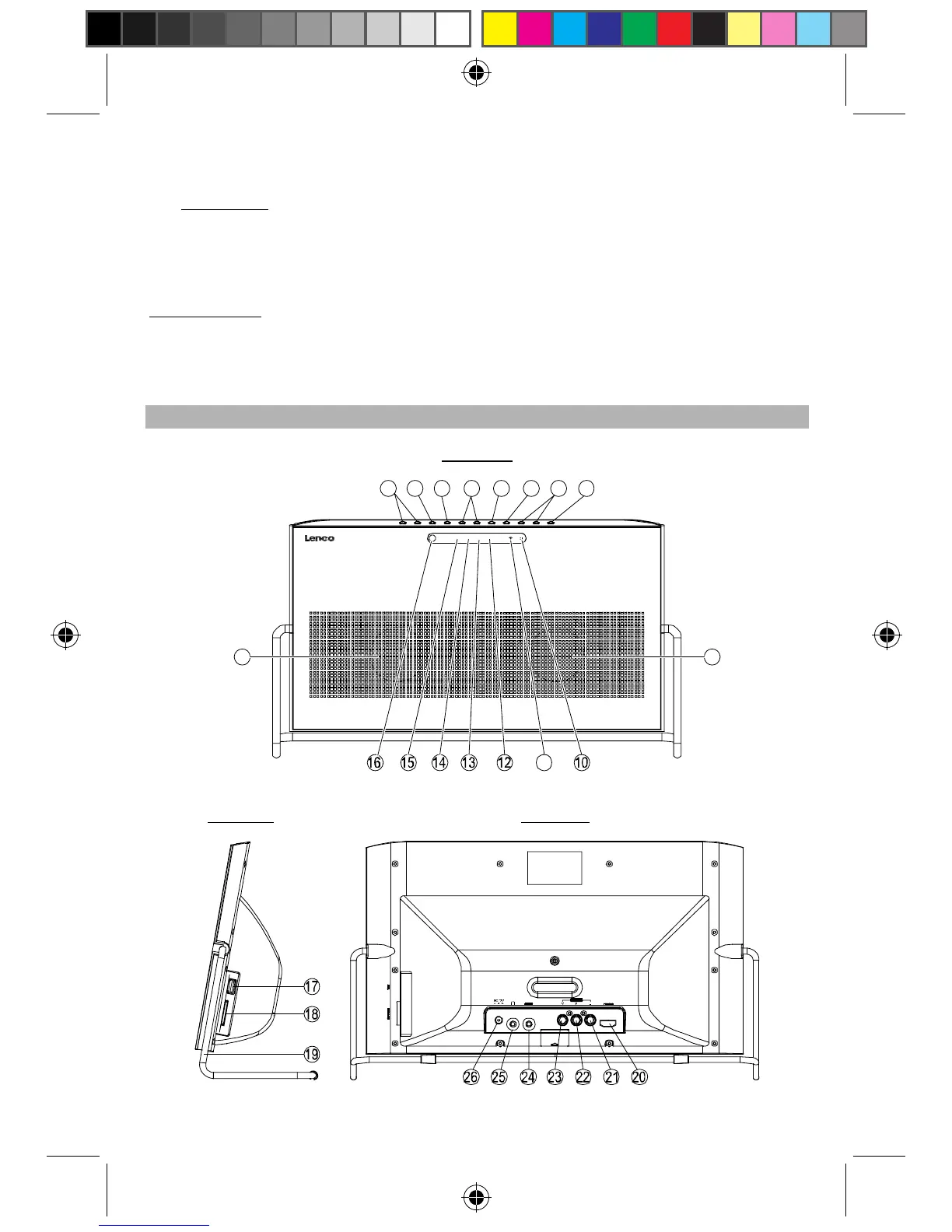
Description of Parts
MAP Base Unit
Front View
1
11
2345678
9 9
AUX BASE PHONE TALET
Side View
Rear View
APD-100 5L IB.pdf 5APD-100 5L IB.pdf 5 2012-5-31 14:46:132012-5-31 14:46:13


 To Next Page