25
5.6.1 Control on PC
The PC system requirements for DLNA are Windows 7 and Windows
Media Player 12. Setup as below:
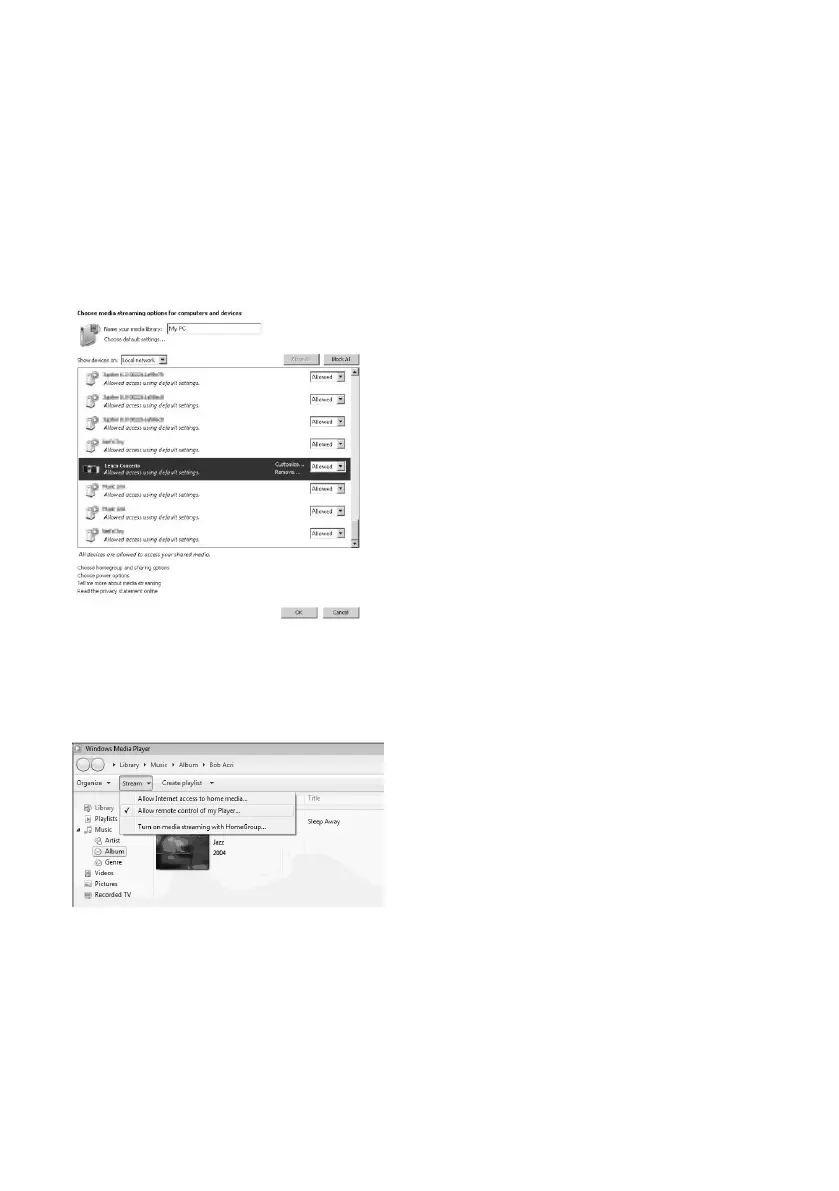
Firstly, share the media on your PC to the device.
Control Panel > Network and Internet > Network and Sharing Center
> Change advanced sharing settings > Media streaming options
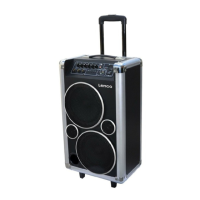
Open Windows Media Player to enable Allow remote control of my
Player.
Select any music in the library and choose Play to “Lenco Concerto”



 To Next Page