PROGPROG
L/RL/R
When a DVD is played, the active dubbing language will be shown. When a
SVCD or VCD is played the left track, right track or stereo will be displayed
accordingly.
When a DVD is played, the active dubbing language will be shown. When a
SVCD or VCD is played the left track, right track or stereo will be displayed
accordingly.
When a bilingual VCD is played, you may press the button to select the
prefered language.
When a bilingual VCD is played, you may press the button to select the
prefered language.
Advanced Features
MODEMODE
Press the MODE button to change the display mode; Interlaced, Progressive,
S-VIDEO.
Press the MODE button to change the display mode; Interlaced, Progressive,
S-VIDEO.
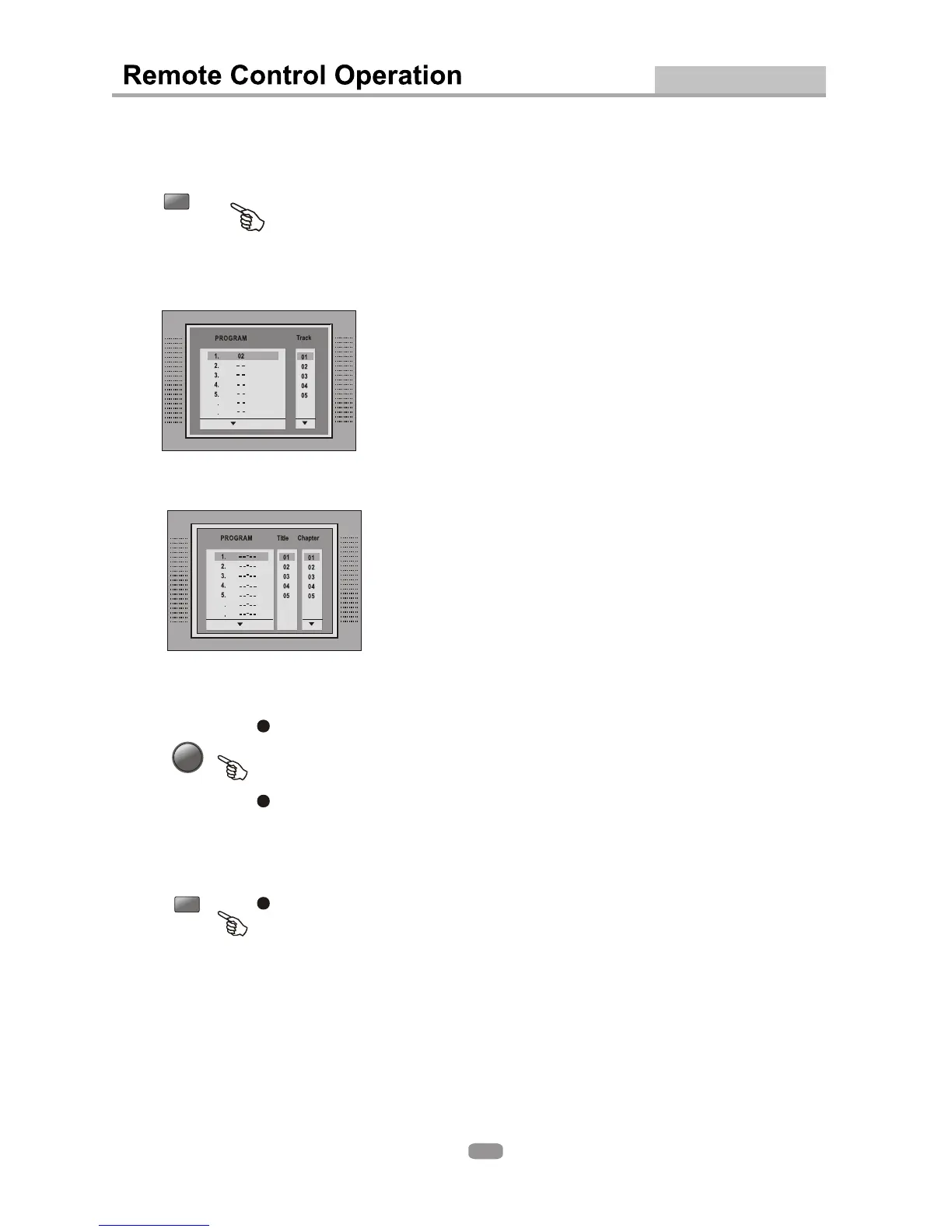
White [PROGRAM] is on, press ENTER to display the [Program] submenu:White [PROGRAM] is on, press ENTER to display the [Program] submenu:
Enter the track numbers in the order you would like
them to be played. When you are finished, select [Play
Program] and then press ENTER to play the tracks
in the new programmed order. Select [Clear All] and press
ENTER to clear all the numbers you have programmed..
Enter the track numbers in the order you would like
them to be played. When you are finished, select [Play
Program] and then press ENTER to play the tracks
in the new programmed order. Select [Clear All] and press
ENTER to clear all the numbers you have programmed..
Enter the title number and the chapter number in the desired
order. Then select [Play Program] and press ENTER to play
the chapters in the order you have set them up. Select [Clear
All] and press ENTER to clear all the numbers you have
programmed.
Enter the title number and the chapter number in the desired
order. Then select [Play Program] and press ENTER to play
the chapters in the order you have set them up. Select [Clear
All] and press ENTER to clear all the numbers you have
programmed.
6
7
6
7
24


 To Next Page