MP3/WMA/MPEG4 PLAYING
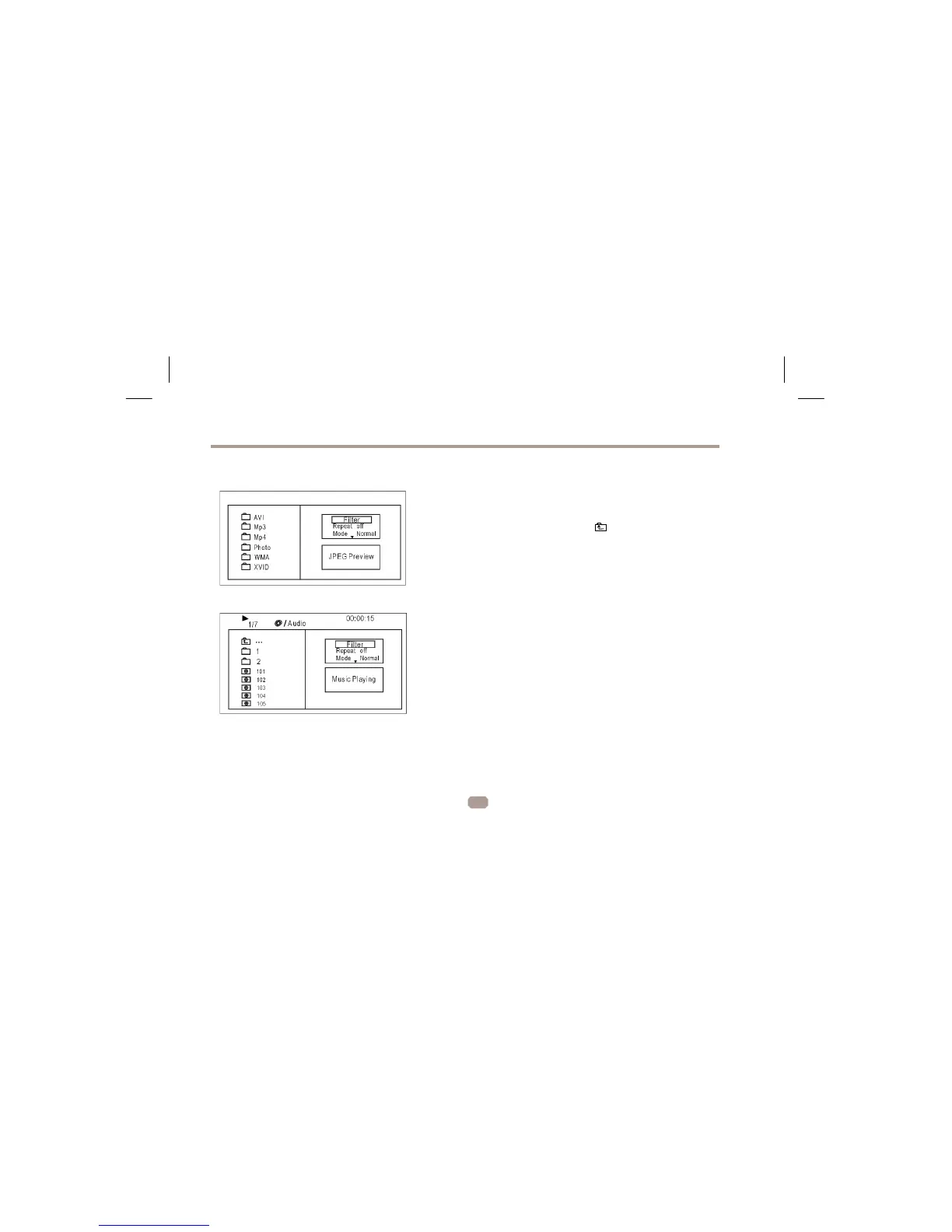
Insert th e MP3/WMA/MPEG4 disc, use navigation keys to open the desired directory.
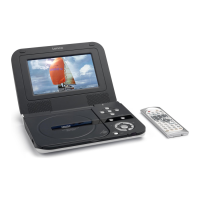
Press ENTER to enter the sub directory. Use the navigation keys to select
the desired track and then ENTER to play the file. Press the PLAY/PAUSE key to
pause the playback, press the stop key to stop the play. To re turn to th e upper
menu, press navigation key
to choose the ico n and press E NTER to confirm.
Open the option menu using the navigation keys
Filter: Allows se lecting the categories of files disp layed in the browser list.
Repeat: To switch different repeat playing mode
Select single option to enable one file repeat, select folder option to
enable all the files in the folder repeat.
Mode: Select different playing mode
Normal: Normal playback
Shuffle: Shuffle mode enabled. When playback reaches the end of the
current chapter/track, playback jumps to a random chapter/track.
Music Intro: In this mode, the unit will play the first 10 seconds of the file and then skip
to the next file.
Edit Mode: Use this option to enable programmed playback mode. Select the mode,
press LEFT Navigation key to directory and press ENTER to choose the
desired track and press Add to program to program the playback list.
Program view: Display directory/folder.
Brower view: Display playback list directory.
Add to program: Use this in combination with Edit Mode to create a play list.
Clear program: When entered the Browser View and in complete stop state (press
STOP button twice), use this option in combination with Edit Mode to
delete tracks from the playback list.
5


 To Next Page