PICTURE CD PLAYBACK
SYSTEM SETUP
MENU OPERAT ION
Press the
SETUP
button on the remote control and the
SETUP MENU will be displayed. Use the direc tion buttons
for up and down movement to sele ct the desired item,
the n press the
ENTER
button to confirm.
Press
LEFT
directio n button return to the ma in menu. T o exit
the setup, press the
SETUP
button. Press right navigation key to
enter the submenu.
LANGUAGE SET UP
Select
Language
in the setup menu.
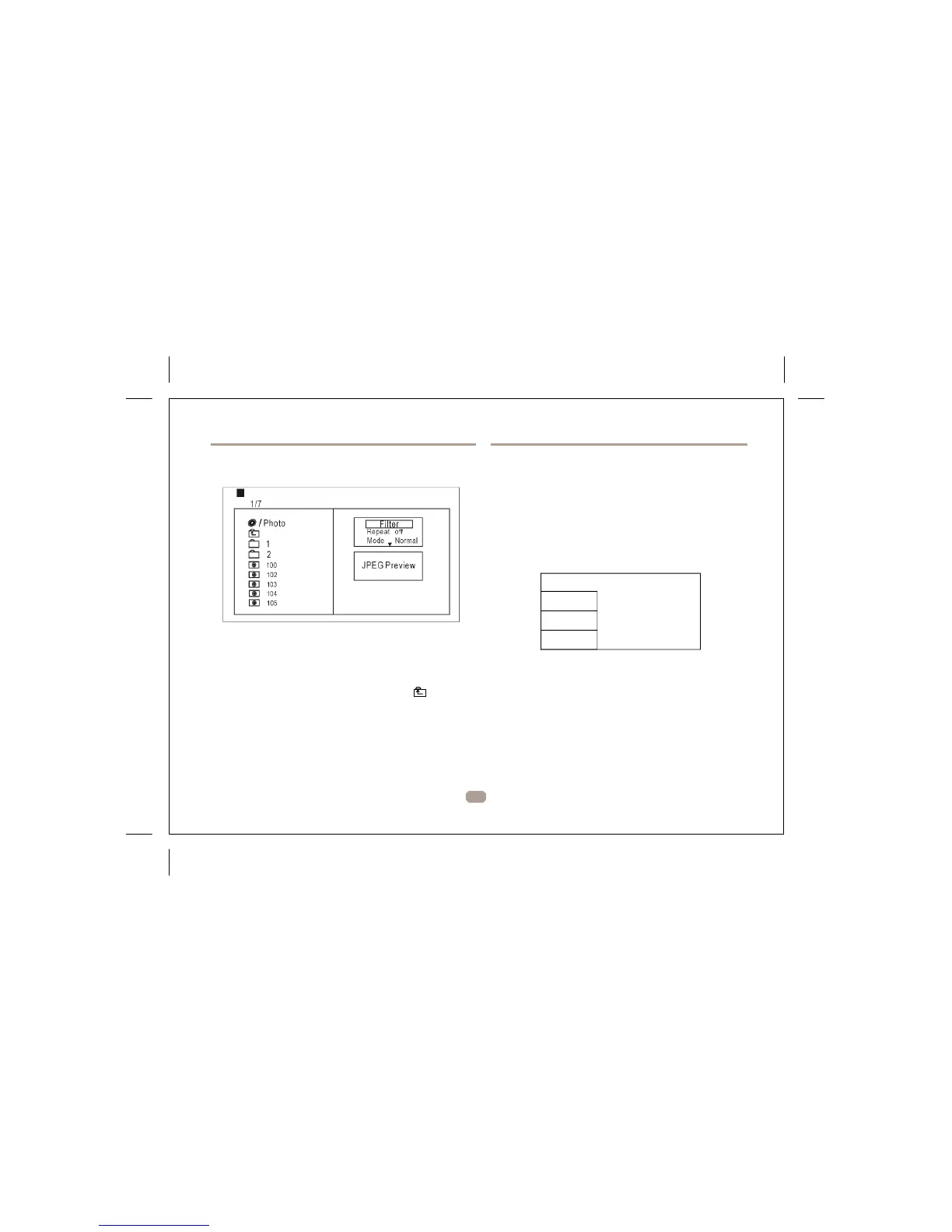
Press Navigation key to choose the root directory and
press ENTER button to enter the sub directory. Press
Language
Video
Rating
Misc
OSD Language
Language
Subtitle
MPEG4 Subtitle
Audio
DVD Menu
Navigation key to choose the desired picture and press
ENTER to view the picture. If you want to return to the
upper menu, press Navigation key to choose and
press ENT ER.
Image rotation
In pi cture play state, press Navigation key to rotati on
the picture, press ANGLE button to change the picture
scan mode.
6
Use this item to select the language of the setup menu and screen
display.
Subtitle
Set the default subtitle.
Note: not every disc supports this function.
MPEG4 Subtitle
Set default MPEG4 subtitle encoding option.
Note: not every disc supports this function.
Audio
Set the default audio language.
Note: not every disc supports this function.


 To Next Page